1
VBRICK
ETHERNETV
MCS
USERS
GUIDE
VERSION
2.0.0
Watch Television
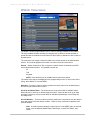
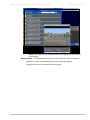
The Watch Television page enables a user to view live streams available on the network.
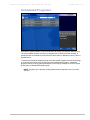
The list of available streams are either live streams from a VBrick or another encoder or
stored files that are multicast from an EtherneTV-NXG Video on Demand or other Video-onDemand server.
The administrator can assign a channel number to a live video stream in the administration
section. The channel appears as a number in a column to the left of the entries.
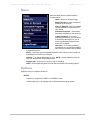
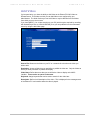
Search – Search Channels by Title or Keyword. Search criteria are entered in the MCS
server administration section. It is possible to search by:
All
Title
Keyword
NOTE: Press the Enter key or the Go button to execute the search.
The results of the search are displayed in the program listings area. To return to the entire
listing, select Watch TV from the MENU.
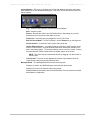
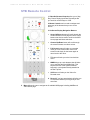
Selection – To select a video to preview, position the cursor button over the desired entry
and use the left mouse button to select.
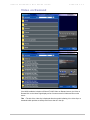
Scroll Up and Scroll Down – The scroll bar on the right of the table of available videos
allows the user to scroll up or down through the entries. Users can also scroll up or down
through the entries by using a mouse wheel or standard keyboard keys such as Page Up
and Page Down.
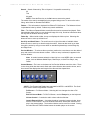
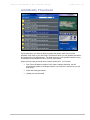
Preview Window – To select a video to preview, position the cursor button over the desired
entry and use the left mouse button to select. When an entry is selected, it appears in the
Preview Window.
Note: In certain instances where the video link is to a non-MPEG video, an external
player, such as Windows Media Player, Real Player, or QuickTime Player, may
launch.
C O P Y R I G H T
V B R I C K
S Y S T E M S
P A G E
7
F E B R U A R Y
1 3 ,
2 0 0 4