1
Domo
USER MANUAL
TELEPHONE ANSWERING MACHINE
M
Domo
Domo
1
2
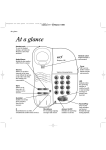
DESIGN
Dear customer,
(1.)
MICROPHONE
(2.)
SPEAKER
Congratulations!
You have just bought the telephone answering machine TOPCOM DOMO.
(3.)
CASSETTE
The TOPCOM DOMO is a user friendly quality product.
(4.)
3
COMPARTMENT
MESSAGE INDICATOR
(LED)
The manual enables you to utilize all possible functions in a practical way.
Therefore it is necessary to go through this booklet before
you make use of your answering machine.
(5.)
4
• OUTGOING MESSAGE
(OGM)
(6.)
• PLAY
5
6
7
• REWIND
(7.)
• MEMO
• FAST FORWARD
Good luck!
(8.)
• VOLUME KNOB
• ON-OFF
(9.)
TELEPHONE LINE CORD
CONNECTION
(10.) ADAPTER LINE CORD
CONNECTION
8
9
COPYRIGHT
1995 TOPCOM®
M
10
M
Domo
Domo
TABLE OF CONTENTS :
11.4. Rewind during the playback of recorded messages
11.5. Fast-forward during the playback of recorded messages
1.
2.
IMPORTANT SAFETY INSTRUCTIONS
INSTALLATION
2.1. Location
2.2. Insert the cassette
2.3. Connection
2.3.1. Connect the adapter
2.3.2. Connect the telephone line cord
2.3.3. Connect your telephone to your TOPCOM DOMO
3.
RECORD THE MESSAGE (OGM)
3.1. Record the message on tape
INCOMING MESSAGES (ICM)
4.1. Switch your TOPCOM DOMO on
4.2. Switch your TOPCOM DOMO off
5.
6.
7.
8.
9.
10.
11.
12. REMOTE CONTROL
3
3
12.1. The topcom domo is switched on
4
5
5
6
12.3. Interruption of the playback on remote operation
13. IN CASE OF DIFFICULTIES
14. GUARANTEE
6
6
ENCLOSURE: GUARANTEE CARD
12.2. The topcom domo is switched off
6
7
7
8
3.2. Check the message
4.
11.6. Memo-recording
3
VOLUME ADJUSTMENT
CALL SCREENING OF INCOMING MESSAGES
INDICATION OF RECORDED MESSAGES BY MEANS OF THE
LED (4) FLASH
POWER FAILURE INDICATION
VOX CONTROL
TAPE FULL INDICATION
PLAYBACK OF RECORDED MESSAGES
11.1. Save messages
11.2. Erase messages
11.3. Pause during the playback of recorded messages
1
M
8
8
8
8
9
9
9
9
10
10
10
2
M
10
11
11
11
12
13
13
13
14
Domo
1. IMPORTANT SAFETY INSTRUCTIONS
Before using your telephone answering machine take the following safety
instructions into account :
1.
2.
3.
4.
5.
6.
7.
8.
Read carefully the manual
Never place your TOPCOM DOMO on an unstable ground
Do not install the device in a moist and dusty environment
Do not place the answering machine near a source of heat such as a stove
or a radiator
Use only a slightly damped cloth for the cleaning
Never remove screws or lids to repair the machine yourself. Leave this to
the technical department of TOPCOM
Pull the plug out of the outlet immediately
a. In case the power supply plug or the cord have been damaged
b. In case a fluid spilled into the machine
c. If the answering machine has been dropped and has severely been
damaged
Slots and openings in the device are provided for ventilation to protect the
machine from overheating. These openings may not be blocked with the
installment of the device.
Domo
2.2. INSERT THE CASSETTE
1. Push the front panel of the cassette compartment upwards.
2. Insert the cassette into the answering machine as follows:
•
The upper side of the cassette has to lean against the cassette tape
holder of the tape deck mechanism.
•
The reel holes of the cassette have to fit into the playwheel of the tape
deck when you push the underside of the cassette downwards into
the playwheel mechanism
cassette compartment
2. INSTALLATION
2.1. LOCATION
Caution:
Place your TOPCOM DOMO on a hard, flat surface as close as possible to a
wall telephone modular jack and a power outlet (230v)
3
M
The cassette has to be placed into the machine with the text on it directed
downwards (upside down)
Mechanical defaults caused by a wrong insertion of the cassette are not guaranteed.
4
M
Domo
Remarks:
Domo
Remark:
Use only the adapter which was provided with your device.
•
•
•
•
Always pull the plug out of the outlet when you clean, replace or turn the
cassette
If the power supply is switched on again, the cassette will check itself.
After this check, you have to record your message again.
The cassette needs replacement if:
- The messages are not intelligible anymore
- The machine rewinds and fast forwards slowly
- The tape is broken
Clean the tape mechanism every six months as follows:
- Take the cassette out of the answering machine. Clean the heads and
the mechanism with a cotton cloth or a swab moistened with isopropyl
alcohol.
- Let the mechanism dry. Close the lid.
- Insert the cassette back into the device.
2.3.2. Connect the telephone line cord
Insert the telephone plug into your net line outlet.
2.3.3. Connect your telephone to your TOPCOM DOMO
Insert the plug of your telephone on top of the intermediate outlet of your
TOPCOM DOMO.
3. RECORD THE MESSAGE (OGM)
Your message is the text the caller will hear when your Topcom Domo
answers the phone.
2.3. CONNECTION
2.3.1. Connect the adapter
EXAMPLE:
Important:
Before you connect the adapter, the microcassette has to be installed (with
the text on the cassette directed downwards).
"Hi, An and Jan Peeters are not here for the moment. We ask you to leave a
message after the beep. We will call you back as soon as possible. Thank
you."
1. Plug the adapter into the power outlet.
2. Plug the end of the adapter cord in the provided power jack on the left
side of your TOPCOM DOMO
3.1. RECORD THE MESSAGE ON TAPE
The led (4) flash will switch on and the device will check on itself. After this
selftest the led (4) flash will switch off. There will be a beep every five
seconds to indicate that there is no message on the tape.
5
M
1. Press the
key (message) (5) and hold down.
2. When the led (4) starts flashing, speak in your message on the tape (no
more than 1 minute long).
3. Release the
key (message) (5) to end the recording of the
outgoing message.
6
M
Domo
4. The recorded message will automatically be rewinded.
5. The answering machine is ready to register incoming messages.
Domo
4.1. SWITCH YOUR TOPCOM DOMO ON
Tune the ON-OFF/VOLUME knob (8) downward. The red led (4) switches on.
3.2. CHECK THE MESSAGE
4.2. SWITCH YOUR TOPCOM DOMO OFF
Press and release the
key (message) (5).
Your message will be reproduced after 2 seconds.
Tune the ON-OFF/VOLUME knob (8) upward until you hear a click. The red led
(4) switches off.
Note :
•
•
•
Your device has to be switched on during the recording or checking of
your message.
Turn the volume knob downwards if you want to listen to the message
loudly and clearly.
To decrease the volume, turn the volume knob upwards.
4. INCOMING MESSAGES (ICM)
5. VOLUME ADJUSTMENT
To be able to listen to your outgoing message and the other incoming messages loudly and clearly, you have to turn the volume knob on the left side of
your device downwards. To decrease or to switch off the volume you have to
turn the volume knob upwards.
6. CALL SCREENING OF INCOMING MESSAGES
Toll saver:
Your unit will answer after 2 rings if you have received messages and after 4
rings if there are no messages. Hang up after the third ring to save time and
phone charges
Remark :
If your TOPCOM DOMO has not been switched on, incoming messages are
answered after 10 rings.
Note:
We deliver the telephone answering machine as a standard device with a
microcassette of 20 minutes, of which 1 minute is being used for your outgoing message. This means that the remaining 19 minutes can be used for the
recording of incoming messages (maximum 1 minute per message).
7
M
Adjust the volume of your TOPCOM DOMO in order to be able to listen attentively. You can just listen to the incoming messages or you can answer them
by picking up the receiver. In the last case your TOPCOM DOMO receiver will
automatically stop recording the message.
7. INDICATION OF RECORDED MESSAGES BY
MEANS OF THE LED (4) FLASH
The led (4) flash shows whether messages have been recorded.
8
M
Domo
Domo
8. POWER FAILURE INDICATION
11.1. SAVE MESSAGES
If there has been a power failure and some messages have been recorded,
the led (4) will flash constantly.
Play the message by pushing the
key (play/rewind) (6). The device
will automatically reset itself to the standby position.
•
•
9. VOX CONTROL
After listening to the recorded messages, push the
key
(play/rewind) (6). Press and hold down the key until the led (4)
switches off.
Release the
key (play/rewind) (6). The led (4) will flash again. The
messages are being saved. The new, incoming messages will be recorded
after the ones already saved.
11.2. ERASE MESSAGES.
Your TOPCOM DOMO will automatically stop recording the incoming message
if there has been no voice for more than 7 seconds.
10. TAPE FULL INDICATION
If your tape is full, an incoming message will only be answered after 20 rings.
The caller will not be able to leave a message. You have to listen to all the
calls before you are able to record messages again.
11. PLAYBACK OF RECORDED MESSAGES
If you press no key after playing the messages, the already recorded
messages will automatically be erased with the recording of new incoming
messages.
11.3. PAUSE DURING THE PLAYBACK OF THE RECORDED
MESSAGES
•
•
•
•
Press and release the
key (play/rewind) (6).
All recorded messages will be reproduced. At the end of the tape you will
hear a beep. The cassette will automatically rewind.
Turn the ON-OFF/VOLUME knob (8) in the off- position, the playback of
the recorded messages will stop.
Turn the ON-OFF/VOLUME knob (8) in the on-position to continue the
playback of the recorded messages.
11.4. REWIND DURING THE PLAYBACK OF THE RECORDED
MESSAGES
•
•
9
M
Press and hold down the
been completely rewinded.
When you, release the
key (play/rewind) (6) until the tape has
key (play/rewind) (6), you resume playback.
10
M
Domo
Domo
12.1. THE TOPCOM DOMO IS SWITCHED ON
11.5 FAST FORWARD DURING THE PLAYBACK OF THE
RECORDED MESSAGES
•
•
•
Press and hold down the
key (memo/fast forward) (7).
When you have reached the message concerned, release the
(memo/fast forward) (7) and the playback will resume.
key
•
•
Remark:
If you press and hold down the
key (memo/fast forward) (7) until the
end of the tape, your TOPCOM DOMO will automatically rewind and stop. To
listen to the recorded messages again, release the
key (play/rewind)
(6).
In either case, whether you have left a message or not
•
11.6 MEMO RECORDING
•
Press the
key (memo/fast forward) (7) and start speaking. After your
message, press the
key (memo/fast forward) (7) to stop recording.
Your memo will be recorded just like an incoming message and will playback
as the other messages.
•
•
•
12. THE REMOTE CONTROL
•
Your TOPCOM DOMO can be used from a distance through any dtmf (beep)
telephone. The decoder can be received in option.
Dial the phone number (from any address) to which your TOPCOM DOMO
is connected.
You will hear a message followed by a beep. The length of this beep
depends on the number of recorded messages.
Before you proceed, you can leave a short message which will remind you
later that you have already listened to the messages (this message may
not take more than 1 minute).
After the beep or after that you have left a message, press your 3-digits
code on the keypad (dtmf/tone).
While rewinding the tape, you will hear a series of short beeps (with a
pause of 3 seconds between each series of beeps).
If you do not hear this beep, press your 3-digits code again.
From now on all messages will be played back. You will hear a short beep
between each message.
When you have listened to all recorded messages, your TOPCOM DOMO
will produce a series of short beeps, indicating that you have heard all the
messages.
AFTER THESE BEEPS YOU CAN:
1.
At the back of your device there is a code existing out of three digits (look at
the sticker). You need this code in order to use your remote control.
2.
11
M
Save the recorded messages
Put down the receiver after or during the playback of the recorded
messages.
or
Erase the recorded messages
Press your remote code and put down the receiver after two short
beeps.
12
M
Domo
•
Domo
5 SECONDS AFTER THESE BEEPS YOU WILL HEAR A LONGER BEEP. Now you can
3. Leave a message for yourself or other people that also have access to
your TOPCOM DOMO. This message may not be longer than
1 minute.
or
4. Play back the recorded messages by entering your remote code.
-
•
•
Have you plugged the telephone line cord of your TOPCOM DOMO
into the wall telephone jack?
- Have you connected the adapter cord to the power supply outlet?
You hear a beep every 5 seconds!
- Have you inserted the cassette in the right way?
- The cassette needs replacing.
- Have you recorded an outgoing message?
The function keys do not work!
- Have you recorded an outgoing message?
12.2. THE TOPCOM DOMO IS SWITCHED OFF
14. GUARANTEE
If your TOPCOM DOMO is not switched on, but you nevertheless want to use
it or switch it on with your remote control, you have to do the following:
•
•
•
Let your TOPCOM DOMO ring 10 times.
Your TOPCOM DOMO will automatically switch on.
From now on you can use your device with your remote control or you
can put down the receiver.
The TOPCOM DOMO has been manufactured and tested in order to offer you
complete satisfaction. Topcom secures this device against material and fabrication defects during a period of 12 months, reckoning from the date of purchase of the first distributor. The warranty is valid if the guarantee card has
been correctly filled in and if it has been provided with the date and signature.
The guarantee card has to be sent to TOPCOM no later than within 10 days
after your purchase.
12.3. INTERRUPTION OF THE PLAYBACK ON REMOTE
The guarantee does not include the adapter, the cassette and possible defects
caused by insufficient maintenance and use of the device.
OPERATION
While listening to the recorded messages by means of your remote control,
you will hear a long beep after 2 minutes and 30 seconds. The device will
stop playing. To continue the playback, you have to re-enter your remote
control code. This procedure has to be repeated every 2 minutes and 30 seconds. If you do not enter your code, the line will be interrupted.
13. IN CASE OF DIFFICULTIES
•
The guarantee completely expires if other people than those of the technical
department of TOPCOM have repaired or modified the machine.
If you find defects in the operation, you are asked to restore the unit in its
original packing to the sales department of TOPCOM. You also have to send
the guarantee card and a copy of your purchase invoice.
Any dispatch costs will be debited to the purchaser.
Your TOPCOM DOMO does not work at all!
13
M
14
M