1
Tip: If the Contacts entry you scrolled to
contains a Private ID, you can make an instant
Private call to that Private ID by pressing and
holding the PTT button, even if the Private ID
is not the type of number displayed.
your phone number and
Private ID
Find it: M > J
Tip: Want to see your phone number or
Private ID while you’re on a call? Press M >
My Info.
text messages
Text messaging allows you to send and
receive short text messages to and from
other Mike handsets. Messages you receive
appear on your handset’s display and in the
text message inbox.
set it up
Before you begin using text messaging, you
may need to set up your signature, service
center number, and expiration information.
Shortcut: From the home screen press a
under Mesg > M
1 Scroll to Inbox, Drafts or Outbox.
2 Press M > Text Msg Setup.
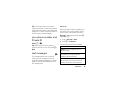
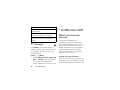
The following options become available:
option
Signature: Enter your signature (up to 11
characters long).
Delivery Rpt: Set this option to On if you want
your phone to show you when the
message has been delivered.
Srvc Cntr No: Enter the phone number of your
service center. If you do not know this
number, contact your service provider.
essentials
19