1
DISPLAY
REVEAL
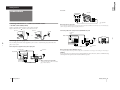
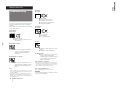
Each time you press SELECT, the screen changes as
follows:
Adjusting the picture
and sound
PICTURE
COLOR
(Operative for
KV-T29 only)
BRIGHT
(Operative for
NTSC signal only)
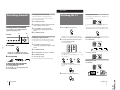
Setting the Sleep Timer
HUE
TILT CORRECTION
+ or –
SELECT
PIC MODE
You can set the TV to turn off automatically after the
period of time you want.
1
AUTO
B/G
STANDARD
Press SLEEP.
SLEEP
SHARPNESS
SURROUND
Selecting the picture mode
Setting the Wake Up Timer
BALANCE
SLEEP TIMER:30
You can set the TV to turn on automatically after the
period of time you want.
1
After 30 minutes
SLEEP TIMER:60
After 60 minutes
SLEEP TIMER:OFF
No sleep timer
After 90 minutes
–8–
To cancel the Sleep Timer, press SLEEP repeatedly
until “SLEEP TIMER: OFF” appears, or turn the TV off.
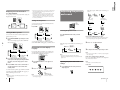
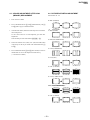
Each time you press PIC MODE, the screen changes as
follows:
High contrast
picture
Changing the on-screen display
language
DYNAMIC
WAKE UP TIMER:00H10M
After 10 minutes
2
WAKE UP TIMER:OFF
WAKE UP TIMER:12H00M
No wake up timer
After 12 hours
If you want a particular TV program or
video input to be displayed using the Wake
Up Timer, select the TV program or video
mode.
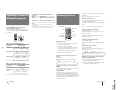
If you prefer Chinese to English, you can change the
on-screen display language. You can use buttons on
both the remote commander and the TV.
+ or SELECT
1
Press SELECT until the screen appears as
follows:
Press POWER on the remote commander or
set the Sleep Timer to turn off the TV in
standby mode.
Press + or – to adjust the item.
SOFT
STANDARD
3
To adjust other items, repeat steps 1 and 2.
Note
• You can also use VOLUME +/– on the TV to adjust the picture
and sound settings.
Note
Adjusting the picture and sound
settings
If the color of the picture is abnormal
Press COLOR SYSTEM or adjust the color setting until
the color becomes normal.
Note
• Normally set COLOR SYSTEM to AUTO.
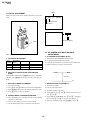
Front of TV
2
LANGUAGE /
Press + or – to select “
: ENGLISH
”.
1
Press SELECT until the item you want to
adjust appears.
SELECT
To cancel the Wake Up Timer, press WAKE UP/INDEX
repeatedly until “WAKE UP TIMER: OFF” appears, or
turn off the main power of the TV.
COLOR SYSTEM
LANGUAGE /
SELECT
TV SYSTEM MANUAL PROGR
AUTO PROGR
:
Note
Notes
• The Wake Up Timer starts immediately after the on-screen
display disappears.
8
2
Soft picture
(good for
video games)
• If you change the picture mode after the following
adjustments, the adjustment changes in accordance with the
picture mode.
SELECT
3
• The earth's magnetic field may affect the tilt of the TV picture.
You can adjust the picture tilt using TILT CORRECTION.
SLEEP TIMER:90
WAKE UP
INDEX
WAKE UP TIMER:00H00M
BASS
Note on TILT CORRECTION (KV-T29 only)
PIC MODE
Press WAKE UP/INDEX repeatedly to set the
timer.
The on-screen display appears and the WAKE UP
indicator lights up.
TREBLE
Press PIC MODE until the mode you want
appears.
Operations
• You can also use VOLUME +/ – on the TV to select the onscreen display language.
Operations
9
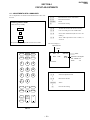
RM-870
Press DISPLAY/REVEAL.
The program position, local system, and TV settings are
displayed on the screen.
• The last TV program position or video mode just before the TV
turns into Standby mode will appear when the TV turns on
using the Wake Up Timer.
• If no buttons or controls are pressed for more than two hours
after the TV is turned on using the Wake Up Timer, the TV
automatically turns into standby mode. When you want to
continue watching the TV, press any button or control on the
TV or remote commander.
KV-T29SN81
Displaying on-screen information