1
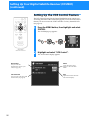
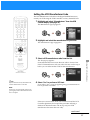
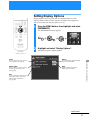
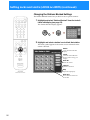
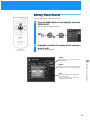
Setting the VCR Manufacturer Code
MUTING
POWER
CABLE
TV
SAT
AUDIO
VOLUME
+
CABLE
The VCR Manufacturer Code allows the Digital Satellite Receiver to
control your VCR using the VCR Controller or a Sony SmartFile VCR.
FUNCTION
TV
SLEEP
1
SAT
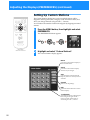
The Manufacturer pop-up appears.
TV/SAT TV/VIDEO
1
2
3
4
5
6
7
8
DISPLAY
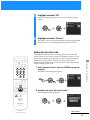
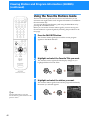
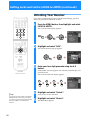
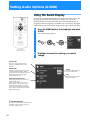
Highlight and select “Manufacturer” from the VCR
Control display (see page 26).
9
ENTER
0
ALT AUDIO JUMP
FAVORITE INDEX CATEGORY GUIDE
VOL
MENU
2
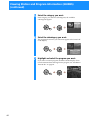
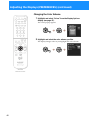
Highlight and select the manufacturer of your VCR.
The manufacturer’s pop-up appears.
CH
EXIT
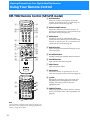
CODE SET
VTR3 2 DVD AMP
RM-Y802
3
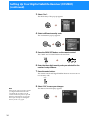
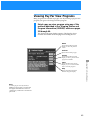
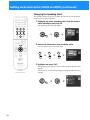
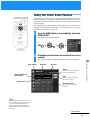
Select a VCR manufacturer code from the list.
SATELLITE
RECEIVER
Using the On-Screen Displays
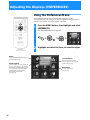
The Test pop-up appears.
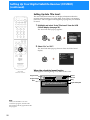
Some manufacturers have more than one code to choose from.
If the VCR manufacturer code you select does not work in step 4
below you can select another code for that manufacturer.
RM-Y802
Remote Control
z Tip
If you connected a Sony SmartFile VCR,
use the manufacturer code of 99.
4
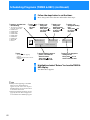
Select “Yes” to perform a VCR test.
If you select “Yes”, a pop-up appears giving you instructions on
how to perform a VCR test.
Note
Do not stop or interrupt the VCR test by
pressing any buttons until after the VCR
test is complete.
If the test is unsuccessful, check your connections and the VCR
Controller placement, then repeat this procedure selecting a
different VCR manufacturer code in step 3 (if your VCR
manufacturer has more than one code).
continued
27