1
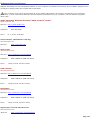
About the Front Panel
The front panel of your VAIO® Computer enables access to drives, memory card readers, ports and jacks that enable you to
connect compatible peripheral devices.Your computer may not be equipped with all of these hardware features or
accessories. The location of the controls, ports, and jacks may vary from the illustrations shown in this section.
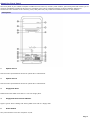
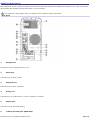
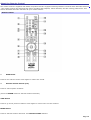
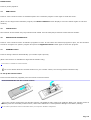
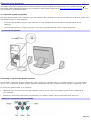
Front panel
1
Optical drive 1
See the online specifications sheet for optical drive information.
2
Optical drive 2
See the online specifications sheet for optical drive information.
3
Floppy disk drive
Reads and writes data from and to a 3.5-inch floppy disk.
4
Floppy disk drive access indicator
Light is green while reading and writing data from and to a floppy disk.
5
Power button
The power button turns the computer on/off.
Page 7