1
Getting
Playing
Started
CDs
Locating a Specific Track or a
Point in a Track
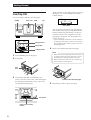
You can quickly locate any track while playing a disc
using the ≠/± (AMS: Automatic Music Sensor)
buttons or number buttons on the remote. You can also
locate a specific point in a track while playing a disc.
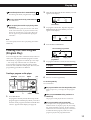
To locate
Press
the next or
succeeding tracks
± repeatedly until you find the
track
the current or
preceding tracks
≠ repeatedly until you find the
track
a specific track
directly Z
TRACK, the number button of the
track, and then ENTER. When you
locate a track with a number over 10,
press the 10’s digit first, then the 1’s
digit.
a point in a track
while monitoring the
sound Z
) (forward) or 0 (backward) and
hold down until you find the point
a point in a track
quickly by observing
the display Z
) (forward) or 0 (backward) and
hold down until you find the point
during pause. You will not hear the
sound during the operation.
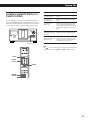
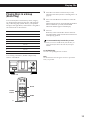
POWER
≠/±
Note
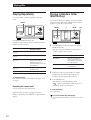
If “
” appears in the display, the disc has reached the end
while you were pressing ). Press 0 or ≠ to go back.
TRACK
Number
buttons
ENTER
=/+
0/)
11