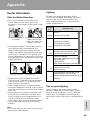
1
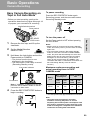
Letting the Subject Monitor
the Shot
2
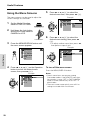
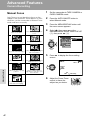
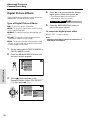
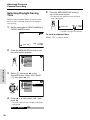
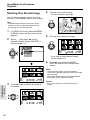
Set the Power switch to CAMERA.
• The subject is displayed in the
viewfinder, and a mirror image of the
subject is displayed on the LCD monitor.
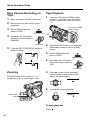
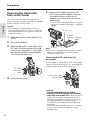
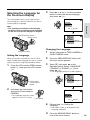
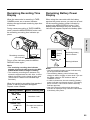
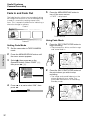
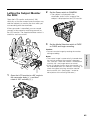
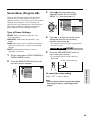
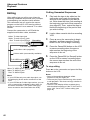
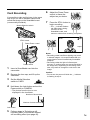
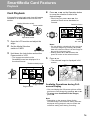
Open the LCD monitor and rotate it 180°
vertically so that the screen faces the other way
and the subject can monitor the shot while you
are recording with the viewfinder.
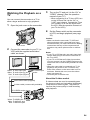
If the camcorder is steadied, you can record
yourself in the scene by watching yourself on
the LCD monitor. The supplied remote control is
useful for such occasions.
3
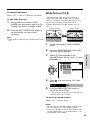
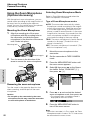
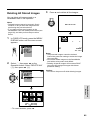
Set the Media Selection switch to TAPE
or CARD, and begin recording.
Caution:
• Do not invert the image by rotating the monitor
during recording.
1
Useful Features
Notes:
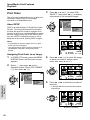
• The screen image is automatically inverted when
the vertical rotation of the monitor is between
135° and 180°. When the monitor is rotated back
to within 135°, the image returns to normal.
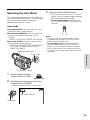
• If the F indicator flashes when the monitor is in
the inverted position, this indicates a warning. To
check the type of warning, rotate the monitor
back to within 135°. (See pages 7 and 8 for
descriptions of the warning indicators.)
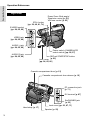
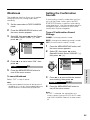
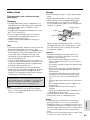
Open the LCD monitor to a 90° angle to
the camcorder body (1), and then
rotate it 180° vertically (2).
180
90
42