1
Sharing the Printer using Windows Networking
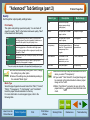
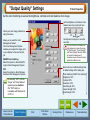
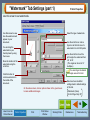
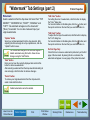
Sharing Printer
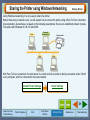
Using Windows networking, it is very easy to share the printer.
Rather than using a network server, we will explain how to connect the printer using a Peer To Peer connection.
Our explanation, shown below, is based on the following assumptions; there is an established network in place.
This works with Windows 95, 98, NT and 2000.
Client with
shared printer
Client
Client
Shared printer
Client
With Peer To Peer connections, the print server is a client to which a printer is directly connected, and a "Client"
is any computer, which is connected to the same network.
Shared Printer Settings
Client Settings
31
How to Use the
Online Manual
Printer Properties
Print
Print Status
Window
Sharing Printer
Maintenance
Troubleshooting