1
Using These Manuals
How to Use the Software User
Guide
The following two manuals are supplied with the
camera.
Display examples:
1. Understanding How to Use Your
Camera
The display examples may be different from actual
display screens.
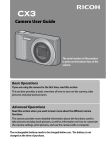
“Camera User Guide” (Printed Manual)
Terms:
This guide explains the usage and functions of
the camera. You will also see how to install the
provided software on your computer.
In this guide, still images and movies are
referred to as “images” or “files”.
Symbols:
Camera User Guide
This guide uses the following symbols and
conventions:
The serial number of this product
is given on the bottom face of the
camera.
Basic Operations
If you are using the camera for the first time, read this section.
This section provides a basic overview of how to turn on the camera, take
pictures and play back pictures.
Advanced Operations
Read this section when you want to learn more about the different camera
functions.
This section provides more detailed information about the functions used to
take pictures and play back pictures, as well as information on how to customize
the camera settings, print pictures, and use the camera with a computer.
This indicates important notices and restrictions
for using this camera.
The rechargeable battery needs to be charged before use. The battery is not
charged at the time of purchase.
2. Downloading Images to Your
Computer
This indicates supplementary explanations and
useful tips about camera operations.
“Software User Guide”
*This Manual (This File)
This guide explains how to download images
from the camera to your computer.
This indicates page(s) relevant to a particular
function. “GP. xx” is used to refer you to pages
in this manual.
This indicates terms that are useful for
understanding the explanations.
2