1
Troubleshooting
Poor sound quality/recorder does not work properly
• Incompatible metal type tape used. Use only normal type tapes.
• Tape speed setting on SLOW/FAST. Adjust to NORMAL.
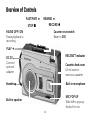
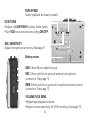
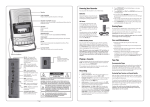
• Check sound settings. Adjust VOLUME/VOX SENS and VOX/TONE.
• Recorder set on pause mode. Slide PAUSE to OFF to resume playing.
• Battery power low. Replace with fresh batteries.
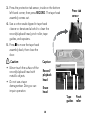
• Tape head and parts maybe dirty. See “Cleaning the Tape-Handling Parts“ on page
17-18 to clean.
• Car adapter plug dirty. Unplug to clean the ignition socket and adapter plug.
Recording keeps stopping/does not work
• Check VOX/TONE setting. Adjust to OFF for a normal recording as it happens.
• Recorder set on pause mode. Slide PAUSE to OFF to resume recording.
• Check the erase protection recording tabs on your tape. If broken, use scotch
tape to cover over the tabs.
20