1
Function
Key(s)
Copy Track & Device (track selected in Track List), Copy Clip or Event (depend- [Command]/[Ctrl]+[C]
ing on current selection).
Paste Track & Device, Paste Clip or Event.
[Command]/[Ctrl]+[V]
Open Help
[Command]+[?]/[F1]
Switch to one of the 10 corresponding global Remote variations (or "keyboard
shortcut variations").
[Command]+[Option]/[Ctrl]+[Alt]+[1]...[0]
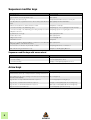
General modifier keys
Function
Key/Action
Duplicate (copy) the selected item and its corresponding components.
[Option]/[Ctrl]+drag and drop device/track/mixer channel
Disable auto-routing of device.
[Shift]+Create device
Fold/unfold all devices.
[Option]/[Alt]+Fold/unfold device
Fold/unfold all tracks.
[Option]/[Alt]+Fold/unfold track
Select multiple devices/tracks
[Command]/[Ctrl]+Select
Select range of multiple devices/tracks
[Shift]+Select
Select multiple clips/events in the Sequencer
[Shift]/[Ctrl]+Select (Windows only: [Shift]+Select to select a
range of clips/events in the Sequencer)
Increase precision when making settings.
[Shift]+Move fader/knob
Reset parameter to default value.
[Command]/[Ctrl]+Click fader/knob
Prevent creation of Sequencer-track for devices that normally will get a track.
Create Sequencer-track for devices that normally will not get a track.
[Option]/[Alt]+Create device
Create a parameter automation lane for the parameter.
[Option]/[Alt]+Click device fader/knob/button
Transport keyboard shortcuts
4
Function
Key(s)
Play
Numeric keypad [Enter]
Stop, Go to start position, Go to start of Song.
[Shift]+[Return] or numeric keypad [0]
Go to start of Song
[,]/[.] on numeric keypad
Toggle Stop/Play
[Spacebar]
Record
[Command]/[Ctrl]+[Return] or numeric keypad [*]
Rewind
Numeric keypad [4]
Fast Forward
Numeric keypad [5]
Go to Loop Start
[Option]/[Alt] and left arrow key.
Numeric keypad [1]
Go to Loop End
[Option]/[Alt] and right arrow key.
Numeric keypad [2]
Go to Next Bar
Numeric keypad [8]
Go to Previous Bar
Numeric keypad [7]
Tempo Up
Numeric keypad [+]
Tempo Down
Numeric keypad [-]
Set the Left and Right Loop Locators to encompass selected clips and start
playback in Loop Mode.
[P]