1
MCM108
MCM108B
MCM108C
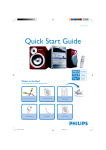
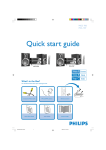
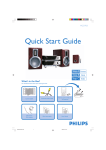
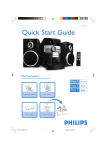
Quick Start Guide
Step A
Setup
Step B
Enjoy
What’s in the Box?
You should find these items upon opening the box.
2
1
User Man
Quick Start
Guide
ual
User manual
Quick Start Guide
MUTE
VOLUME
CD
TUNER
AUX
PROG
REPEAT
SHUFF
SLEEP
TIMER
DBB
DSC
ALBUM
VOLUME
MW antenna
DBB
DSC
Remote Control
Pull out the insulation
plastic sheet.
MCM108_98 QUG_Eng
1
16/3/07, 9:52
Step A
Setup
Connection
1
2
3
For radio reception, connect the supplied MW antenna to the
MW aerial terminal.
Tip
It is unnecessary to
connect the FM pigtail
antenna since it is
fixed to the main unit.
Connect the speaker wires to the SPEAKERS terminals.
Connect the power cord of the system to the
AC power outlet.
FM wire antenna
1
MW loop antenna
Speaker
(left)
Speaker
(right)
2
2
3
AC power cord
PROG/CLOCK
Setting the clock
MICRO SYSTEM MCM118
1
iR
In standby mode, press PROG/CLOCK button.
The clock digits for the hours flash.
2
Press ¡1 /
3
Press PROG/CLOCK again. The clock digits for the minutes flash.
4
Press ¡1 /
5
Press PROG/CLOCK to confirm the time.
2™ to set the hours.
AUX-IN
MCM108_98 QUG_Eng
2™ to set the minutes.
2
16/3/07, 9:52
Step B
Enjoy
MUTE
CD
CD
TUNER
AUX
PROG
REPEAT
SHUFF
SLEEP
TIMER
Playing a disc
1 Select CD source.
2 Press OPEN•CLOSE on the top of the system to open the CD door.
3 Insert a disc with the printed side facing up and press down
ALBUM
on OPEN•CLOSE to close the CD door.
4 PressÉÅto start playback.
5 Press 9 to stop playback.
OP
E N / C LO S E
Listening to radio
STANDBY-ON
1 Select TUNER source.
SOURCE
SOURCE
BAND
PROG/CLOCK
-
BAND
VOLUME
+
TUNING
TUNING
2 Press BAND (TUNER on the remote control) once or more to select your waveband.
3 Turn TUNING 0 to tune to a station.
Tip
Detailed playback features and
additional functions are described in
the accompanied owner's manual.
Notes for the remote control:
– First, select the source you wish to
control by pressing one of the source select
keys on the remote control (CD or TUNER,
for example).
– Then select the desired function ( 2;,
í, ë for example).
2007 C Koninklijie Philips Electronics
N.V. All rights reserved.
http://www.philips.com
MCM108_98 QUG_Eng
3
PDCC-JH-0744
16/3/07, 9:52