1
MCD 268
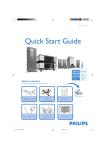
Quick Start Guide
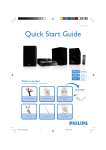
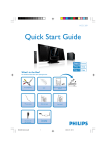
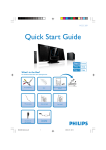
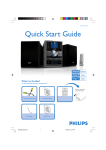
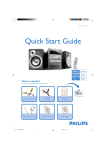
What’s in the Box?
You should find these items upon opening the box.
Pull out the plastic
protective sheet
before use.
USB/AUX
DIM
A/V cord (R/W/Y)
Remote Control
Stand
Quic
rM
anu
rt G
uide
FM wire antenna
MCD268 QSG_Eng-93
Quick start guide
1
2
Use
1
k Sta
al
User manual
2008.3.10, 14:45
1
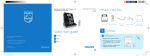
Connect the speaker (subwoofer) cables.
Tips
– See the User Manual for other TV
connection options.
– For connecting to a Progressive Scan
TV, refer to the user manual for proper
connections and detailed setup.
– Never connect the AC power cord
before connection of the DIN cable to
avoid causing any damage to the set.
2
Connect the FM antenna.
3
Connect the A/V cord to a TV.
4
Connect the power cords of the system and TV.
AC power
AUDIO
IN
S-VIDEO
IN
TV IN
4
VIDEO IN
AUDIO
IN
S-VIDEO
IN
TV IN
VIDEO IN
4
AC power
3
1
Speaker
(left)
Speaker
(right)
1
2
1
FM antenna
USB/AUX
DIM
Setting up the TV
1
Press SOURCE (DISC on the remote control) to select disc source.
2
Turn on the TV and set it to the correct Video In channel.
MCD268 QSG_Eng-93
2
2008.3.10, 14:45
Setting the clock
1
In standby mode, press and hold CLOCK on the system.
2
When the hour digits flash, press VOLUME-/+ (VOL+/- on the remote control) to set the
hours.
3
Press CLOCK again and the minute digits flash. Then press VOLUME-/+ (VOL+/- on the
remote) to set the minutes.
4
Press CLOCK again to confirm the time setting.
Setting DVD menu options
IMPORTANT!
If the progressive scan feature is activated but the connected TV does not support progressive
signals or the cables are not connected accordingly, see the user manual for proper progressive
scan setup or deactivate the progressive scan feature as below:
1) Turn off your TV progressive scan mode or turn on to interlaced mode.
2) Press SYSTEM MENU on the remote to exit the system menu and then DISC and “1” to exit
progressive scan.
ANALOG AUDIO SETUP
DIGITAL AUDIO SETUP
PICTURE SETTING
DIVX (R) VOD
3D
HDMI SETUP
USB/AUX
DIM
Tip
See chapters "Preparations" and "System
Menu Options" in the User Manual for
detailed descriptions.
MCD268 QSG_Eng-93
3
2008.3.10, 14:45
Playing a disc
d
e
1
P
Insert a disc into the slot loader.
➜ Make sure the label side is facing you.
➜ Make sure you have removed any other disc from the slot loader.
rin
S
i
ted
2
Playback will start automatically. If not pressÉÅ.
3
To stop playback, press 9.
Programming and tuning to radio stations
1
Press SOURCE (TUNER on the remote control) to select tuner source.
2
Press PROGRAM on the remote control for more than two seconds to program all available stations in order of
waveband.
3
Press PRESET ¡ / ™ until the desired preset station is displayed.
Playing a USB mass storage device
With the Hi-Fi system, you can use USB flash memory (USB 2.0 or USB1.1),
USB flash players (USB 2.0 or USB1.1), memory cards (requires an additional card reader to
work with this Hi-Fi system).
1
Insert the USB device’s USB plug into the socket
on the set.
2
IMPORTANT!
Slide down to
expose some
buttons and jacks on
the front panel!
Press SOURCE once or more to select USB (or USB/AUX on the remote control).
3
Play the USB’s audio files as you do with the albums/tracks on a CD,
Tip
Detailed playback features and additional functions are
described in the accompany owner's manual.
PDCC-JS/JW-0810
MCD268 QSG_Eng-93
4
2008.3.10, 14:45