1
Register your product and get support at
www.philips.com/welcome
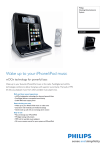
Docking Entertainment System
DC320
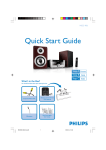
What’s in the box
de
art Gui
anual
User M
Quick St
Main unit
1
Quick start guide
© 2010 Koninklijke Philips Electronics N.V.
All rights reserved.
Specifications are subject to change without notice.
Trademarks are the property of Koninklijke Philips
Electronics N.V. or their respective owners.
Remove control
AC power
adaptor
Connect
2
Setup
1 Prepare the AC power adaptor.
3
Enjoy
2 Connect one end of the AC adaptor
to the DC IN socket on the main
unit.
Connect power
3 Connect the other end of the AC
adaptor to the wall outlet.
Printed in China
DC320_98_QSG_V1.0
User Manual
Quick Start Guide
Connect
1
A
MP3 link cable
c
a
b
EN
DC320_98_QSG_EN.indd
2-4
3/16/2010
10:10:50 AM
2
A
Set time and date
1 In standby mode, press and hold SET
TIME/PROG for 2 seconds.
»» [12 HR] begins to blink.
2 Press / to select 12/24 hour
format.
3 Press SET TIME/PROG to confirm.
»» The hour digits begin to blink.
4 Press / to set the hour.
5 Press SET TIME/PROG to confirm.
»» The minute digits begin to blink.
6 Repeat steps 4-5 to set the minute,
year, month, and day.
B
2
Setup
Set the alarm timer
You can set two alarms which go off at
different time.
1 Ensure that you have set the clock
correctly.
DC320_98_QSG_EN.indd
5-7
2 Press and hold ALM 1 or ALM
2 for 2 seconds.
»» [AL 1] or [AL 2] begin to
blink.
3 Press SOURCE to select an alarm
sound source: iPod/iPhone, iPod/
iPhone playlist, FM tuner, or
buzzer.
4 Press ALM 1 or ALM 2.
»» Hour digits begin to blink.
5 Press /
the hour.
repeatedly to set
6 Press ALM 1 or ALM 2 to confirm.
»» Minute digits begin to blink.
7 Repeat steps 5-6 to set the minute.
8 Repeat steps 5-6 to select whether to ring alarm the whole week,
on weekdays, or at weekend.
9 Repeat steps 5-6 to set the alarm
volume.
Setup
Activate and deactivate the alarm timer
1 Press ALM 1 or ALM 2 repeatedly
to activate or deactivate the timer.
»» If the timer is activated, [ AL 1]
or [ AL2] is displayed.
»» If the timer is deactivated,
[ AL1] or [ AL2] disappears.
Repeat alarm
1 When the alarm rings, press
BRIGHTNESS/REP ALM.
»» The alarm repeats ringing
minutes later.
ETip
•• You can press /
to adjust the
interval to repeat alarm.
Stop alarm ring
1 When the alarm rings, press the
corresponding ALM 1 or ALM 2.
»» The alarm stops but the alarm
settings remain.
23
Enjoy
A Play from iPod/iPhone
23
•
1 Place the iPod/iPhone in the dock.
•
2 Press SOURCE repeatedly to
select iPod/iPhone source.
»» The connected iPod/iPhone
plays automatically.
•
•
To pause/resume play, press
.
To skip to a track, press
/ .
Enjoy
To search during play, press
and hold / , then release
to resume normal play.
To go back to previous iPod/
iPhone menu, press MENU.
To scroll through the menu,
press PRESET +/-. To
confirm a selection, press
OK/ .
»» If no key is pressed for
more than 10 seconds,
OK/
acts back as the
play/pause key.
B Program and listen to
radio stations
1In the tuner mode, press and
hold SET TIME/PROG for
more than 2 seconds to activate
automatic program mode.
»» A
ll available stations are
programmed in the order of
waveband reception strength.
»» The first programmed radio
station is broadcast automatically.
2 Press PRESET +/- to select a
preset number.
ETip
•• Detailed functions and features are
described in the user manual.
3/16/2010
10:10:50 AM