1
12nc: 8239 210 98311
Printed in China
DVP640 • DVP642
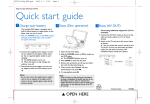
First connect ...
IN
COMPONENT
VIDEO IN
S-VIDEO
IN
IN
AUDIO
IN
COMPONENTVIDEO IN
Pr/Cr
S-VIDEOIN
AUDIOIN
Pr/Cr
Pb/Cb
Pb/Cb
VIDEO IN
Y
VIDEO IN
Y
2
1
3
VIDEO
OUT
Pb
Pr
L
R
AUDIO OUT
Helpful Hints
You only need to make one video connection to
your TV in order to view DVD playback.
Use this
video cable(s)
supplied
1
If your TV has
this video input jack(s)
VIDEO
IN
not supplied
2
Y
S-VIDEO
OUT
COAXIAL
OPTICAL
DIGITAL OUT
If your TV has only a
single Antenna In jack,
you will need an accessory
RF modulator. The RF
modulator converts the video
from the DVD player so it can
play through the TV’s Antenna
connector. Refer to your owner’s
manual for proper connection
(see page 10 in the owner’s
manual).
ANTENNA IN
Component Video
not supplied
3
S-VIDEO
IN
... then play
(see next page)
continue...
LABEL
Make sure your DVD Player and
TV are connected and turned on!
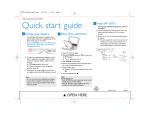
Playing a disc
1
Turn on the TV, then press STANDBY-ON 2 to turn on the
DVD Player.
2
Select the correct Video In mode at your TV.
You should see the blue Philips DVD background screen on the TV (if no disc
is in the DVD Player).
3
Press OPEN/CLOSE 0 on the front of the DVD Player and
load a disc. Press OPEN•CLOSE 0 again to close the disc
tray.
PREVIEW MUTE
Make sure the disc label is facing up. For double-sided discs, the label of the
side to play should face up.
4
Playback will start automatically.
5
To stop playback, press STOP 9.
If a disc menu appears, use 3 4 1 2 on the remote to make a selection, then
press OK to confirm. Or, use the numeric keypad on the remote to select
numbered features. Follow the instructions given in the disc menu.
No picture?
Check the AV (Audio/Video) mode on your TV.
* Usually this channel is between the lowest and highest channels and
may be called FRONT, A/V IN, or VIDEO.
* Or, you may go to channel 1 on your TV, then press the Channel down
button repeatedly until you see the Video In channel.
* Or, your TV remote control may have a button or switch that chooses
different video modes.
* Do not use channel 3 or 4 on the TV unless you are using an RF
modulator.
* See your TV manual for more details.
Region Codes
DVDs must be labeled for ALL regions or for
Region 1 in order to play on this DVD Player.
ALL
1
Detailed playback features and additional functions are described in the
accompanying owner’s manual.