Transcript
PET742-Eng_QSG.qxd
2/13/09
10:13
Page 1
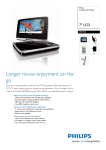
Philips Portable DVD Player PET742
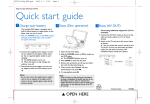
Quick start guide
1
Charge your battery
Note:
During play, you can:
– Swivel the screen of the player to watch for your
convenience.
To replace the battery:
1 Open the battery compartment.
2 Insert 1 CR2025 battery with correct polarity
(+/-) as indicated.
3 Close the battery compartment.
This portable DVD player is designed with a
built-in lithium battery to supply power to the
player when you are on travel.
1 Slide the POWER switch to the OFF position
(charging of the DVD player only possible in
the power-off mode).
– Press directly to adjust brightness of screen
backlight to match lighting conditions.
3
Enjoy (AV OUT)
CHR
2 Connect the supplied power adaptor cord (or
the car adaptor) to the player and AC mains
(or the car cigarette lighter outlet) to start
charging.
➜ The CHR indicator turns red.
➜ When the battery is fully charged, the
indicator turns off.
3 Disconnect the power adaptor cord (or the
car adaptor) when the CHR indicator turns off.
Note:
– You can also connect the supplied power adaptor
cord (or the car adaptor) to the player and AC
mains (or the car cigarette lighter outlet) directly
wherever possible.
2
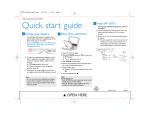
Prepare the remote control
For first time use
Remove the protective tab to activate the
remote control battery.
3
Enjoy (Disc operation)
1 Open the lid of the player.
2 Slide the POWER switch to ON to switch on
the DVD player.
➜ The
indicator turns on.
3 Slide OPEN2 on the player.
4 Remove the protective card (if any) and load a
disc with the label side facing up.
5 Close the disc door.
➜ Playback starts automatically. If not, press 2;.
6 To stop playback, press 9.
Connecting additional equipment (TV for
example)
1 Connect the AV OUT socket on the set to the
video and audio sockets on a TV as shown
directly.
2 Switch on the TV and set to the correct videoin channel.
➜ You can consult the owner's manual of
your TV. (If your TV does not have Audio
and Video inputs, you will need to purchase
a RF modulator. Please consult your dealer.)
TV
White
Red
Not
supplied
VIDEO IN
Printed in China
3 OPEN HERE
AUDIO IN
Yellow
WK0907