1
Register your product and get support at
www.philips.com/welcome
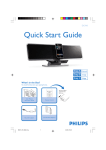
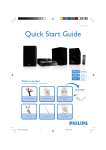
Docking Entertainment System
DC315
What’s in the box
User Manual
Quick Start Guide
Main unit
1
Quick start guide
Power cord + MP3 link cable Quick Start Guide User Manual
Power adaptor
Connect
1
Connect
2
Setup
1 Prepare the AC power adaptor.
3
Enjoy
Electronics N.V. or their respective owners.
2 Connect one end of the AC adaptor
to the DC IN socket on the main
unit.
Printed in China
3 Connect the other end of the AC
adaptor to the wall outlet.
© Royal Philips Electronics N.V. 2009
All rights reserved.
Specifications are subject to change without notice.
Trademarks are the property of Koninklijke Philips
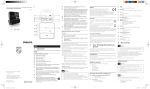
A
Connect power
c
DC315_79_QSG_V1.1
a
b
EN
DC315_79_QSG_EN.indd
2-4
2009-4-22
10:21:28
2
A
Set time and date
1 In standby mode, press and hold
TIME SET/AUTO SCAN for 2
seconds.
» The hour digits are displayed and
begin to blink.
2 Press TUNING +/- to set the hour.
3 Press TIME SET/AUTO SCAN
to confirm.
» The minute digits are displayed
and begin to blink.
4 Repeat steps 2-3 to set the minute,
year, month, day and 12/24 hour
format.
B
2
Setup
Set the alarm timer
1 Ensure that you have set the clock
correctly.
2 Press and hold ALM 1 or ALM 2
for 2 seconds.
or
and hour digits begin
»
to blink.
DC315_79_QSG_EN.indd
5-7
3 Press TUNING +/- repeatedly to
set the hour.
4 Press ALM 1 or ALM 2 to confirm.
or
and minute digits
»
begin to blink.
5 Repeat steps 3-4 to set the minute.
6 Repeat steps 3-4 to select whether to ring alarm on weekdays or
at weekend.
7 Repeat steps 3-4 to select an
alarm sound source.
8 Repeat steps 3-4 to set the alarm
volume.
Activate and deactivate the alarm
timer
1 Press ALM 1 or ALM 2 repeatedly
to activate or deactivate the timer.
» If the timer is activated, or
is displayed.
» If the timer is deactivated,
or
disappears.
Setup
Repeat alarm
1 When the alarm rings, press
REPEAT ALARM/
BRIGHTNESS CONTROL .
» The alarm repeats ringing
minutes later.
23
Enjoy
A Play from iPod/iPhone
1 Place the iPod/iPhone in the dock.
You can press TUNING+/- to adjust
interval to repeat alarm.
Stop alarm ring
1 When the alarm rings, press the
corresponding ALM 1 or ALM 2.
» The alarm stops but the alarm
settings remain.
2 Turn the adjuster to fit the iPod/
iPhone.
Enjoy
B Program and listen to radio
stations
3 Press SOURCE repeatedly to
select iPod/iPhone source.
» The connected iPod/iPhone
plays automatically.
•
•
•
E Tip
•
23
To pause/resume play, press
.
To skip to a track, press / .
To search during play, press
and hold / , then release
to resume normal play.
1 In the tuner mode, press and hold
TIME SET/AUTO SCAN for
more than 2 seconds to activate
automatic program mode.
» All available stations are
programmed in the order of
waveband reception strength.
» The first programmed radio station is broadcast automatically.
2 Press PRESET +/- to select a
preset number.
E Tip
•
Detailed functions and features are
described in the user manual.
2009-4-22
10:21:50