1
e04_kb341_079_109_41e.qk
03.2.14
4:07 PM
Page 108
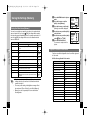
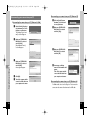
Displaying and copying images using ACDSee™
z
x
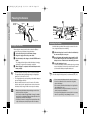
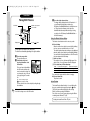
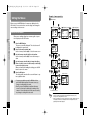
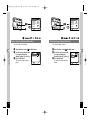
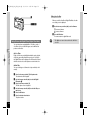
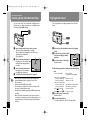
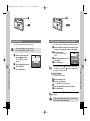
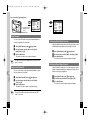
Turn your Macintosh on.
Make sure the camera is turned off and connect it to
your Macintosh with the USB cable.
Make sure that there is an SD Memory Card/
MultiMediaCard in the camera.
memo
• If there is a volume label on the SD Memory Card/
MultiMediaCard, the name on the volume label will be displayed instead of [untitled]. If the card is unformatted, the
manufacturer and type of card may be displayed.
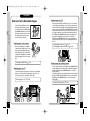
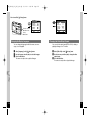
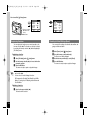
Disconnecting the camera from your Macintosh
z
x
c
v
m
,
108
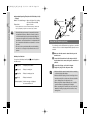
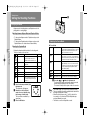
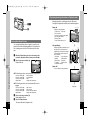
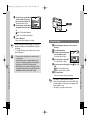
Unplug the USB cable from your Macintosh and camera.
Turn your camera on.
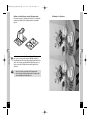
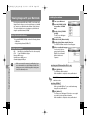
Your camera can be found on the desktop as
[untitled]. You can change the folder name.
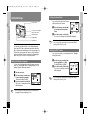
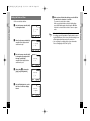
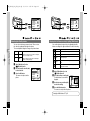
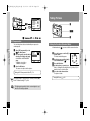
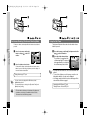
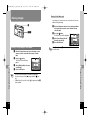
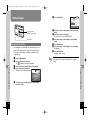
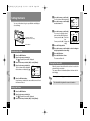
Click the [ACDSee™] folder on the hard
drive.
Double-click the [ACDSee™] program icon.
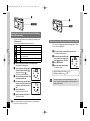
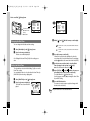
Open the camera folder.
Camera images can be found in [untitled (or the name on
the volume label on the SD Memory Card/MultiMediaCard,
if there is one)] [DCIM] [XXXPENTX]. (XXX is a 3-digit
number.)
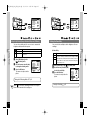
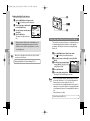
Select the image you want to view from the list.
Double-click the selected image to enlarge it to full-screen
display.
Playback/Erasing/Editing
Playback/Erasing/Editing
b
n
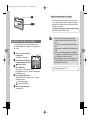
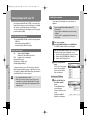
Drag the [untitled (or the name on the volume label on
the SD Memory Card/MultiMediaCard, if there is one]
folder on the desktop to Trash.
Copy the image to your Macintosh.
Refer to the operating manual for your Macintosh for
instructions on copying or moving files.
Before editing an image, copy it to your Macintosh first.
109