1
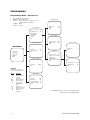
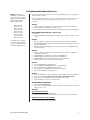
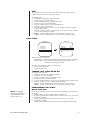
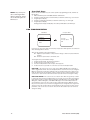
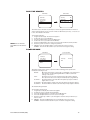
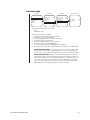
RESET CAMERA
Main Menu
Camera Menu
Backlight comp
Reset camera
<Gain/AGC>
<Auto-iris>
<Next>
Exit
<Camera>
<Line Sync>
<Power Up>
<Other>
EXIT
Off
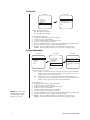
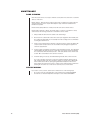
Resetting the camera returns the settings to their defaults.
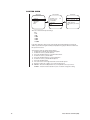
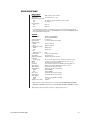
Default Settings
Backlight comp
Gain/AGC
AGC mode
Gain
Auto-iris
Mode
Level
Shutter speed
Auto focus mode
Sharpness
White balance
Auto white bal
White bal hue
Off
Auto
10
Auto
180
Auto
Auto
5
Auto
26
When the camera is reset, the following settings are not changed: park time, auto flip
disable, and limit stops.
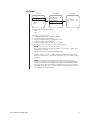
Turning off power to the Spectra Lite dome does not reset the camera. Camera settings are
retained in memory. When the power is turned back on, the settings will be the same as
they were when the power was turned off.
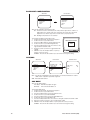
To reset the camera:
1. Program preset 95 (28). The main menu appears.
2. Position the cursor (>) beside Camera.
3. Press the Iris Open button to enter the Camera menu.
4. Position the cursor (>) beside Reset Camera.
5. Press the Iris Open button to reset the camera.
14
Pelco Manual C2422M (5/00)