1
OPERATING NOTES
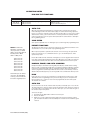
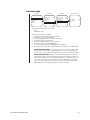
PAN AND TILT FUNCTIONS
Controller Type
Fixed speed
Variable speed
Turbo Mode
Preset Mode
Pan
Speed determined by controller
0.5 to 80° per second, depending on joystick position
150° per second
250° per second
Tilt
Speed determined by controller
0.5 to 40° per second, depending on joystick position
200° per second
Does not affect the tilt speed
AUTO FLIP
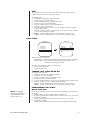
When the camera tilts downward and goes just beyond the vertical position, the dome
rotates 180 degrees. When the dome rotates (flips), the camera starts moving upward as
long as you continue to hold the joystick in the down position. Once you let go of the joystick
after the dome rotates, joystick control returns to normal operation. The auto-flip feature is
useful for following a person who passes directly beneath the camera. Refer to Auto Flip in
the Programming section.
SCAN SPEED
Scan speed is adjustable from 1 to 40 degrees per second through the programming menu.
PRESET FUNCTIONS
NOTE: For American
Dynamics controllers with
only 32 presets, set switch
SW1-7 on the dome drive in
the ON position. When
SW1-7 is ON, preset
99 becomes 32
98 becomes 31
97 becomes 30
96 becomes 29
95 becomes 28
93 becomes 26
92 becomes 25
91 becomes 24
90 becomes 23
If the limit stops are turned
off (refer to the Limit Stops
section), presets 23-26 can
be used as regular presets.
The Spectra Lite dome can go to 32 presets. The presets are numbered 1-32. Refer to the
documentation for your control system for programming presets.
When a preset operation is performed, the amount of error in moving to the pan and tilt
position is 1/2 degree. If you command the dome to go to an undefined preset, erratic
operation may result.
Presets 33 and 34 are fixed commands, meaning that you cannot program them. Preset 33
is the “flip” command, which will pan the dome drive 180 degrees. Preset 34 is the “pan zero”
command, which will direct the dome drive to the factory-determined zero reference point.
RANDOM, FRAME, AND AUTO SCANNING
Call preset 97 (30) to start random scanning. Call preset 98 (31) to activate frame scanning
(three seconds of scanning followed by a three-second pause). Call preset 99 (32) to start auto
(continuous) scanning. Scan limit stops are controlled by software. Refer to the Limit Stops
section to program the scan limit stops. When the dome reaches a scan limit stop, it reverses
direction. Call preset 96 (29) to stop a scan. Any pan/tilt or lens command also will stop a scan.
PARK
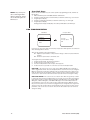
If the dome does not receive any commands for a specified period of time (refer to Park
Time Minutes in the Programming section), the dome will go to preset 1 and park. If the
time specified is zero, or if preset 1 has not been programmed, the dome will not park.
The default is zero minutes.
AUTO IRIS
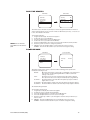
If auto iris is in the auto mode, it remains that way until you manually open or close the iris.
The dome will return to auto iris when it is panned or tilted more than 15 degrees. If there is
not enough light for a good picture when the iris is wide open, you can increase the gain of
the camera to improve the picture.
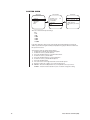
To increase the gain:
1. Hold down the Iris Open button until the iris is wide open.
2. Release the button.
3. Within one second, hold down the button again. This starts increasing the camera
gain. Hold down the button until a desirable picture is obtained or the maximum gain is
reached.
Pelco Manual C2422M (5/00)
5