1
Users
w
e
r
q
y
t
u
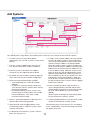
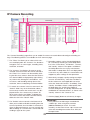
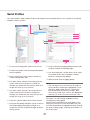
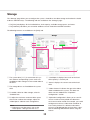
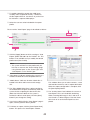
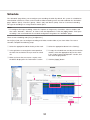
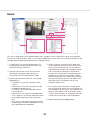
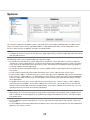
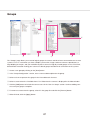
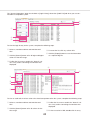
The "Users" page allows you to add and delete users, configure a user's group access level, and assign permissions for viewing cameras. After a user has been added to the system, the user can log in and view live and
recorded video according to the permissions assigned to them.
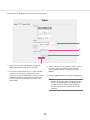
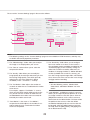
qq To add a new user, click the [New] button. (To
change the password or permissions for a user,
select the existing username.)
rr Assign a "Priority" level to the user. When two
users attempt to control the PTZ functions of the
same camera simultaneously, the user with the
higher priority level (up to 10) is granted PTZ control. If a second user attempts to control PTZ
functions on a camera that is already being controlled by a user with the same priority, control
remains with the first user. Admin users automatically have PTZ priority over any non-Admin user,
and Power Users have priority over all users
except for Admin users.
ww Enter the name of the user in the "Username"
field. Enter or change the password in the
"Password" and "Password Confirm" fields.
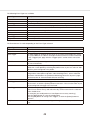
ee Select a permission level from the "User Group"
drop-down list:
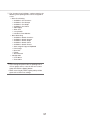
• "Full Admin" has access all features of the
system.
• "Power User" has access all features except
for adding or deleting users.
• "Live Only" can view live video from all connected cameras.
• "Search Only" can search for recorded video.
• "Live + Search" can view live video and search
for recorded video from all connected cameras.
• Any user or custom group whose permissions
and privileges have been modified from one of
the standard groups listed above.
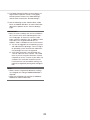
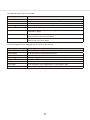
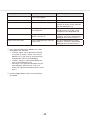
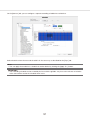
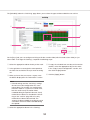
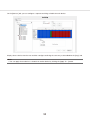
tt The "Custom User Permissions" section allows
you to select which devices the user or group can
see and operate in this system. You might have to
deselect "View Admin" and "User Admin" under
"Custom User Privileges" (if available) to allow the
"Custom User Permissions" data to be edited.
yy When finished, click the [Apply] button.
56