1
Congratulations on your purchase of this Palsonic colour television receiver.
We recommend that you thoroughly read this manual before use to fully enjoy the many functions
and excellent effects of this receiver.
Retain this manual in an easily accessible location for future reference.
* Screen displays and illustrations in this manual may differ from the actual ones for better visibility.
Contents
INTRODUCTION
Features ............................................... 1
NOTES FOR OPERATION
Cautions for safety ............................... 2
INSTALLATION
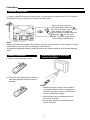
Antenna connection .............................. 3
Battery installation ................................ 3
APPEARANCE
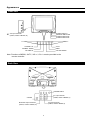
Front view ............................................ 4
Back view ............................................. 4
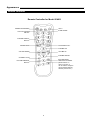
Remote controller ................................. 5
MENU INSTRUCTION
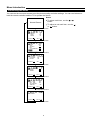
Introducing the menu............................. 6
OPERATION
Turning the Power On/Off ................................. 7
Tuning in ............................................................ 8
To preset channels (Auto Search) .................... 8
To preset channels (Manual Search )............... 9
To skip unnecessary position numbers ............ 10
MFT (Manual Fine Tuning) ............................... 10
The setting of colour system ............................ 11
Channel selection .............................................. 12
Convenient Picture Controls .......................... 13
Convenient Sound Control and Sleep Timer .. 14
15
SYSTEM setting ..............................................
Special functions .......................................... 16-17
CLOCK setting ................................................... 18
Channel reservation .......................................... 19
CONNECTING OTHER EQUIPMENT
External Equipment Connections..................... 20
To connect AV input terminals.......................... 20
To connect MONITOR
output terminal................................................... 21
OTHERS
Troubleshooting................................................. 22
Specifications..................................................... 22