1
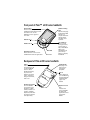
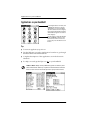
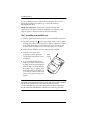
Front panel of Palm™ m100 series handhelds
Power button
Press it to turn on your
handheld. Hold it down for two
seconds to turn on the
backlight. Press it again to
turn it off.
Graffiti® writing
area
See the next page
for details. Graffiti
writing is a
simple method of
writing letters,
numbers, and
symbols.
Date Book
Address Book
Note Pad
Application buttons
Press each one to turn on the
handheld and start an application.
To Do List
Scroll buttons
Press to scroll
through screens,
go from day to
day in Date Book.
When your
handheld is off,
press the Up
button to display
the Clock.
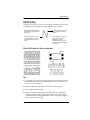
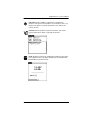
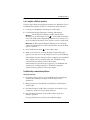
Back panel of Palm m100 series handhelds
Stylus
The tool for
everything you do
on the handheld.
Use it to write
Graffiti characters,
tap icons and
buttons and menu
items, select text,
drag the scroll bar,
and so on.
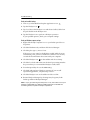
Universal connector
Your handheld’s
connection to the
HotSync® cradle/
cable, and also to a
modem, portable
keyboard, and other
accessories that are
sold separately.
Faceplate tab
See page 12 to
learn how to
change the
faceplate.
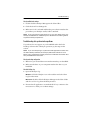
IR port
Beam data from
your handheld to
another Palm OS®
handheld. See
page 11 for
details.
Expansion card
slot
Increase the
space available
for data and
applications. See
page 10 for
details.
1