1
Graffiti writing
Graffiti writing
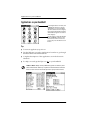
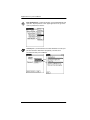
The best way to learn is to practice. To take the Graffiti tutorial on your
handheld, tap the Graffiti icon in the Applications Launcher.
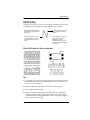
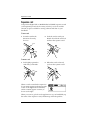
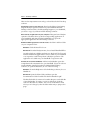
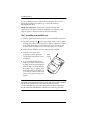
Most Graffiti characters are
made with a single stroke of
the stylus.
2. Don’t lift the stylus until
you reach the end of the
stroke.
1. Start the stroke where
the heavy dot is. Don’t try
to make the dot; just start
there.
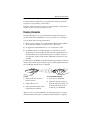
Some characters require a
preliminary stroke. For
example, to write a
quotation mark, tap once
and then make the Graffiti
stroke for n.
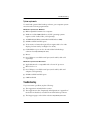
Basic Graffiti characters (there are many more)
Tips
■
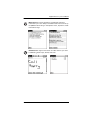
Characters do not show up in the Graffiti writing area, but on the
handheld screen, wherever the blinking cursor is located in the
record you’re working on.
■
Write Graffiti characters BIG, and write at normal speed.
■
Press firmly with the stylus.
■
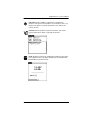
You can see tables displaying all Graffiti characters simply by
drawing the pen stroke: starting from the bottom center of the
Graffiti writing area, drag the stylus to draw a straight, imaginary
line to the top of the screen.
3