1
Chapter 8 Managing system users and groups 361
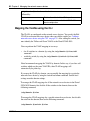
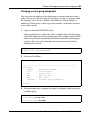
In this configuration example, a certificate administrator user is added to the
system, and then assigned to the certadmin group. The certificate administrator
specializes in managing certificates and private keys, without the possibility to
change system parameters or configure virtual SSL servers. A user who is a
member of the certadmin group can therefore access the Certificate menu
(/cfg/cert), but not the SSL Server 1001 menu (/cfg/domain
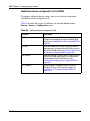
#/server/ssl). On the System menu (/cfg/sys), the certadmin user has
access only to the User submenu (/cfg/sys/user).
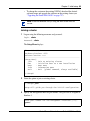
1
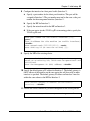
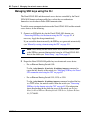
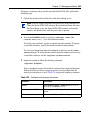
Log on to the Nortel SNAS 4050 cluster as the admin user.
login: admin
Password: (admin user password)
2
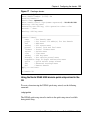
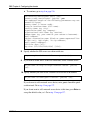
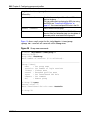
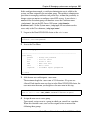
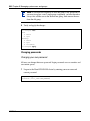
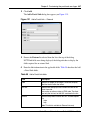
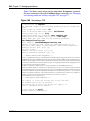
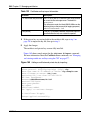
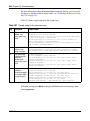
Access the User Menu.
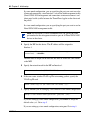
>> Main# /cfg/sys/user
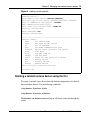
-----------------------------------------------------------[User Menu]
passwd
- Change own password
list
- List all users
del
- Delete a user
add
- Add a new user
edit
- Edit a user
caphrase
- Certadmin export passphrase
>> User#
3
Add the new user and designate a user name.
The maximum length for a user name is 255 characters. No spaces are
allowed. Each time the new user logs in to the Nortel SNAS 4050 cluster, the
user must enter the name you designate as the user name in this step.
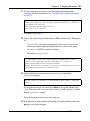
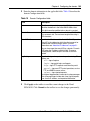
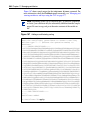
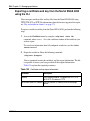
>> User# add
Name of user to add: cert_admin (maximum 255 characters, no spaces)
4
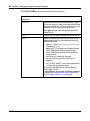
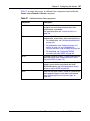
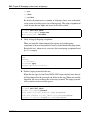
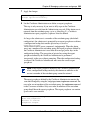
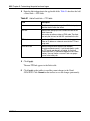
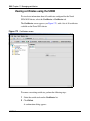
Assign the new user to a user group.
You can only assign a user to a group in which you yourself are a member.
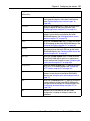
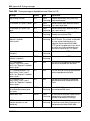
When this criterion is met, users can be assigned to one or more of the
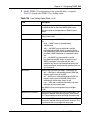
following three groups:
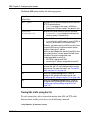
Nortel Secure Network Access Switch 4050 User Guide