1
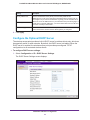
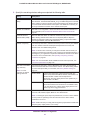
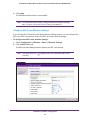
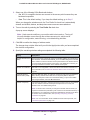
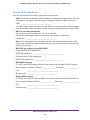
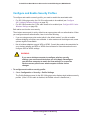
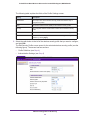
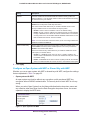
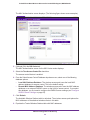
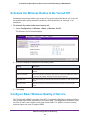
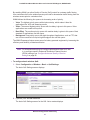
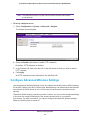
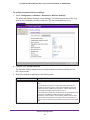
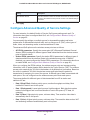
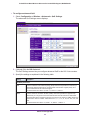
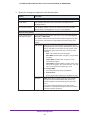
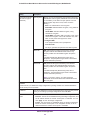
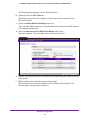
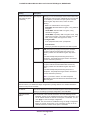
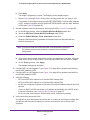
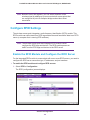
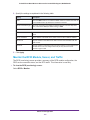
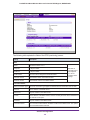
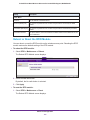
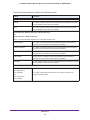
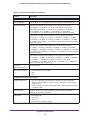
ProSAFE Dual Band Wireless-N Access Point with RFID Support, WNDAP380R Setting Descriptions Primary Accounting Server IP Address Enter the IP address of the primary RADIUS server for accounting. Port Enter the number of the UDP port on the wireless access point that is used to access the primary RADIUS server for accounting. The default port number is 1813. Shared Secret Enter the shared key that is used between the wireless access point and the primary RADIUS server during the accounting process. IP Address Enter the IP address of the secondary RADIUS server for accounting. The secondary RADIUS server is used when the primary RADIUS server is not available. Port Enter the number of the UDP port on the wireless access point that is used to access the secondary RADIUS server for accounting. The default port number is 1813. Shared Secret Enter the shared key that is used between the wireless access point and the secondary RADIUS server during the accounting process. Secondary Accounting Server Authentication Settings Reauthentication Time (Seconds) The interval in seconds after which the supplicant is reauthenticated with the RADIUS server. The default interval is 3600 seconds (one hour). Enter 0 to disable reauthentication. Update Global Key Every (Seconds) Select the check box to allow the global key update, and enter the interval in seconds. The check box is selected by default, and the default interval is 1800 seconds (30 minutes). Clear the check box to prevent the global key update. 3. Click Apply. Restrict Wireless Access by MAC Address For increased security, you can restrict access to a wireless network by allowing access to only specific computers or wireless clients based on their MAC addresses. You can restrict access to only trusted computers so that unknown computers cannot connect wirelessly to the wireless access point. MAC address filtering adds an obstacle against unwanted access to your network, but the data broadcast over the wireless link is fully exposed. Note: For wireless adapters, you can usually find the MAC address printed on the wireless adapter. To restrict access based on MAC addresses: 1. Select Configuration > Security > Advanced > MAC Authentication. Wireless Configuration and Security 57