1
ProSafe 20-AP Wireless Controller WC7520
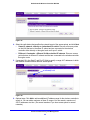
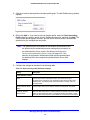
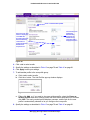
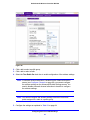
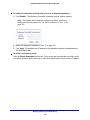
6. Optionally, you can override the channel and transmission power for individual access
points.
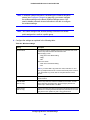
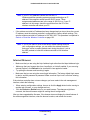
Note: If automatic Tx power control is enabled on the advanced RF
Management screen (see Advanced RF Management for Profile
Groups on page 104), you cannot configure the transmission power
on the Advanced Wireless Settings screen. You need to disable
automatic Tx power control to enable the Tx Power drop-down list
on the Advanced Wireless Settings screen.
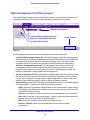
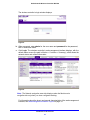
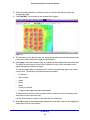
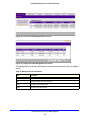
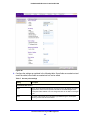
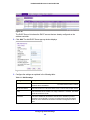
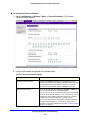
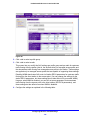
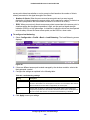
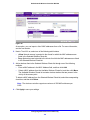
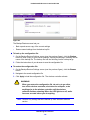
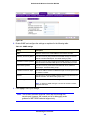
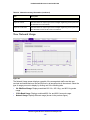
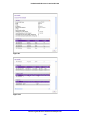
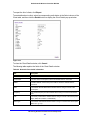
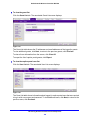
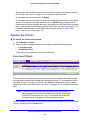
The table on the Advanced Wireless Settings screen shows the access points that are
managed in the profiles of the selected profile group and to which the channel allocation
and advanced RF management settings apply. Use the drop-down lists to change
channel or transmission power settings.
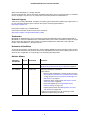
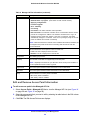
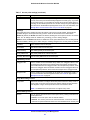
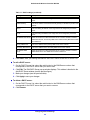
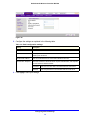
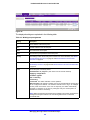
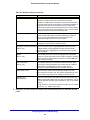
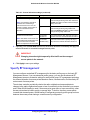
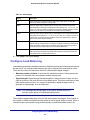
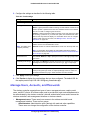
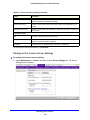
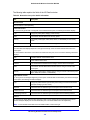
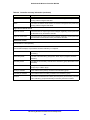
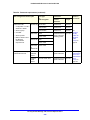
Table 22. Advanced profile groups: channel and transmission power settings
Setting
Description
AP Name
The name of the access point.
Access Point Channel
Override these settings only if there is a specific need. From the drop-down list,
select a channel and frequency for the access point to operate in.
Note: Changing a channel might temporarily affect the traffic on the access
point.
Note: By default, the access point’s channel and frequency are set to the ones
that are enabled for the radio and profile group. If the channel and frequency are
not available on the access point, then the channel and frequency are set to the
ones providing the highest performance. For more information, see Configure
Channels on page 99.
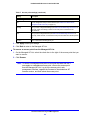
Tx Power
From the drop-down list, select the transmission power of the access point.
Note: By default, the access point’s transmission power is set to the
configuration that is selected on the basic RF Management screen. For more
information, see Advanced RF Management for Profile Groups on page 104.
7. Click Apply to save your settings.
Configuring Wireless and QoS Settings
98