1
FS728TP Smart Switch Software User Manual
Device View
The following section describes the different aspects of the Device View. The device provides
information about FS728TP, the different components, and the Work Desk. The Work Desk in the
Device View provides a work area that contains device tables, general device information, and
configurable device parameters.
Using The NETGEAR Web Management System Buttons
This section contains information about the different NETGEAR FS728TP browser interface
buttons. The FS728TP web browser provides the following buttons:
•
Information Buttons – Provide access to informational services including technical support,
online help, device information, and closing the NETGEAR browser.
•
Device Management Buttons – Provide an explanation of the management buttons in the
NETGEAR FS728TP Switch, including the Add, Delete, Query, and Apply Changes buttons.
Information Buttons
The NETGEAR FS728TP Switch web browser contains the following information buttons:
Table 5-1. Information Buttons
Button
Description
Opens the NETGEAR support page. The NETGEAR technical support page
URL is http://kbserver.netgear.com/.
Opens the Online Help.
Help Button
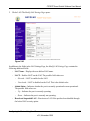
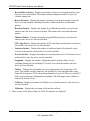
The Online Help contains information to assist in configuring and managing the switch. Help
topics can be located using the Help Search, referenced by Index entry, or referenced by Help topic
in the Help Navigation Pane.
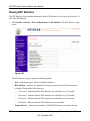
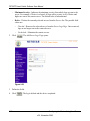
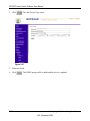
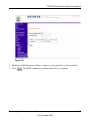
To access the Online Help:
•
Select a Help topic. The selected Help topic page opens:
Or
•
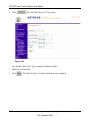
Click
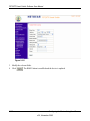
. The Online Help opens, as shown in Online Help Main Page.
Configuring the Device Using Your Browser
v2.0, November 2006
5-4