1
FS728TP Smart Switch Software User Manual
Defining Port Authentication Properties
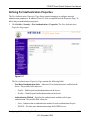
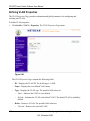
The Port Authentication Properties Page allows network managers to configure network
authentication parameters. In addition, Guest VLANs are enabled from the Properties Page. To
define the port authentication properties:
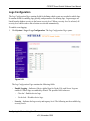
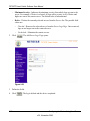
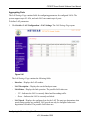
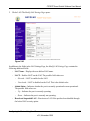
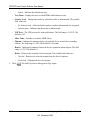
1. Click Switch > Security > Port Authentication > Properties. The Port Authentication
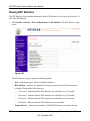
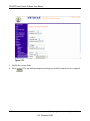
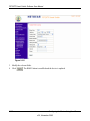
Properties Page opens:
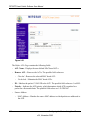
Figure 5-17
The Port Authentication Properties Page contains the following fields:
–
–
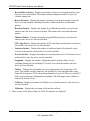
Port Based Authentication State – Indicates if Port Authentication is enabled on the
device. The possible field values are:
–
Enable – Enables port-based authentication on the device.
–
Disable – Disables port-based authentication on the device.
Authentication Method – Specifies the authentication method used for port
authentication. The possible field values are:
–
None – Indicates that no authentication method is used to authenticate the port.
–
RADIUS – Provides port authentication using the RADIUS server.
Configuring the Device Using Your Browser
v2.0, November 2006
5-14