1
ProSecure Unified Threat Management (UTM) Appliance Reference Manual
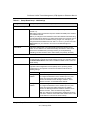
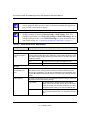
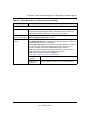
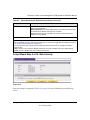
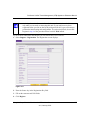
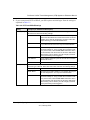
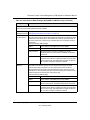
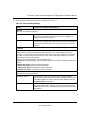
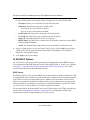
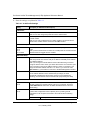
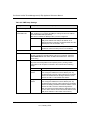
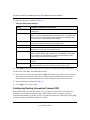
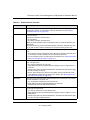
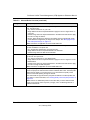
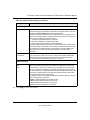
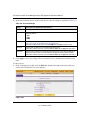
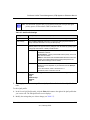
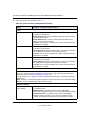
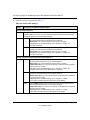
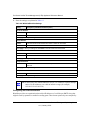
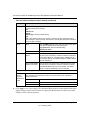
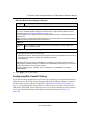
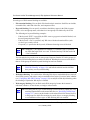
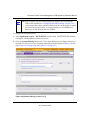
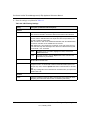
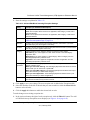
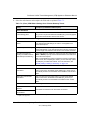
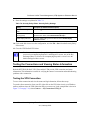
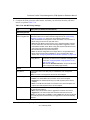
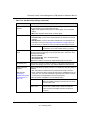
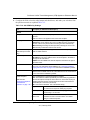
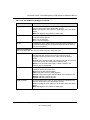
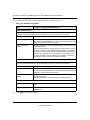
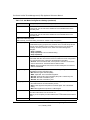
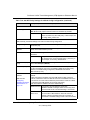
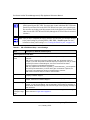
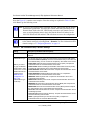
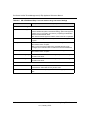
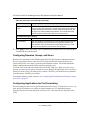
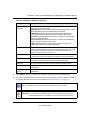
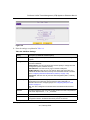
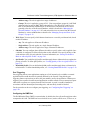
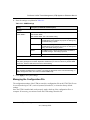
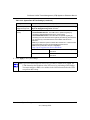
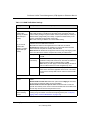
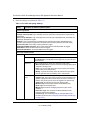
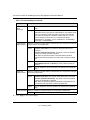
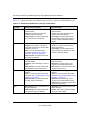
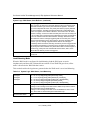
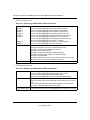
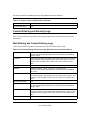
Table 4-1. VLAN Profile Settings (continued)
Setting
Description (or Subfield and Description)
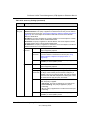
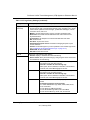
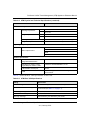
Enable DHCP
Server
(continued)
Starting IP
Address
Enter the starting IP address. This address specifies the first
of the contiguous addresses in the IP address pool. Any new
DHCP client joining the LAN is assigned an IP address
between this address and the Ending IP Address. The IP
address 192.168.1.2 is the default start address.
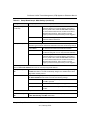
Ending IP
Address
Enter the ending IP address. This address specifies the last
of the contiguous addresses in the IP address pool. Any new
DHCP client joining the LAN is assigned an IP address
between the Starting IP address and this IP address. The IP
address 192.168.1.100 is the default ending address.
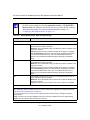
Note: The starting and ending DHCP IP addresses should be
in the same “network” as the LAN TCP/IP address of the
UTM (the IP address in LAN TCP/IP section above).
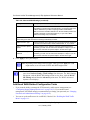
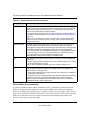
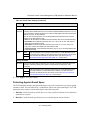
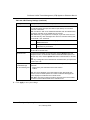
Primary DNS
Server
This is optional. If an IP address is specified, the UTM
provides this address as the primary DNS server IP address.
If no address is specified, the UTM uses the VLAN IP
address as the primary DNS server IP address.
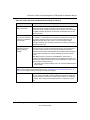
Secondary DNS
Server
This is optional. If an IP address is specified, the UTM
provides this address as the secondary DNS server IP
address.
WINS Server
This is optional. Enter a WINS server IP address to specify
the Windows NetBios server, if one is present in your
network.
Lease Time
Enter a lease time. This specifies the duration for which IP
addresses are leased to clients.
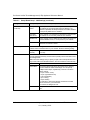
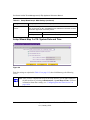
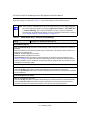
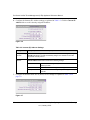
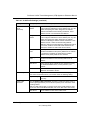
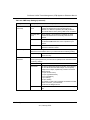
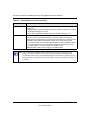
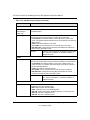
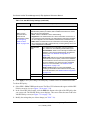
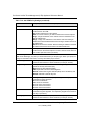
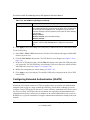
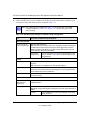
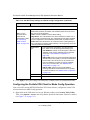
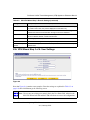
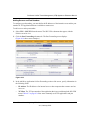
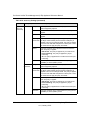
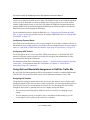
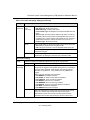
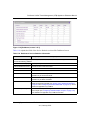
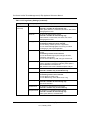
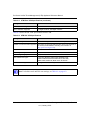
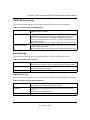
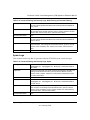
DHCP Relay
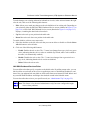
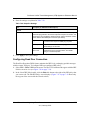
Select the DHCP Relay radio button to use the UTM as a DHCP relay agent for a
DHCP server somewhere else on your network. Enter the following setting:
Relay Gateway
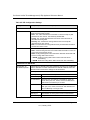
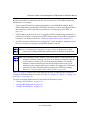
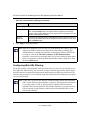
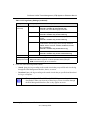
Enable LDAP
information
The IP address of the DHCP server for which the UTM serves
as a relay.
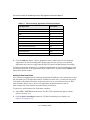
Select the Enable LDAP information checkbox to enable the DHCP server to
provide Lightweight Directory Access Protocol (LDAP) server information. Enter
the settings below.
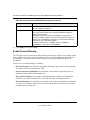
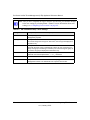
Note: The LDAP settings that you specify as part of the VLAN profile are used
only for SSL VPN and UTM authentication, but not for Web and e-mail security.
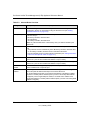
LDAP Server
The IP address or name of the LDAP server.
LAN Configuration
4-9
v1.0, January 2010