1
Introduction
NETGEAR’s Model FA511 CardBus Notebook Adapter makes it easy to accelerate your notebook PC
to Fast Ethernet speeds. It is 32-bit CardBus compatible and, with its auto-sensing technology and
Ethernet/Fast Ethernet compatibility, ideal for migrating a 32-bit PC card notebook computer from
10 Mbps to 100 Mbps networks.
CardBus Notebook Adapter
10/100 Mbps Fast Ethernet FA511
PC with network
card installed
Power adapter
Notebook PC
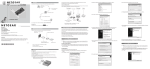
6. A Hardware Update Wizard will appear. Insert the GearBox™ for Adapters CD into your CD-ROM
drive. Select “Install from a list or specific location ( Advanced )”. Click “Next”.
START HERE
START
HERE
Instructions in this guide are for users of Microsoft Windows Operating Systems.
RJ-45
connectors
Hub
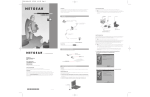
1. Open the box
and verify its
contents
Model FA511
CardBus Notebook Adapter
2. Connect NETGEAR to
your environment
3. Install Network Driver
Category 5 10/100 Mbps UTP cables*
*Use any Category 5 UTP cable.
Maximum length = 100 meters (300 feet)
7. When the following dialog box opens, select “Don’t search. I will choose the driver to install.” then
click “Next”.
3 INSTALL THE NETWORK DRIVER
This section explains how to install the Network Driver in various Microsoft Windows Operating Systems.
Some versions of Microsoft Windows Operating System may respond with different dialog boxes, or the
dialog boxes may open in a different sequence than those shown in this guide, but should prompt you for the
same information.
4. Test Your Network Connection
Note: You must install the network card before installing the network driver. If you have chosen to
install the card with the PC turned off, turn the power ON now.
Before you proceed with the installation steps, decide on a name for your network and for each PC. The
whole network must have the same workgroup name while each PC must have a unique name. These names
can be entered by going to Start>Settings>Control Panel>Network and clicking on the Identification tab.
You also need to have the Microsoft Windows Operating System CD-ROM and the GearBox™ for Adapters
CD ready to use in the installation process.
5. Enjoy being connected!
As a last step, be sure to register your network card at http://www.NETGEAR.com.
Plan Your Time
Installation Guide
Estimated setup time for this product is only
minutes.
8. When Select Network Adapter box opens, click “Have Disk” then click “Next”.
Please refer to README file in GearBox™ for Adapters CD and NETGEAR support website
for latest FAQ and trouble-shooting information.
Install the Windows XP Network Driver
Note: If the “Insert Disk” window opens and a message prompts you to insert your Windows
CD-ROM at any time during the installation process, insert the Windows CD-ROM in Drive D (the
CD-ROM drive) and click on “OK”. Then follow the next step in the instructions.
1 OPEN BOX AND VERIFY CONTENTS
Make sure that your package contains the following:
Model FA511 Fast Ethernet
CardBus Notebook Adapter
GearBox“ for Adapters CD
1. After installing the FA511 CardBus Notebook Adapter, Window XP will automatically install the buildin driver. The following steps are for updated driver in GearBox™ for Adapters CD.
2. Double-click “My Computer” on the desktop, double-click “Control panel” and then double-click
“System”.
3. Click “Hardware” and click “Device Manager” tab, then double-click “Network adapters”.
9. The Install From Disk box will open. Type “D:\” and click “OK”.
Installation Guide,
and Support Information Card
NETGEAR, Inc.
Support Information
Phone: 1-888-NETGEAR
E-mail: [email protected]
www.NETGEAR.com
10. “NETGEAR FA511 CardBus Mobile Adapter” will appear in the model list. Click “Next”.
2 Preparation
CONNECT NETGEAR TO YOUR ENVIRONMENT
See Support Information Card for for additional phone numbers.
You will need to have your Microsoft Windows Operating System CD-ROM (or Microsoft Windows
Operating System floppy disks) available to complete the installation.
Internet / World Wide Web
Install the Network Card
Go to http://www.NETGEAR.com for the NETGEAR Web page.
Defective or damaged merchandise can be returned to your point-of-sale representative.
The FA511 CardBus Notebook Adapter is hot swappable, which means you can insert it into a PC that
is either powered on or shut down.
4. Double-click “ADMtek AN985 10/100Mbps Fast Ethernet Adapter”.
1. Insert the FA511 CardBus Notebook Adapter into the CardBus slot as illustrated below.
IMPORTANT!
Please register online. YOU MUST REGISTER TO OBTAIN TECHNICAL SUPPORT. PLEASE
RETAIN PROOF OF PURCHASE and this warranty information. To register your product, get product
support, or to obtain product information and NETGEAR product documentation, direct your Web
browser to the http://www.NETGEAR.com Web page.
Some PCs have two PCMCIA or CardBus slots; the FA511 CardBus Notebook Adapter can only be
inserted into cardBus slot.
2. Insert the RJ-45 adapter cable into the connector on the outer edge of the network card.
11. The next Windows appears with the following adapter name : NETGEAR FA511 CardBus Mobile
Adapter. Click “Finish”.
Model FA511
CardBus Notebook Adapter
5. Click “Driver” and click “Update Driver” tab, then click “OK”.
Connect the Network Cables
Using a UTP cable, connect any port on a hub or switch to the port on the network card.
July 2002
M
1
-
F
A
5
1
1
N
A
-
2
Note: One of the ports on NETGEAR hubs is switchable between Normal (MDI-X) and Uplink
(MDI) with a Normal/Uplink push button. If you are using this switchable port on a NETGEAR
hub to connect to a PC or the network card, make sure the Normal/Uplink push button is set to
Normal.
12. Remove the GearBox™ for Adapters CD from the CD-ROM drive.
The Model FA511 CardBus Adapter driver installation for Windows XP is now complete.
Install the Windows 2000 Network Driver
Note: If the “Insert Disk” window opens and a message prompts you to insert your Windows
CD-ROM at any time during the installation process, insert the Windows CD-ROM in Drive D (the
CD-ROM drive) and click on “OK”. Then follow the next step in the instructions.
Install the Windows Me Network Driver
4. Click “Next” to continue.
3. Double-click “NETGEAR FA511 CardBus Notebook Adapter”. A message will appear describing
the status of the device.
Note: If the “Insert Disk” window opens and a message prompts you to insert your Windows CDROM at any time during the installation process, insert the Windows CD-ROM in Drive D (the CDROM drive) and click on “OK”. Then follow the next step in the instructions.
1. A Found New Hardware Wizard dialog box will appear, indicating that Windows 2000 has found the
adapter. Insert the GearBox™ for Adapters CD into your CD-ROM drive.
1. Windows Me will automatically detect the new FA511 CardBus Adapter hawdware. Insert the
GearBox™ for Adapters CD into your CD-ROM drive.
2. Click “Next”.
2. When the following dialog box opens, select “Automatic search for a better driver (Recommended)”.
Click “Next”.
5. Insert the Windows 98 CD-ROM and click “OK”.
Insert Disk
Please insert the disk labeled ‘Windows 98 Second Edition
CD-ROM’, and then click OK.
OK
3. The install hardware device drivers dialog box will appear. Select “Search for a suitable driver for
your device (Recommended)”. Click “Next”.
3. The driver is copied onto your system. The next Windows appears with the following adapter name:
NETGEAR FA511 CardBus Mobile Adapter. Click “Finish”.
6. Make sure drive D (or the appropriate CD-ROM drive letter) and Win98 appear in the “Copy files
from:” prompt line (example, D:\WIN98), and then click “OK”.
Copying Files. . .
The file ‘choosusr.dll’ on Windows 98
Second Edition CD-ROM cannot be found
Insert Windows 98 Second Edition CD-ROM
in the selected drive, and click OK.
OK
Cancel
If there is a problem with the installation of the driver, an exclamation point will appear next to
the “NETGEAR FA511 CardBus Mobile Adapter”. Try rebooting your computer. If the problem
persists, call 1-888-NETGEAR for free technical support.
5 ENJOY BEING CONNECTED!
With NETGEAR PC cards, your notebook PC becomes compatible with 10 Mbps Ethernet and
your migration to 100 Mbps is built in with 10/100 dual-speed technology. Now you’re ready to
share files and peripherals at either 10 Mbps or 100 Mbps. And help is there when you need it!
NETGEAR provides free, 24x7 technical support in English, with selected local language
support during office hours.
Skip File
—
Copy
—
files from:
Details. . .
—
D:\WIN98
7. Click “Finish”.
4. The Locate Driver Files dialog box will appear. Select “CD-ROM drives”. Click “Next”.
NETGEAR does not assume any liability that may occur due to the use or application of the product(s)
or circuit layout(s) described herein.
The Model FA511 CardBus Adapter driver installation for Windows Me is now complete.
Certificate of the Manufacturer/Importer
It is hereby certified that the Model FA511 CardBus Notebook Adapter has been suppressed in
accordance with the conditions set out in the BMPT-AmtsblVfg 243/1991 and Vfg 46/1992. The
operation of some equipment (for example, test transmitters) in accordance with the regulations may,
however, be subject to certain restrictions. Please refer to the notes in the operating instructions.
Install the Windows 98 Network Driver
Note: If the “Insert Disk” window opens and a message prompts you to insert your Windows
CD-ROM at any time during the installation process, insert the Windows CD-ROM in Drive D (the
CD-ROM drive) and click on “OK”. Then follow the next step in the instructions.
Click “Next”.
Trademarks
NETGEAR® is a registered trademark of NETGEAR, INC. Windows® is a registered trademark of
Microsoft Corporation. Other brand and product names are trademarks or registered trademarks of
their respective holders. Information is subject to change without notice. All rights reserved.
Statement of Conditions
In the interest of improving internal design, operational function, and/or reliability, NETGEAR reserves
the right to make changes to the products described in this document without notice.
4. Once the driver is installed, Windows Me will ask if you want to restart your PC. Remove the
GearBox™ for Adapters CD from the CD-ROM drive and click “Yes” to reboot.
1. Windows 98 will automatically detect the new FA511 CardBus Adapter hardware. Insert the
GearBox™ for Adapters CD into your CD-ROM drive”.
© 2002 by NETGEAR, Inc. All rights reserved.
8. Remove the Windows 98 CD-ROM from the CD-ROM drive, and then click “Yes” to reboot.
The Model FA511 CardBus Adapter driver installation for Windows 98 is now complete.
5. The Driver File Search Results dialog box will appear. Click “Next”.
4 TEST YOUR NETWORK CONNECTION
To verify your installation:
1. Double-click “My Computer” on the desktop, double-click “Control Panel” and then
double-click “System”.
Federal Office for Telecommunications Approvals has been notified of the placing of this equipment on
the market and has been granted the right to test the series for compliance with the regulations.
VCCI Statement
This equipment is in the Class B category (information equipment to be used in a residential area
or an adjacent area thereto) and conforms to the standards set by the Voluntary Control Council for
Interference by Data Processing Equipment and Electronic Office Machines aimed at preventing radio
interference in such residential areas.
When used near a radio or TV receiver, it may become the cause of radio interference.
Read instructions for correct handling.
Federal Communications Commission (FCC) Compliance Notice: Radio Frequency Notice
This device complies with part 15 of the FCC Rules. Operation is subject to the following
two conditions:
1. This device may not cause harmful interference.
2. This device must accept any interference received, including interference that may cause undesired
operation.
2. Select “Search for the best driver for your device (Recommended)” and then click “Next”.
6. Digital Signature Not Found dialog box may appear. Click “Yes”.
7. The completing the Found New Hardware Wizard dialog box appears with the following adapter name
: Netgear FA511 CardBus Mobile Adapter. Click “Finish”.
2. Click “Hardware” and click “Device Manager” tab, and then double-click “Network adapters”.
3. When the next dialog box opens, check the “CD-ROM drive”, then click “Next”.
Note: This equipment has been tested and found to comply with the
Declaration of Conformity
limits for a Class B digital device, pursuant to part 15 of the FCC
NETGEAR Model FA511 CardBus Notebook
Rules. These limits are designed to provide reasonable protection
Adapter
Tested to comply
against harmful interference in a residential installation. This
with FCC Standards
equipment generates, uses, and can radiate radio frequency energy
FOR HOME OR OFFICE USE
and, if not installed and used in accordance with the instructions,
may cause harmful interference to radio communications. However, there is no guarantee that
interference will not occur in a particular installation. If this equipment does cause harmful
interference to radio or television reception, which can be determined by turning the equipment off
and on, the user is encouraged to try to correct the interference by one or more of the following
measures: (1) Reorient or relocate the receiving antenna, (2) Increase the separation between the
equipment and receiver, (3) Connect the equipment into an outlet on a circuit different from that
to which the receiver is connected, (4) Consult the dealer or an experienced radio/TV technician
for help.
EN 55 022 Statement
This is to certify that the Model FA511 CardBus Notebook Adapter is shielded against the generation of
radio interference in accordance with the application of Council Directive 89/336/EEC, Article 4a.
Conformity is declared by the application of EN 55 022 Class B (CISPR 22).
Compliance is dependent upon the use of shielded data cables.
8. Remove the GearBox™ for Adapters CD from the CD-ROM drive.
Canadian Department of Communications Radio Interference Regulations
This digital apparatus (Model FA511 CardBus Notebook Adapter) does not exceed the Class B limits
for radio-noise emissions from digital apparatus as set out in the Radio Interference Regulations of the
Canadian Department of Communications.
The Model FA511 CardBus Adapter driver installation for Windows 2000 is now complete.
Règlement sur le brouillage radioélectrique du ministère des Communications
Cet appareil numérique (Model FA511 CardBus Notebook Adapter) respecte les limites de bruits
radioélectriques visant les appareils numériques de classe B prescrites dans le Règlement sur le
brouillage radioélectrique du ministère des Communications du Canada.