1
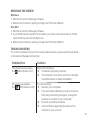
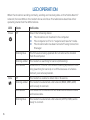
LED OPERATION When the modem is working normally, sending and receiving data on the Telstra Next G® network, the two LEDs on the modem show solid blue. The table below describes other operating states that the LEDs indicate. LED State Indicates Power Off One of the following states: The modem is not inserted in the computer. The computer is off or in “suspend and resume” mode. The modem radio has been turned off using Connection Manager. Blinking blue The firmware is being updated. Do not remove the modem from the computer. Data 6 Blinking amber The modem is searching for service (initializing). Solid amber Modem error — either the modem is having a problem initializing (searching for service) or is offline because of a failure. Contact your service provider. Off The modem is unable to detect 2G or 3G service. Blinking amber The modem has detected a 2G network (EDGE, GPRS, GSM) and is ready to connect. Solid amber The modem is connected to a 2G network and is able to send and receive data. Blinking blue The modem has detected a 3G network (UMTS, HSPA) and is ready to connect.