1
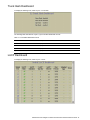
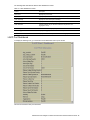
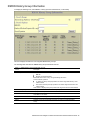
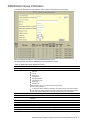
N8406-022A 1Gb Intelligent L2 Switch
Browser-based Interface Reference Guide
Part number: 856-126757-406-00
First edition: July 2008
456-01758-000
PN# 456-01766-000
Legal notices
© 2008 NEC Corporation
The information contained herein is subject to change without notice. The only warranties for NEC products and services are set forth in the
express warranty statements accompanying such products and services. Nothing herein should be construed as constituting an additional
warranty. NEC shall not be liable for technical or editorial errors or omissions contained herein.
Microsoft®, Windows®, and Windows NT® are U.S. registered trademarks of Microsoft Corporation.
SunOS™ and Solaris™ are trademarks of Sun Microsystems, Inc. in the U.S. and other countries.
Cisco® is a registered trademark of Cisco Systems, Inc. and/or its affiliates in the U.S. and certain other countries.
Part number: 856-126757-406-00
First edition: July 2008
2
Contents
Getting started
Introduction ............................................................................................................................................................. 6
Additional references .............................................................................................................................................. 6
Features ................................................................................................................................................................. 6
Requirements ......................................................................................................................................................... 6
Switch setup ........................................................................................................................................................... 6
Configuring IP interfaces ................................................................................................................................... 6
Enabling or disabling BBI access ...................................................................................................................... 7
Web browser setup................................................................................................................................................. 7
Starting the BBI ...................................................................................................................................................... 7
Browser-based interface basics
Introduction ........................................................................................................................................................... 10
Toolbar ................................................................................................................................................................. 10
Context buttons ............................................................................................................................................... 10
Commands ...................................................................................................................................................... 11
Navigation window ................................................................................................................................................ 11
Forms window ...................................................................................................................................................... 12
Dashboard
Introduction ........................................................................................................................................................... 13
Steps for displaying dashboards .......................................................................................................................... 13
Switch Dashboard ................................................................................................................................................ 16
User Access Dashboard ....................................................................................................................................... 17
Switch Image and Configuration Management Dashboard .................................................................................. 18
Management Network Definition Dashboard ........................................................................................................ 19
Switch Ports Dashboard ....................................................................................................................................... 20
Forwarding Database Information ........................................................................................................................ 21
VLANs Dashboard ................................................................................................................................................ 22
Switch Spanning Tree Groups Information ........................................................................................................... 23
Switch Spanning Tree Group Information ....................................................................................................... 24
Switch Spanning Tree Port Information .......................................................................................................... 25
Switch Trunk Groups Dashboard ......................................................................................................................... 26
Trunk Hash Dashboard ........................................................................................................................................ 27
LACP Dashboard .................................................................................................................................................. 27
LACP Port Dashboard..................................................................................................................................... 28
Uplink Fast General Information ........................................................................................................................... 29
RMON History Group Information ........................................................................................................................ 30
RMON Alarm Group Information .......................................................................................................................... 31
RMON Event Group Information .......................................................................................................................... 32
IP Interfaces Dashboard ....................................................................................................................................... 33
ARP Cache Information ........................................................................................................................................ 34
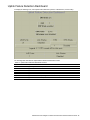
Default Gateways Dashboard ............................................................................................................................... 35
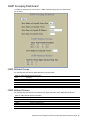
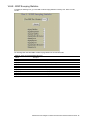
IGMP Snooping Dashboard.................................................................................................................................. 36
IGMP Multicast Groups ................................................................................................................................... 36
IGMP Multicast Routers .................................................................................................................................. 36
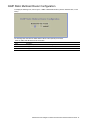
IGMP Static Multicast Router Configuration ......................................................................................................... 37
Uplink Failure Detection Dashboard ..................................................................................................................... 38
Viewing statistics
Introduction ........................................................................................................................................................... 39
Steps for displaying statistics ............................................................................................................................... 39
Management Processor Statistics ........................................................................................................................ 41
TCP/IP Statistics (IF and IP Statistics) ................................................................................................................. 42
TCP/IP Statistics (ICMP and TCP Statistics) ........................................................................................................ 44
UDP/SNMP Statistics ........................................................................................................................................... 47
CPU Utilization ..................................................................................................................................................... 49
FDB Statistics ....................................................................................................................................................... 50
Network Time Protocol Statistics .......................................................................................................................... 50
Switch Ports Statistics Summary .......................................................................................................................... 51
Port Statistics .................................................................................................................................................. 52
Bridging (“dot1”) Statistics ............................................................................................................................... 53
N8406-022A 1Gb Intelligent L2 Switch Browser-based Interface Reference Guide 3
Interface (“if”) Statistics - Input ........................................................................................................................ 53
Interface (“if”) Statistics - Output ..................................................................................................................... 54
Ethernet (“dot3”) Statistics .............................................................................................................................. 54
GEA IP Statistics ............................................................................................................................................. 55
FDB Statistics ....................................................................................................................................................... 56
LACP Statistics ..................................................................................................................................................... 57
IP Statistics ........................................................................................................................................................... 58
ARP Statistics ....................................................................................................................................................... 59
IGMP VLAN Snooping Statistics Summary .......................................................................................................... 59
VLAN - IGMP Snooping Statistics ................................................................................................................... 60
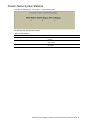
Domain Name System Statistics .......................................................................................................................... 61
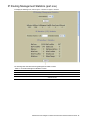
IP Routing Management Statistics (part one) ....................................................................................................... 62
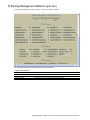
IP Routing Management Statistics (part two) ....................................................................................................... 64
Uplink Failure Detection Statistics ........................................................................................................................ 67
Configuring the switch
Introduction ........................................................................................................................................................... 68
Configuration steps............................................................................................................................................... 68
Input error checking ........................................................................................................................................ 70
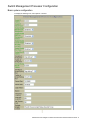
Switch Management Processor Configuration ..................................................................................................... 71
Basic system configuration ............................................................................................................................. 71
SNMP controls ................................................................................................................................................ 73
Switch Management Processor Configuration buttons ................................................................................... 74
User Configuration Table...................................................................................................................................... 75
User Access Control Configuration ...................................................................................................................... 76
Switch RADIUS Configuration .............................................................................................................................. 77
Switch TACACS+ Configuration ........................................................................................................................... 78
NTP Configuration ................................................................................................................................................ 80
Syslog and Trap Feature Configuration................................................................................................................ 81
Switch Image and Configuration Management ..................................................................................................... 82
Downloading new software to your switch ...................................................................................................... 83
Configuration ................................................................................................................................................... 83
Switch Image and Configuration Management controls.................................................................................. 83
Switch Image and Configuration Management buttons .................................................................................. 84
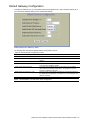
Management Network Definition Configuration............................................................................................... 85
Switch Ports Configuration ................................................................................................................................... 86
Switch Port Configuration................................................................................................................................ 86
Port-Based Port Mirroring Configuration .............................................................................................................. 88
Monitoring Port Configuration ......................................................................................................................... 88
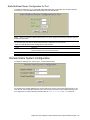
Port Mirroring Configuration for Port ............................................................................................................... 89
FDB Configuration ................................................................................................................................................ 89
Static FDB Configuration (part one) ................................................................................................................ 90
Static FDB Configuration (part two) ................................................................................................................ 90
VLANs Configuration ............................................................................................................................................ 91
VLAN Configuration ........................................................................................................................................ 92
Switch Spanning Tree Groups Configuration ....................................................................................................... 93
Switch Spanning Tree Group Configuration.................................................................................................... 94
Switch Spanning Tree Group Port Configuration ............................................................................................ 96
MSTP/RSTP General Configuration ..................................................................................................................... 97
Common Internal Spanning Tree Bridge Configuration .................................................................................. 98
Ports Common Internal Spanning Tree Configuration .................................................................................... 99
Common Internal Spanning Tree Port Configuration .................................................................................... 100
Trunk Groups Configuration ............................................................................................................................... 101
Switch Trunk Group Configuration ................................................................................................................ 101
Trunk Hash Configuration ............................................................................................................................. 102
LACP Configuration ...................................................................................................................................... 103
LACP Port Configuration ............................................................................................................................... 104
Uplink Fast General Configuration ................................................................................................................ 105
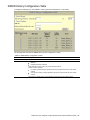
RMON History Configuration Table .................................................................................................................... 106
RMON History Configuration......................................................................................................................... 107
RMON Alarm Configuration Table ...................................................................................................................... 108
RMON Alarm Configuration .......................................................................................................................... 109
RMON Event Configuration Table ...................................................................................................................... 110
RMON Event Configuration........................................................................................................................... 111
IP Interfaces Configuration ................................................................................................................................. 112
IP Interface Configuration ............................................................................................................................. 113
N8406-022A 1Gb Intelligent L2 Switch Browser-based Interface Reference Guide 4
Default Gateways Configuration ......................................................................................................................... 114
Default Gateway Configuration........................................................................................................................... 115
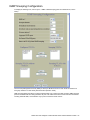
IGMP Snooping Configuration ............................................................................................................................ 116
IGMP Filters Configuration ............................................................................................................................ 117
IGMP Filter Configuration.............................................................................................................................. 118
IGMP Filtering Port Configuration ................................................................................................................. 118
IGMP Filtering - Port Configuration ............................................................................................................... 119
IGMP Static Multicast Router Configuration.................................................................................................. 119
Static Multicast Router Configuration for Port ............................................................................................... 120
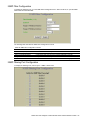
Domain Name System Configuration ................................................................................................................. 120
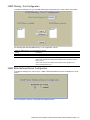
IP Routing General Configuration ....................................................................................................................... 121
Uplink Failure Detection Configuration ............................................................................................................... 122
Failure Detection Pair Configuration ............................................................................................................. 123
N8406-022A 1Gb Intelligent L2 Switch Browser-based Interface Reference Guide 5
Getting started
Introduction
The 1Gb Intelligent L2 Switch software lets you use your Web browser to access switch information and
statistics and perform switch configuration via the Internet.
This guide provides an overview of how to access and use the switch browser-based interface (BBI) on the
Layer2 switch mode. For the information of how to use the SmartPanel mode, see the SmartPanel Reference
Guide.
This chapter briefly describes the software features and requirements for the switch browser-based interface
(BBI) and explains how to access the BBI start page.
Additional references
Additional information about installing and configuring the switch is available in the following guides.
N8406-022A 1Gb Intelligent L2 Switch User’s Guide
N8406-022A 1Gb Intelligent L2 Switch Application Guide
N8406-022A 1Gb Intelligent L2 Switch Command Reference Guide (AOS)
N8406-022A 1Gb Intelligent L2 Switch Command Reference Guide (ISCLI)
N8406-022A 1Gb Intelligent L2 Switch SmartPanel Reference Guide
Features
The network administrator can access all switch configuration and monitoring functions through the BBI, a
Web-based switch management interface. The BBI has the following features:
Most of the same configuration and monitoring functions as the command line interface
Intuitive and easy-to-use interface structure
Nothing to install; the BBI is part of the switch software
Two default levels of password protection
Can be upgraded as future software releases are available
Requirements
To use the browser-based interface, you need the following:
PC or workstation with network access to the switch
Frame-capable Web-browser software, such as the following:
Netscape Navigator 4.7x or higher
Internet Explorer 6.0x or higher
JavaScript enabled in your Web browser
Switch setup
Before you can access the BBI, minimal configuration is required on the switch.
Configuring IP interfaces
At least one IP interface must be configured on the switch. This is usually done from the command line
interface during first-time switch set up. Each IP interface address provides a point of access for switch
management.
For more information about configuring an IP interface for management access, see the “Using the command
line interface” section in the “Accessing the switch” chapter of the Application Guide.
N8406-022A 1Gb Intelligent L2 Switch Browser-based Interface Reference Guide 6
Enabling or disabling BBI access
By default, BBI access is enabled. If you need to disable or re-enable access, use the following command from
the command line interface:
>> Main# /cfg/sys/access/http <disable|enable (or just d|e)>
By default, secure BBI access is disabled. If you need to enable access, use the following command from the
command line interface:
>> Main# /cfg/sys/access/https/access <disable|enable (or just d|e)>
The default TCP port to use for BBI access is port 80. To change the port number, use the following command:
>> Main# /cfg/sys/access/wport <TCP port number>
For more information on accessing and configuring the switch through the command line interface, see the
Command Reference Guide.
Web browser setup
Most modern Web browsers work with frames and JavaScript by default, and require no additional set up.
However, you should check your Web browser‟s features and configuration to be sure frames and JavaScript
are enabled.
NOTE: JavaScript is not the same as Java™. Be sure that JavaScript is enabled in your Web browser.
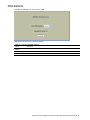
Starting the BBI
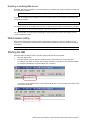
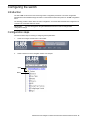
When the switch and browser setup is complete, follow these steps to launch the BBI:
1.
Start your Web browser.
2.
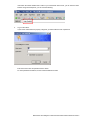
Enter the switch IP interface address in the Web browser Uniform Resource Locator (URL) field.
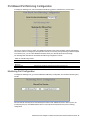
For example, if the switch IP interface has a network IP address of 192.168.3.70. Using Internet Explorer,
you could enter the following (for secure BBI access, use https://).
If you do not use the default TCP port number (80) for BBI access, you can include the port number when
you enter the IP address:
N8406-022A 1Gb Intelligent L2 Switch Browser-based Interface Reference Guide 7
If the switch IP interface address has a name on your local domain name server, you can enter the name
instead. Using Internet Explorer, you can enter the following:
3.
Log in to the switch.
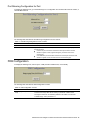
If your switch and browser are properly configured, you will be asked to enter a password.
Enter the account name and password for the switch.
For more password information, see the Command Reference Guide.
N8406-022A 1Gb Intelligent L2 Switch Browser-based Interface Reference Guide 8
4.
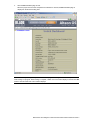
Allow the BBI Dashboard page to load.
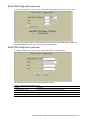
When the proper account name and password combination is entered, the BBI Dashboard page is
displayed in the browser viewing area.
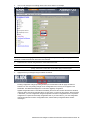
NOTE: There may be a slight delay while the Dashboard page is initializing. You should not stop the browser
while loading is in progress. When loading is complete, a folder icon for the switch displays in the left-hand BBI
window. Click this folder and a tree of folders displays.
N8406-022A 1Gb Intelligent L2 Switch Browser-based Interface Reference Guide 9
Browser-based interface basics
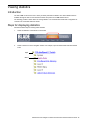
Introduction
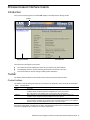
Once you are properly logged in, the switch BBI displays in the Web browser-viewing window.
Toolbar
Forms Window
Navigation Window
There are three main regions on the screen.
The Toolbar is used for selecting the context for your actions in the other windows.
The Navigation window is used for selecting particular items or features to act upon.
The Forms window is used for viewing or altering switch information.
Toolbar
The toolbar contains buttons and commands used to access and execute switch functions.
Context buttons
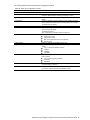
The toolbar is used for setting the context for your actions in the application. There are three context buttons:
Table 1 Context buttons
Button
Description
Configure
When selected, you can access and alter the switch configuration forms. Select an item in the
navigation window to display the desired configuration form in the forms window.
Note: This context is only available when you are logged in as an administrator.
When selected, you can view information about switch performance. Select an item in the
navigation window to display the desired statistics in the forms window.
This context button is selected by default when the BBI is first activated. When selected, basic
switch information and status can be viewed in the forms window. Select an item in the navigation
window to display the desired dashboard information in the forms window.
Statistics
Dashboard
First click a context button, and then click an item in the navigation window. When a context button is selected,
the button is highlighted as a reminder of the current context mode.
N8406-022A 1Gb Intelligent L2 Switch Browser-based Interface Reference Guide 10
Commands
The following general commands are available on the toolbar:
Table 2 Toolbar commands
Command
Description
Apply
Pending configuration changes do not take effect until you select the Apply command. Once
applied, all changes (except enabling/disabling Spanning Tree Protocol) take effect on the switch
immediately. If you do not save the changes, however, they will be lost the next time the switch is
rebooted.
Writes applied configuration changes to flash memory on the switch (with the option of not
overlaying the current backup).
Removes pending configuration changes between Apply commands. Use this command to restore
configuration parameters set since last Apply command.
Shows any pending configuration changes.
Writes current switch configuration to the screen. Configuration information is displayed with
parameters that have been changed from default values.
Opens a new Web-browser window for displaying the 100 most recent switch log messages. Close
the log browser when finished.
Opens a new Web-browser window for displaying the basic online help information. Close the help
browser when finished.
Logs off the switch and exits the BBI.
Save
Revert
Diff
Dump
Show Log
Help
Logout
Navigation window
The navigation window is used for selecting a particular switch feature to act upon. Status, statistics, or
configuration forms for the selected item will display in the forms window, depending on the context chosen on
the toolbar.
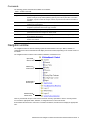
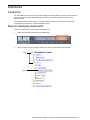
The navigation window contains a tree of folders, subfolders, and feature icons.
Open folder-
Click to close
Feature icon-
Click for form
Closed folder-
Click to open
Underlined item-
Click for form
Click any closed folder to open it and reveal its contents. Click any open folder to close it. Click any feature
icon to load the appropriate status, statistics, or configuration form in the forms window.
Some folders also have forms. If the name of a folder is underlined, click the name to display the appropriate
form.
N8406-022A 1Gb Intelligent L2 Switch Browser-based Interface Reference Guide 11
Forms window
When a feature icon is selected on the navigation window, a status, statistics, or configuration form is
displayed in the forms window. The exact nature of the form depends on the current context selected on the
toolbar, as well as the type of information available. Not all feature icons have forms for all contexts.
Some forms display switch information such as settings, status, or statistics. Others allow you to make
configuration changes to switch parameters.
NOTE: Some items display blank forms, depending on the context. A blank form indicates that no information
or actions are available in that context.
N8406-022A 1Gb Intelligent L2 Switch Browser-based Interface Reference Guide 12
Dashboard
Introduction
The switch BBI can be used to view the present settings and operating status of a variety of switch features.
Most of the same information available through the switch‟s command line interface is present on the
dashboard forms.
The following provides a basic outline for viewing the dashboard forms. You should first be familiar with
configuration as covered in the Command Reference Guide.
Steps for displaying dashboards
Follow these basic steps for viewing switch dashboard forms.
1.
Select the Dashboard context button in the BBI toolbar.
2.
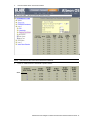
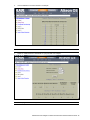
Select a feature icon in the navigation window. For example, select Spanning Tree Groups:
Open
Select
N8406-022A 1Gb Intelligent L2 Switch Browser-based Interface Reference Guide 13
3.
View information shown in the forms window.
NOTE: Items that load other forms when selected are underlined.
4.
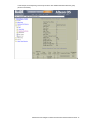
Select an underlined item to view details or perform actions.
Select
N8406-022A 1Gb Intelligent L2 Switch Browser-based Interface Reference Guide 14
In this example, click a Spanning Tree Group number to view detailed information about the group
(shown in form below).
N8406-022A 1Gb Intelligent L2 Switch Browser-based Interface Reference Guide 15
Switch Dashboard
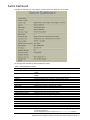
To display the following form, select System > General. This is the default form for the switch.
The following table describes the Switch Dashboard controls:
Table 3 Switch Dashboard controls
Control
Description
Switch Name
Displays the name of the switch, as entered in Configuration > Switch > General
(SNMP).
Displays the location of the switch, as entered in Configuration > Switch > General
(SNMP).
Displays the type of switch.
Displays the serial number of the rack in which the switch resides.
Displays the name of the rack in which the switch resides.
Displays the serial number of the enclosure in which the switch resides.
Displays the name of number of the enclosure in which the switch resides.
Displays the bay number in which the switch resides.
Displays the amount of time the switch has been running.
Displays the date and time of last switch boot.
Displays the current time and date.
Displays the time zone where the switch resides.
Displays the status of the daylight savings: enabled or disabled
Displays the MAC Address of the switch management processor.
Displays the IP address of IP Interface.
Displays the hardware revision number of the switch.
Displays the serial number of the switch.
Not in use.
Displays the part number of spare switch hardware.
Displays the software revision number.
Displays the login banner text. When a user or administrator logs into the switch, the
login banner is displayed.
It is also displayed as part of the output from the /info/sys/gen command.
Switch Location
Switch Type
Rack ID
Rack Name
Enclosure
Enclosure Name
Bay Number
Switch Up Time
Last Boot Time
Time and date
Daylight Savings Location
Daylight Savings Time Status
MAC Address
IP Address
Hardware Revision
Switch Serial No
Hardware Part No
HW Spare Part No
Software Rev
Banner
N8406-022A 1Gb Intelligent L2 Switch Browser-based Interface Reference Guide 16
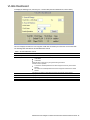
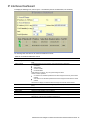
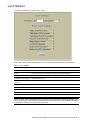
User Access Dashboard
To display the following form, select System > User Table.
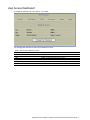
The following table describes the User Access Dashboard controls:
Table 4 User Access Dashboard controls
Control
Description
User ID
User Name
COS
Password
Status
Login
Displays the numeric identifier for the user
Displays the name of the user.
Displays the Class of Service level for the user.
Indicates whether a valid password is defined for the user.
Displays whether the user is enabled or disabled.
Displays the login status of the user (online or offline).
N8406-022A 1Gb Intelligent L2 Switch Browser-based Interface Reference Guide 17
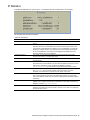
Switch Image and Configuration Management Dashboard
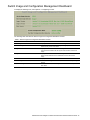
To display the following form, select System > Config/Image Control.
The following table describes the Switch Image and Configuration Dashboard controls:
Table 5 Switch Image and Configuration Dashboard controls
Control
Description
Active Image Version
Next Boot Image Selection
Displays the number of the active software image.
Displays which software image (image1 or image2) will be loaded into
switch memory for the next reboot.
Displays information about the current Image 1 software. NormalPanel
is shown that the software for the Layer2 switch mode is stored in the
image.
Displays information about the current Image 2 software. SmartPanel is
shown that the software for the SmartPanel mode is stored in the
image.
Displays the version number of the current Boot software.
Defines which configuration block is selected for the currently running
session.
Allows the user to select the configuration block to be loaded upon the
next reboot.
Image 1 Version
Image 2 Version
Boot Version
Active Configuration Block
Next Boot Configuration Block Selection
N8406-022A 1Gb Intelligent L2 Switch Browser-based Interface Reference Guide 18
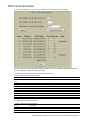
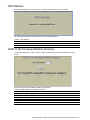
Management Network Definition Dashboard
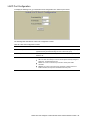
To display the following form, select System > Mgmt.
The following table describes the Management Network Definition Dashboard controls:
Table 6 Management Network Definition Dashboard controls
Control
Description
Entry
Management Network
Management Network Subnet Mask
Displays the entry number for each management network.
Displays the IP address of the management network.
Displays the subnet mask of the management network.
N8406-022A 1Gb Intelligent L2 Switch Browser-based Interface Reference Guide 19
Switch Ports Dashboard
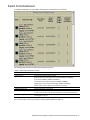
To display the following form, select Switch Ports (click the underlined text, not the folder).
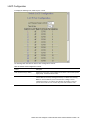
The following table describes the Switch Ports Dashboard controls:
Table 7 Switch Ports Dashboard controls
Control
Description
Status
Switch Port Info
Shows if the port is enabled (green) or disabled (black).
Summarizes the following port information:
STP: Shows if the port has Spanning Tree Protocol enabled or disabled.
rmon: Shows if RMON is enabled or disabled.
portfast: Shows if Port Fast Forwarding is enabled or disabled.
tagging: Shows if this port has VLAN Tagging enabled or disabled.
PVID: VLAN ID of any VLAN(s) to which this port is a member.
Operational Status
Speed/Duplex/Flow Ctl
Input Frames/Output Frames
Displays the operational status of the port.
Displays parameters for the port link.
Displays the number of frames that have been received by this port (Input Frames)
and the number of frames that have been transmitted by this port (Output Frames).
Displays the total number of link state changes for this port and the total number of
errors logged by this port.
Link State Changes/Total Errors
For more information, select a port number to display detailed statistics for that port.
N8406-022A 1Gb Intelligent L2 Switch Browser-based Interface Reference Guide 20
Forwarding Database Information
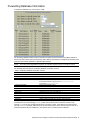
To display the following form, select Layer 2 > FDB.
The forwarding database (FDB) contains information that maps the media access control (MAC) address of
each known device to the switch port where the device address was learned. The FDB also shows which other
ports have seen frames destined for a particular MAC address.
NOTE: The master forwarding database supports up to 8K MAC address entries on the MP per switch.
The following table describes the Forwarding Database Information controls:
Table 8 Forwarding Database Information controls
Control
Description
Show Entries of a Specific Source Port
Show Entries of a Specific State
Show Entries of a Specific VLAN
Show Entry of a Specific MAC address
Displays FDB entries for the selected port(s).
Displays FDB entries by state.
Displays FDB entries for the selected VLAN.
Displays a single FDB entry by IP address.
Enter the MAC address using the format, xx:xx:xx:xx:xx:xx.
For example, 08:00:20:12:34:56
Removes learned FDB entries.
Displays the numeric identifier of the FDB entry.
Displays the MAC address of the FDB entry.
Displays the VLAN number of the FDB entry.
Displays the source port of the FDB entry.
Displays the trunk number of the FDB entry, if applicable.
Displays the port state of the FDB entry.
Displays the port number of the port that received the FDB entry.
Displays whether the FDB entry is a static, permanent entry.
Clear Dynamic MACs
Entry #
MAC Address
VLAN
Source Port
Trunk
State
Learned Port
Permanent
An address that is in the forwarding (FORWARD) state means that the switch has learned it. When in the
trunking (TRUNK) state, the port field represents the trunk group number. If the state for the port is listed as
unknown (UNKNOWN), the MAC address has not yet been learned by the switch, but has only been seen as a
destination address. When an address is in the unknown state, no outbound port is indicated.
N8406-022A 1Gb Intelligent L2 Switch Browser-based Interface Reference Guide 21
VLANs Dashboard
To display the following form, select Layer 2 > Virtual LANs (click the underlined text, not the folder).
This form displays information for all configured VLANs and all member ports that have an active link state.
The following table describes the VLANs Dashboard controls:
Table 9 VLANs Dashboard controls
Control
Description
Search Range
Search Options
To search for a VLAN, enter a range of VLAN numbers in the From and To fields.
To focus the search for a VLAN, enter optional search parameters:
VLAN Name
VLAN State
Fields that have a value of “any” are ignored during the search.
Choose a search operation:
or: Search for VLANS specified in the search range that meet any of the criteria
entered.
and: Search for VLANS specified in the search range that meet all of the criteria
entered.
Click Search to display VLANS that fit the range and meet the criteria entered.
Displays the numeric identifier of the VLAN.
Displays the name of the VLAN.
Displays the port numbers of ports that are members of the VLAN.
Shows if the VLAN is enabled or disabled.
VLAN ID
VLAN Name
VLAN Ports
State
N8406-022A 1Gb Intelligent L2 Switch Browser-based Interface Reference Guide 22
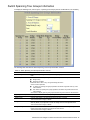
Switch Spanning Tree Groups Information
To display the following form, select Layer 2 > Spanning Tree Groups (click the underlined text, not the folder).
The following table describes the Switch Spanning Tree Groups Information controls:
Table 10 Switch Spanning Tree Groups Information controls
Control
Description
Search Range
To search for a Spanning Tree Group, enter a range of group numbers in the From and To
fields.
To focus the search for a Spanning Tree Group, enter optional search parameters:
Bridge Priority
Spanning Tree State
Fields that have a value of “any” are ignored during the search.
Choose a search operation:
or: Search for spanning tree groups specified in the search range that meet any of the
criteria entered.
and: Search for spanning tree groups specified in the search range that meet all of the
criteria entered.
Click Search to display spanning tree groups that fit the range and meet the criteria entered.
Displays the numeric identifier of the Spanning Tree Group.
Shows if Spanning Tree is turned on or off for the port.
Controls which bridge on the network will become the STP root bridge.
This command does not apply to MSTP.
Specifies, in seconds, how often the root bridge transmits a configuration bridge protocol
data unit (BPDU). Any bridge that is not the root bridge uses the root bridge hello value.
This command does not apply to MSTP.
Specifies, in seconds, the maximum time the bridge waits without receiving a configuration
bridge protocol data unit before it reconfigures the STP network.
This command does not apply to MSTP.
Search Options
Spanning Tree Group
State
Bridge Priority
Bridge Hello Time
Bridge Max Age
N8406-022A 1Gb Intelligent L2 Switch Browser-based Interface Reference Guide 23
Table 10 Switch Spanning Tree Groups Information controls
Control
Description
Bridge Forward Delay
Specifies, in seconds, the amount of time that a bridge port has to wait before it changes
from learning state to forwarding state.
This command does not apply to MSTP.
Specifies, in seconds, the amount of time the bridge waits without receiving a packet from a
station before removing the station from the Forwarding Database.
Bridge Aging Time
Select a Spanning Tree Group number to display detailed information.
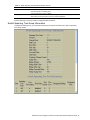
Switch Spanning Tree Group Information
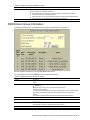
To display the following form, go to the Switch Spanning Tree Groups Information form. Select a Spanning
Tree Group number.
N8406-022A 1Gb Intelligent L2 Switch Browser-based Interface Reference Guide 24
The following table describes the Switch Spanning Tree Group Information controls:
Table 11 Switch Spanning Tree Group Information controls
Control
Description
Spanning Tree State
Shows if Spanning Tree is turned on or off for the switch.
VLANs
Current Root
Displays the VLANs that are members of this Spanning Tree Group.
Displays information about the root bridge for the Spanning Tree. Information includes
the priority (hex) and MAC address of the root.
Displays the cumulative path cost to the Current Root.
Displays the switch port that is connected to the Current Root.
Specifies, in seconds, the maximum time the bridge waits without receiving a
configuration bridge protocol data unit before it reconfigures the STP network.
Specifies, in seconds, how often the root bridge transmits a configuration bridge
protocol data unit (BPDU). Any bridge that is not the root bridge uses the root bridge
hello value.
Specifies, in seconds, the amount of time that a bridge port has to wait before it
changes from learning state to forwarding state.
Displays the minimum number of seconds that must elapse between transmissions of
consecutive configuration BPDUs on a port.
Displays the number of times the spanning tree topology has changed.
Specifies, in seconds, the amount of time the bridge waits without receiving a packet
from a station before removing the station from the Forwarding Database.
Controls which bridge on the network will become the STP root bridge.
Specifies, in seconds, how often the root bridge transmits a configuration bridge
protocol data unit (BPDU). Any bridge that is not the root bridge uses the root bridge
hello value.
Specifies, in seconds, the maximum time the bridge waits without receiving a
configuration bridge protocol data unit before it reconfigures the STP network.
Specifies, in seconds, the amount of time that a bridge port has to wait before it
changes from learning state to forwarding state.
Specifies, in seconds, the amount of time the bridge waits without receiving a packet
from a station before removing the station from the Forwarding Database.
Path Cost
Root Port
Max Age
Hello Time
Forward Delay
Hold Time
Topology Change Counts
Aging Time
Bridge Priority
Bridge Hello Time
Bridge Max Age
Bridge Forward Delay
Bridge Aging Time
Switch Spanning Tree Port Information
The following table describes the STP port parameters:
Table 12 Switch Spanning Tree Port Information controls
Control
Description
Port
Spanning Tree State
Port State
Displays the port number for each port‟s STP information.
Shows if Spanning Tree is turned on or off for the port.
Shows the current state of the port. The state field can be blocking, listening,
learning, forwarding, or disabled.
The State field in RSTP or MSTP mode can be one of the following: Discarding
(DISC), Learning (LRN), Forwarding (FWD), or Disabled (DSB).
Port Priority
Port Cost
Designated Bridge
Designated Port
Helps determine which bridge port becomes the designated port. In a network topology
that has multiple bridge ports connected to a single segment, the port with the lowest port
priority becomes the designated port for the segment.
Helps determine the designated port for a segment. Generally speaking, the faster the
port, the lower the path cost. A setting of 0 indicates that the cost will be set to the
appropriate default after the link speed has been auto negotiated.
Shows information about the bridge connected to each port, if applicable. Information
includes the priority (hex) and MAC address of the Designated Bridge.
Displays the port ID of the port on the Designated Bridge to which this port is connected.
N8406-022A 1Gb Intelligent L2 Switch Browser-based Interface Reference Guide 25
Switch Trunk Groups Dashboard
To display the following form, select Layer 2 > Trunk Groups.
When trunk groups are configured, you can view the state of each port in the various trunk groups.
NOTE: If Spanning Tree Protocol on any port in the trunk group is set to forwarding, the remaining ports in
the trunk group will also be set to forwarding.
The following table describes the Switch Trunk Groups Dashboard controls:
Table 13 Switch Trunk Groups Dashboard controls
Control
Description
Status
For each port in the Trunk Group, shows whether the port is down (red), up and forwarding
(green) or in blocking state.
Displays the numeric identifier of the Trunk Group.
Displays the port number of each port that is a member of the Trunk Group.
Displays the Spanning Tree Group to which this trunk belongs.
Trunk Group
Switch Port
STG
N8406-022A 1Gb Intelligent L2 Switch Browser-based Interface Reference Guide 26
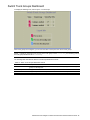
Trunk Hash Dashboard
To display the following form, select Layer 2 > Trunk Hash.
The following table describes the Layer 2 (L2) Trunk Hash Dashboard controls:
Table 14 Trunk Hash Dashboard controls
Control
Description
Smac Hash
Displays the status of the source MAC hash: enabled or disabled.
Dmac Hash
Displays the status of the destination MAC hash: enabled or disabled.
Sip Hash
Displays the status of the source IP hash: enabled or disabled.
Dip Hash
Displays the status of the destination IP hash: enabled or disabled.
LACP Dashboard
To display the following form, select Layer 2 > LACP.
N8406-022A 1Gb Intelligent L2 Switch Browser-based Interface Reference Guide 27
The following table describes the Switch LACP Dashboard controls:
Table 15 LACP Dashboard controls
Control
Description
Switch Port
Displays the port number.
LACP Mode
Displays the port‟s LACP mode (active, passive, or off).
LACP Adminkey
Displays the value of the port‟s adminkey.
LACP Operkey
Displays the value of the port‟s operkey.
LACP Selected
Indicates whether the port has been selected to be part of a Link
Aggregation Group.
Port Priority
Shows the value of the port priority.
Attached Aggr
Displays the aggregator associated with each port.
Trunk
Displays the value that represents the LACP trunk group number.
LACP Port Dashboard
To display the following form, go to the Switch LACP Dashboard. Select a port number.
This form summarizes LACP port information.
N8406-022A 1Gb Intelligent L2 Switch Browser-based Interface Reference Guide 28
Uplink Fast General Information
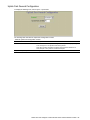
To display the following form, select Layer 2 > Uplink Fast.
The following table describes the Uplink Fast Information controls:
Table 16 Uplink Fast General Information controls
Control
Description
STP Uplink Fast Mode
STP Uplink Fast Rate
Displays the status of STP Uplink Fast: ON or OFF.
Displays the value of the Uplink Fast station update rate, in seconds.
N8406-022A 1Gb Intelligent L2 Switch Browser-based Interface Reference Guide 29
RMON History Group Information
To display the following form, select RMON > History (click the underlined text, not the folder).
This form displays information for all configured RMON History Groups.
The following table describes the RMON History Group Dashboard controls:
Table 17 RMON History Group Dashboard controls
Control
Description
Search Range
Search Options
To search for a History Group, enter a range of numbers in the From and To fields.
To focus the search for a History Group, enter optional search parameters:
MIB OID
Number of buckets requested
Fields that have a value of “any” are ignored during the search.
Choose a search operation:
or: Search for History Groups specified in the search range that meet any of the
criteria entered.
and: Search for History Groups specified in the search range that meet all of the
criteria entered.
Click Search to display History Groups that fit the range and meet the criteria entered.
Displays the numeric identifier of the History Group.
Displays the MIB Object Identifier.
Displays the number of requested buckets, which is the number of data slots into
which data is to be saved.
Displays the number of granted buckets that may hold sampled data.
Displays the time interval for each sampling bucket.
Displays a text string that identifies the person or entity that created this History
Group.
RMON History Group ID
MIB Object
Number of Buckets Requested
Granted Buckets
Polling Interval
Owner
N8406-022A 1Gb Intelligent L2 Switch Browser-based Interface Reference Guide 30
RMON Alarm Group Information
To display the following form, select RMON > Alarm (click the underlined text, not the folder).
This form displays information for all configured RMON Alarm Groups.
The following table describes the RMON Alarm Group Dashboard controls:
Table 18 RMON Alarm Group Dashboard controls
Control
Description
Search Range
Search Options
To search for a RMON Alarm Group, enter a range of numbers in the From and To fields.
To focus the search for a RMON Alarm, enter optional search parameters:
MIB OID
Interval
Rising Limit
Falling Limit
Rising Event Index
Falling Event Index
Alarm Type
Sample Type
Fields that have a value of “any” are ignored during the search.
Choose a search operation:
or: Search for Alarms specified in the search range that meet any of the criteria entered.
and: Search for Alarms specified in the search range that meet all of the criteria entered.
Click Search to display RMON Alarms that fit the range and meet the criteria entered.
Displays the numeric identifier of the Alarm Group.
Displays the MIB Object Identifier.
Displays the time interval over which data is sampled and compared with the rising and falling
thresholds.
Displays the most recent value sampled.
Displays the rising threshold for the sampled statistic.
Displays the falling threshold for the sampled statistic.
Displays the rising alarm event index that is triggered when a rising threshold is crossed.
Displays the falling alarm event index that is triggered when a falling threshold is crossed.
Displays the alarm type as rising, falling, or either (rising or falling).
RMON Alarm Group ID
MIB Object
Polling Interval
Last Value
Rising Limit
Falling Limit
Rising Alarm Index
Falling Alarm Index
Alarm Type
N8406-022A 1Gb Intelligent L2 Switch Browser-based Interface Reference Guide 31
Table 18 RMON Alarm Group Dashboard controls
Control
Description
Sample Type
Displays the method of sampling the selected variable and calculating the value to be
compared against the thresholds, as follows:
abs: absolute value, the value of the selected variable is compared directly with the
thresholds at the end of the sampling interval.
delta: delta value, the value of the selected variable at the last sample is subtracted from
the current value, and the difference compared with the thresholds.
Displays a text string that identifies the person or entity that created this Alarm Group.
Owner
RMON Event Group Information
To display the following form, select RMON > Event (click the underlined text, not the folder).
This form displays information for all configured RMON Event Groups.
The following table describes the RMON Event Group Dashboard controls:
Table 19 RMON Event Group Dashboard controls
Control
Description
Search Range
To search for a RMON Event Group, enter a range of numbers in the From and To
fields.
To focus the search for an Event Group, enter optional search parameters:
RMON Type
Fields that have a value of “any” are ignored during the search.
Choose a search operation:
or: Search for Events specified in the search range that meet any of the criteria entered.
and: Search for Events specified in the search range that meet all of the criteria
entered.
Click Search to display Events that fit the range and meet the criteria entered.
Displays the numeric identifier of the Event Group.
Displays the type of notification provided for this event, as follows: none, log,
trap, both.
Displays the time that passed since the last switch reboot, when the most recent event
was triggered. This value is cleared when the switch reboots.
Displays a text description of the event.
Displays a text string that identifies the person or entity that created this Event Group.
Search Options
RMON Event Group ID
Event Type
Last Sent
Description
Owner
N8406-022A 1Gb Intelligent L2 Switch Browser-based Interface Reference Guide 32
IP Interfaces Dashboard
To display the following form, select Layer 3 > IP Interfaces (click the underlined text, not the folder).
The following table describes the IP Interfaces Dashboard controls:
Table 20 IP Interfaces Dashboard controls
Control
Description
Search Range
To search for an IP Interface, enter a range of IP Interface numbers in the From and To
fields.
To focus the search for an IP Interface, enter optional search parameters:
IP Address
Subnet Mask
VLAN ID number
IP Interface State
Fields that have a value of “any” are ignored during the search.
Choose a search operation:
or: Search for IP Interfaces specified in the search range that meet any of the criteria
entered.
and: Search for IP Interfaces specified in the search range that meet all of the criteria
entered.
Click Search to display IP Interfaces that fit the range and meet the criteria entered.
Shows the IP Interface status: enabled (green), disabled (red), or enabled but down
(blue).
Displays the numeric identifier of the IP Interface.
Displays the IP address of the IP Interface.
Displays the Subnet Mask of the IP Interface.
Displays the IP Broadcast address for this IP Interface.
Displays the VLAN number for this interface. Each interface can belong to one VLAN,
although any VLAN can have multiple IP interfaces in it.
Search Options
Status
IP Interface ID
IP Address
Subnet Mask
Broadcast Address
VLAN ID
N8406-022A 1Gb Intelligent L2 Switch Browser-based Interface Reference Guide 33
ARP Cache Information
To display the following form, select Layer 3 > ARP (click the underlined text, not the folder).
The ARP information includes IP address and MAC address of each entry, address status flags, VLAN, and
port for the address, and port referencing information.
The following table describes the ARP Cache Information controls:
Table 21 ARP Cache Information controls
Control
Description
Show Entries of a Specific Source
Port
Show Entries of a Specific VLAN
Show Entry of a Specific IP Address
Clear ARP Cache
Entry #
IP Address
MAC Address
VLAN
Source Port
Flags
Displays ARP entries for the selected port(s).
Displays ARP entries for the selected VLAN.
Displays a single ARP entry by IP address.
Clears the ARP data cache.
Displays the numeric identifier of the ARP entry.
Displays the IP address of the ARP entry.
Displays the MAC address of the ARP entry.
Displays the VLAN number of the port where the ARP entry request is received.
Displays the source port of the ARP entry.
Displays the address status flag for the ARP entry.
The Flags field is interpreted as follows:
Table 22 ARP Dump Flag Parameters
Flag
Description
Interface
Indirect
Unresolved
Permanent entry created for switch IP interface
Indirect route entry
Unresolved ARP entry. The MAC address has not been learned.
N8406-022A 1Gb Intelligent L2 Switch Browser-based Interface Reference Guide 34
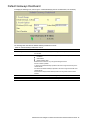
Default Gateways Dashboard
To display the following form, select Layer 3 > Default Gateways (click the underlined text, not the folder).
The following table describes the Default Gateways Dashboard controls:
Table 23 Default Gateways Dashboard controls
Control
Description
Search Range
To search for a Default Gateway, enter a range of Gateway numbers in the From
and To fields.
To focus the search for a Default Gateway, enter optional search parameters:
IP Address
Subnet Mask
Default Gateway State
Fields that have a value of “any” are ignored during the search.
Choose a search operation:
or: Search for Default Gateways specified in the search range that meet any of the
criteria entered.
and: Search for Default Gateways specified in the search range that meet all of the
criteria entered.
Click Search to display Default Gateways that fit the range and meet the criteria
entered.
Shows if the Default Gateway is enabled (green) or disabled (red).
Displays the numeric identifier of the Default Gateway.
Displays the IP Address of the Default Gateway.
Search Options
Status
Default Gateway ID
IP Address
N8406-022A 1Gb Intelligent L2 Switch Browser-based Interface Reference Guide 35
IGMP Snooping Dashboard
To display the following form, select Layer 3 > IGMP > IGMP Snooping (click the underlined text,
not the folder).
IGMP Multicast Groups
The following table describes the IGMP Multicast Groups information.
Table 24 IGMP Multicast Groups information
Field
Description
Group
VLAN
Version
Ports
Expires
Displays the IP address of the IGMP Multicast Group.
Displays the VLAN number of the IGMP Multicast Group.
Displays the IGMP version.
Displays the port numbers of ports that carry IGMP Multicast traffic for the group.
Displays the time remaining until a Mrouter port is deleted from the Multicast IGMP table.
IGMP Multicast Routers
The following table describes the commands used to display information about IGMP Multicast Routers.
Table 25 IGMP Multicast Routers information
Field
Description
VLAN
Port
Version
Expires
Max Query Resp. Time
Displays the VLAN number on which the Multicast Router resides.
Displays the port to which the Multicast Router is connected.
Displays the IGMP version.
Displays the time remaining until a Mrouter port is deleted from the Multicast IGMP table.
Displays the maximum time allowed before responding to an IGMP Membership Query.
N8406-022A 1Gb Intelligent L2 Switch Browser-based Interface Reference Guide 36
IGMP Static Multicast Router Configuration
To display the following form, select Layer 3 > IGMP > IGMP Static Mrouter (click the underlined text, not the
folder).
The following table describes the IGMP Static multicast router (Mrouter) information.
Table 26 IGMP Static Multicast Router information
Field
Description
Mrouter Port
Vlan
Version
Displays the port where the static Mrouter is configured.
Displays the VLAN number of the IGMP Multicast Group.
Displays the IGMP version.
N8406-022A 1Gb Intelligent L2 Switch Browser-based Interface Reference Guide 37
Uplink Failure Detection Dashboard
To display the following form, select Uplink Failure Detection (click the underlined text, not the folder).
The following table describes the Uplink Failure Detection Dashboard controls:
Table 27 Uplink Failure Detection Dashboard controls
Control
Description
UFD State
FDP
FDP State
LtM status
LtD status
LtM Ports
LtD Ports
Displays the global status of Uplink Failure Detection.
Displays the number of the Failure Detection Pair.
Displays whether the Failure Detection Pair is enabled or disabled.
Displays the current status of the Link to Monitor (LtM).
Displays the current status of the Link to Disable (LtD).
Displays the link status and Spanning Tree information for each port in the LtM.
Displays the link status for each port in the LtD.
N8406-022A 1Gb Intelligent L2 Switch Browser-based Interface Reference Guide 38
Viewing statistics
Introduction
The switch BBI can be used to view a variety of switch performance statistics. The same statistics that are
available through the switch‟s command line interface are present on the BBI statistics forms.
The following provides a basic outline for viewing statistics. You should first be familiar with configuration as
covered in the Command Reference Guide.
Steps for displaying statistics
Follow these basic steps for viewing switch statistics.
1.
Select the Statistics context button in the toolbar.
2.
Select a feature icon in the navigation window. For example, open the Switch folder and select Switch
Ports.
Open
Select
N8406-022A 1Gb Intelligent L2 Switch Browser-based Interface Reference Guide 39
3.
View the statistics in the forms window. For example:
NOTE: Items that load other forms when selected are underlined.
4.
Select an underlined item to view details on a per port basis. For example:
NOTE: This page is refreshed every 5 seconds.
N8406-022A 1Gb Intelligent L2 Switch Browser-based Interface Reference Guide 40
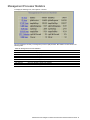
Management Processor Statistics
To display the following form, select System > General.
This form displays a summary of management processor (MP) statistics. MP statistics are described in the
following table:
Table 28 Management Processor Statistics
Statistic
Syntax and Usage
IF Stats
IP Stats
ICMP Stats
UDP Stats
TCP Stats
SNMP Stats
CPU Utilization
FDB Stats
Click IF Stats to display IF portion of TCP/IP statistics
Click IP Stats to display IP portion of TCP/IP statistics.
Click ICMP Stats to display ICMP portion of TCP/IP statistics.
Click UDP Stats to display UDP/SNMP statistics.
Click TCP Stats to display TCP portion of TCP/IP statistics.
Click SNMP Stats to display UDP/SNMP statistics.
Click CPU Utilization to display CPU utilization.
Click FDB Stats to display FDB statistics.
N8406-022A 1Gb Intelligent L2 Switch Browser-based Interface Reference Guide 41
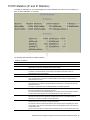
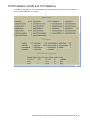
TCP/IP Statistics (IF and IP Statistics)
To display the following form, go to the Management Processor Statistics form. Select one of the following: IF
Stats, IP Stats, ICMP Stats, or TCP Stats.
The following table describes the interface statistics:
Table 29 IF statistics
Statistics
Description
ifInOctets
ifInUcastPkts
The total number of octets received on the interface, including framing characters.
The number of packets, delivered by this sublayer to a higher sublayer, which were not
addressed to a multicast or broadcast address at this sublayer.
The number of packets, delivered by this sublayer to a higher sublayer, which were addressed to
a multicast or broadcast address at this sublayer. This object is deprecated in favor of
ifInMulticastPkts and ifInBroadcastPkts.
The total number of octets transmitted out of the interface, including framing characters.
The total number of packets that higher-level protocols requested to be transmitted, and which
were not addressed to a multicast or broadcast address at this sublayer, including those that
were discarded or not sent.
The total number of packets that higher-level protocols requested to be transmitted, and which
were addressed to a multicast or broadcast address at this sublayer, including those that were
discarded or not sent.
This object is deprecated in favor of ifOutMulticastPkts and ifOutBroadcastPkts.
For packet-oriented interfaces, the number of inbound packets that contained errors preventing
them from being delivered to a higher-layer protocol.
For character-oriented or fixed-length interfaces, the number of inbound transmission units that
contained errors preventing them from being deliverable to a higher-layer protocol.
The number of inbound packets that were chosen to be discarded even though no errors were
detected to prevent their being delivered to a higher-layer protocol. One possible reason for
discarding such a packet could be to free up buffer space.
For packet-oriented interfaces, the number of packets received via the interfaces that were
discarded because of an unknown or unsupported protocol.
For character-oriented or fixed-length interfaces which support protocol multiplexing the number
of transmission units received via the interface which were discarded because of an unknown or
unsupported protocol.
For any interface that does not support protocol multiplexing, this counter will always be zero (0).
ifInNUCastPkts
ifOutOctets
ifOutUcastPkts
ifOutNUcastPkts
ifInErrors
ifInDiscards
ifInUnknownProtos
N8406-022A 1Gb Intelligent L2 Switch Browser-based Interface Reference Guide 42
Table 29 IF statistics
Statistics
Description
ifOutErrors
For packet-oriented interfaces, the number of outbound packets that could not be transmitted
because of errors.
For character-oriented or fixed-length interfaces, the number of outbound transmission units that
could not be transmitted because of errors.
The number of outbound packets, which were chosen to be discarded even though no errors had
been detected to prevent their being transmitted. One possible reason for discarding such a
packet could be to free up buffer space.
ifOutDiscards
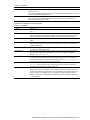
IP statistics are described in the following table:
Table 30 IP Statistics
Statistic
Description
ipInReceives
The total number of input datagrams received from interfaces, including those received in
error.
ipInDiscards
The number of input IP datagrams for which no problems were encountered to prevent their
continued processing, but which were discarded (for example, for lack of buffer space). Note
that this counter does not include any datagrams discarded while awaiting re-assembly.
ipInDelivers
The total number of input datagrams successfully delivered to IP user protocols (including
ICMP).
ipDefaultTTL
The default value inserted into the Time-To-Live (TTL) field of the IP header of
datagrams originated at this entity (the switch), whenever a TTL value is not supplied by the
transport layer protocol.
ipInUnknownProtos
The number of locally addressed datagrams received successfully but discarded because of
an unknown or unsupported protocol.
The total number of IP datagrams which local IP user protocols (including ICMP) supplied to
IP in requests for transmission. Note that this counter does not include any datagrams
counted in ipForwDatagrams.
The number of output IP datagrams for which no problem was encountered to prevent their
transmission to their destination, but which were discarded (for example, for lack of buffer
space). Note that this counter would include datagrams counted in ipForwDatagrams if
any such packets met this (discretionary) discard criterion.
The number of input datagrams discarded due to errors in their IP headers, including bad
checksums, version number mismatch, other format errors, time-to-live exceeded, errors
discovered in processing their IP options, and so forth.
The number of input datagrams discarded because the IP address in their IP header‟s
destination field was not a valid address to be received at this entity (the switch). This count
includes invalid addresses (for example, 0.0.0.0) and addresses of unsupported Classes (for
example, Class E). For entities which are not IP Gateways and therefore do not forward
datagrams, this counter includes datagrams discarded because the destination address was
not a local address.
ipOutRequests
ipOutDiscards
ipInHdrErrors
ipInAddrErrors
N8406-022A 1Gb Intelligent L2 Switch Browser-based Interface Reference Guide 43
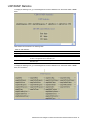
TCP/IP Statistics (ICMP and TCP Statistics)
To display the following form, go to the Management Processor Statistics form. Select one of the following: IF
Stats, IP Stats, ICMP Stats, or TCP Stats.
N8406-022A 1Gb Intelligent L2 Switch Browser-based Interface Reference Guide 44
ICMP statistics are described in the following table:
Table 31 ICMP Statistics
Statistic
Description
icmpInMsgs
The total number of ICMP messages which the entity (the switch) received. Note that
this counter includes all those counted by icmpInErrors.
The total number of ICMP messages which this entity (the switch) attempted to send.
Note that this counter includes all those counted by icmpOutErrors.
The number of ICMP messages that the entity (the switch) received but determined
as having ICMP-specific errors (bad ICMP checksums, bad length, and so forth).
The number of ICMP messages which this entity (the switch) did not send due to
problems discovered within ICMP such as a lack of buffer. This value should not
include errors discovered outside the ICMP layer such as the inability of IP to route
the resultant datagram.
In some implementations there may be no types of errors that contribute to this
counter‟s value.
The number of ICMP Destination Unreachable messages received.
The number of ICMP Destination Unreachable messages sent.
The number of ICMP Time Exceeded messages received.
The number of ICMP Time Exceeded messages sent.
The number of ICMP Parameter Problem messages received.
The number of ICMP Parameter Problem messages sent.
The number of ICMP Source Quench (buffer almost full, stop sending data)
messages received.
The number of ICMP Source Quench (buffer almost full, stop sending data)
messages sent.
The number of ICMP Redirect messages received.
The number of ICMP Redirect messages sent. For a host, this object will always be
zero, since hosts do not send redirects.
The number of ICMP Echo (request) messages received.
The number of ICMP Echo (request) messages sent.
The number of ICMP Echo Reply messages received.
The number of ICMP Echo Reply messages sent.
The number of ICMP Timestamp (request) messages received.
The number of ICMP Timestamp (request) messages sent.
The number of ICMP Timestamp Reply messages received.
The number of ICMP Timestamp Reply messages sent.
The number of ICMP Address Mask Request messages received.
The number of ICMP Address Mask Request messages sent.
The number of ICMP Address Mask Reply messages received.
The number of ICMP Address Mask Reply messages sent.
icmpOutMsgs
icmpInErrors
icmpOutErrors
icmpInDestUnreachs
icmpOutDestUnreachs
icmpInTimeExcds
icmpOutTimeExcds
icmpInParmProbs
icmpOutParmProbs
icmpInSrcQuenchs
icmpOutSrcQuenchs
icmpInRedirects
icmpOutRedirects
icmpInEchos
icmpOutEchos
icmpInEchoReps
icmpOutEchoReps
icmpInTimestamps
icmpOutTimestamps
icmpInTimestampReps
icmpOutTimestampReps
icmpInAddrMasks
icmpOutAddrMasks
icmpInAddrMaskReps
icmpOutAddrMaskReps
N8406-022A 1Gb Intelligent L2 Switch Browser-based Interface Reference Guide 45
TCP statistics are described in the following table:
Table 32 TCP Statistics
Statistic
Description
tcpInSegs
The total number of segments received, including those received in error. This count
includes segments received on currently established connections.
The total number of segments sent, including those on current connections, but
excluding those containing only retransmitted octets.
The algorithm used to determine the timeout value used for retransmitting
unacknowledged octets.
The limit on the total number of TCP connections the entity (the switch) can support.
In entities where the maximum number of connections is dynamic, this object should
contain the value -1.
The minimum value permitted by a TCP implementation for the retransmission
timeout, measured in milliseconds. More refined semantics for objects of this type
depend upon the algorithm used to determine the retransmission timeout. In
particular, when the timeout algorithm is rsre(3), an object of this type has the
semantics of the LBOUND quantity described in RFC 793.
The maximum value permitted by a TCP implementation for the retransmission
timeout, measured in milliseconds. More refined semantics for objects of this type
depend upon the algorithm used to determine the retransmission timeout. In
particular, when the timeout algorithm is rsre(3), an object of this type has the
semantics of the UBOUND quantity described in RFC 793.
The number of times TCP connections have made a direct transition to the SYNSENT state from the CLOSED state.
The number of times TCP connections have made a direct transition to the SYNRCVD state from the LISTEN state.
The number of times TCP connections have made a direct transition to the CLOSED
state from either the SYN-SENT state or the SYNRCVD state, plus the number of
times TCP connections have made a direct transition to the LISTEN state from the
SYN-RCVD state.
The number of times TCP connections have made a direct transition to the CLOSED
state from either the ESTABLISHED state or the CLOSE-WAIT state.
The total number of segments retransmitted - that is, the number of TCP segments
transmitted containing one or more previously transmitted octets.
The total number of segments received in error (for example, bad TCP
checksums).
The total number of outstanding memory allocations from heap by TCP protocol
stack.
The total number of outstanding TCP sessions that are currently opened.
The number of TCP segments sent containing the RST flag.
tcpOutSegs
tcpRtoAlgorithm
tcpMaxConn
tcpRtoMin
tcpRtoMax
tcpActiveOpens
tcpPassiveOpens
tcpAttemptFails
tcpEstabResets
tcpRetransSegs
tcpInErrs
tcpCurBuff
tcpCurConn
tcpOutRsts
All TCP allocated control blocks
Destinate Address
Remote Port
Source Address
Local Port
State
Switch IP address of TCP connections.
TCP port used by the remote device.
IP address of TCP source connections.
Available TCP ports used for connecting to the switch.
State of each TCP connection.
N8406-022A 1Gb Intelligent L2 Switch Browser-based Interface Reference Guide 46
UDP/SNMP Statistics
To display the following form, go to the Management Processor Statistics form. Select UDP Stats or SNMP
Stats.
UDP statistics are described in the following table:
Table 33 UDP Statistics
Statistic
Description
udpInDatagrams
udpOutDatagrams
udpInErrors
The total number of UDP datagrams delivered to the switch.
The total number of UDP datagrams sent from this entity (the switch).
The number of received UDP datagrams that could not be delivered for reasons other than
the lack of an application at the destination port.
The total number of received UDP datagrams for which there was no application at the
destination port.
udpNoPorts
To display the following form, go to the Management Processor Statistics form. Select UDP Stats or SNMP
Stats, and scroll down.
N8406-022A 1Gb Intelligent L2 Switch Browser-based Interface Reference Guide 47
SNMP statistics are described in the following table:
Table 34 SNMP Statistics
Statistic
Description
snmpInPkts
The total number of Messages delivered to the SNMP entity from the transport
service.
The total number of SNMP Messages that were passed from the SNMP protocol
entity to the transport service.
The total number of SNMP Protocol Data Units (PDUs) that were delivered to the
SNMP protocol entity and for which the value of the error-status field is too big.
The total number of SNMP Protocol Data Units (PDUs), which were generated by
the SNMP protocol entity and for which the value of the error-status field is too big.
The total number of SNMP Get-Request Protocol Data Units (PDUs), which have
been accepted and processed by the SNMP protocol entity.
The total number of SNMP Get-Request Protocol Data Units (PDUs), which have
been generated by the SNMP protocol entity.
The total number of SNMP Protocol Data Units (PDUs) that were delivered to the
SNMP protocol entity and for which the value of the error-status field is
noSuchName.
The total number of SNMP Protocol Data Units (PDUs), which were generated by
the SNMP protocol entity and for which the value of the error-status is
noSuchName.
The total number of SNMP Get-Next Protocol Data Units (PDUs), which have been
accepted and processed by the SNMP protocol entity.
The total number of SNMP Get-Next Protocol Data Units (PDUs), which have been
generated by the SNMP protocol entity.
The total number of SNMP Protocol Data Units (PDUs) that were delivered to the
SNMP protocol entity and for which the value of the error-status field is badValue.
The total number of SNMP Protocol Data Units (PDUs), which were generated by
the SNMP protocol entity and for which the value of the error-status field is
badValue.
The total number of SNMP Set-Request Protocol Data Units (PDUs), which have
been accepted and processed by the SNMP protocol entity.
The total number of SNMP Set-Request Protocol Data Units (PDUs), which have
been generated by the SNMP protocol entity.
The total number of valid SNMP Protocol Data Units (PDUs), which were delivered
to the SNMP protocol entity and for which the value of the error-status field is „readOnly‟. It should be noted that it is a protocol error to generate an SNMP PDU, which
contains the value „read-Only‟ in the error-status field. As such, this object is
provided as a means of detecting incorrect implementations of the SNMP.
Not in use.
The total number of SNMP Get-Response Protocol Data Units (PDUs) that were
delivered to the SNMP protocol entity.
The total number of SNMP Get-Response Protocol Data Units (PDUs), which have
been generated by the SNMP protocol entity.
The total number of SNMP Protocol Data Units (PDUs), which were delivered to the
SNMP protocol entity and for which the value of the error-status field is genErr.
The total number of SNMP Protocol Data Units (PDUs), which were generated by
the SNMP protocol entity and for which the value of the error-status field is genErr.
The total number of SNMP Trap Protocol Data Units (PDUs), which have been
accepted and processed by the SNMP protocol entity.
The total number of SNMP Trap Protocol Data Units (PDUs), which have been
generated by the SNMP protocol entity.
The total number of SNMP Messages, which were delivered to the SNMP protocol
entity and were for an unsupported SNMP version.
The total number of MIB objects which have been retrieved successfully by the
SNMP protocol entity as a result of receiving valid SNMP Get- Request and GetNext Protocol Data Units (PDUs).
The total number of SNMP Messages delivered to the SNMP entity that used an
SNMP community name not known to the said entity (the switch).
The total number of MIB objects, which have been altered successfully by the SNMP
protocol entity as a result of receiving valid SNMP Set-Request Protocol Data Units
(PDUs).
snmpOutPkts
snmpInTooBigs
snmpOutTooBigs
snmpInGetRequest
snmpOutGetRequests
snmpInNoSuchNames
snmpOutNoSuchNames
snmpInGetNexts
snmpOutGetNexts
snmpInBadValues
snmpOutBadValues
snmpInSetRequests
snmpOutSetRequests
snmpInReadOnlys
snmpOutReadOnlys
snmpInGetResponses
snmpOutGetResponses
snmpInGenErrs
snmpOutGenErrs
snmpInTraps
snmpOutTraps
snmpInBadVersions
snmpInTotalReqVars
snmpInBadCtyNames
snmpInTotalSetVars
N8406-022A 1Gb Intelligent L2 Switch Browser-based Interface Reference Guide 48
Table 34 SNMP Statistics
Statistic
Description
snmpInBadCtyUses
The total number of SNMP Messages delivered to the SNMP protocol entity that
represented an SNMP operation that was not allowed by the SNMP community
named in the Message.
An object to enable or disable the authentication traps generated by this entity (the
switch).
The total number of ASN.1 or BER errors encountered by the SNMP protocol entity
when decoding SNMP Messages received.
Note: OSI‟s method of specifying abstract objects is called ASN.1 (Abstract Syntax
Notation One, defined in X.208), and one set of rules for representing such objects
as strings of ones and zeros is called the BER (Basic Encoding Rules, defined in
X.209). ASN.1 is a flexible notation that allows one to define a variety of data types,
from simple types such as integers and bit strings to structured types such as sets
and sequences. BER describes how to represent or encode values of each ASN.1
type as a string of eight-bit octets.
The total number of SNMP Messages which failed ASN parsing.
snmpEnableAuthTraps
snmpInASNParseErrs
snmpInBadTypes
CPU Utilization
To display the following form, go to the Management Processor Statistics form. Select CPU Utilization.
CPU statistics are described in the following table:
Table 35 CPU Statistics
Statistic
Description
CpuUtil1Second
CpuUtil4Seconds
CpuUtil64Seconds
The utilization of MP CPU over 1 second. It shows the percentage.
The utilization of MP CPU over 4 seconds. It shows the percentage.
The utilization of MP CPU over 64 seconds. It shows the percentage.
N8406-022A 1Gb Intelligent L2 Switch Browser-based Interface Reference Guide 49
FDB Statistics
To display the following form, go to the Management Processor Statistics form. Select FDB Stats.
FDB statistics are described in the following table:
Table 36 Forwarding Database Statistics
Statistic
Description
current
hiwat
Current number of entries in the Forwarding Database.
Highest number of entries recorded at any given time in the Forwarding Database.
Network Time Protocol Statistics
To display the following form, select System > NTP.
N8406-022A 1Gb Intelligent L2 Switch Browser-based Interface Reference Guide 50
Network Time Protocol statistics for the primary and secondary NTP servers are described in the following
table:
Table 37 NTP Statistics
Statistic
Description
Request Sent
The total number of NTP requests the switch sent to the primary NTP server to
synchronize time.
The total number of NTP responses received from the primary NTP server.
The total number of times the switch updated its time based on the NTP responses
received from the primary NTP server.
The time stamp showing the time when the switch was last updated.
The current switch system time.
Responses Received
Updates
Last update time
Current system time
Switch Ports Statistics Summary
To display the following form, select Switch Ports (click the underlined text, not the folder).
This form displays traffic statistics on a port-by-port basis. For more information, select a port number to
display detailed statistics for that port.
N8406-022A 1Gb Intelligent L2 Switch Browser-based Interface Reference Guide 51
Port Statistics
To display the following form, go to the Switch Ports Statistics Summary form. Select a Switch Port number.
N8406-022A 1Gb Intelligent L2 Switch Browser-based Interface Reference Guide 52
Port statistics are described in the following table:
Table 38 Port Statistics
Control
Description
Clear Port x Statistics
Operational Status
RMON Operational Status
Select Clear and click Submit to clear statistics for this port.
Enables or disables the port.
Enables or disables RMON for the port.
The next several tables contain specific information about bridging, interface (input and output), and Ethernet
statistics.
Bridging (“dot1”) Statistics
The following table describes the bridging statistics of the selected port:
Table 39 Bridging statistics of a port
Statistic
Description
InFrames
The number of frames that have been received by this port from its segment. A frame received
on the interface corresponding to this port is only counted by this object if and only if it is for a
protocol being processed by the local bridging function, including bridge management frames.
The number of frames that have been transmitted by this port to its segment. Note that a
frame transmitted on the interface corresponding to this port is only counted by this object if
and only if it is for a protocol being processed by the local bridging function, including bridge
management frames.
Count of valid frames received that were discarded (that is, filtered) by the Forwarding
Process.
The total number of Forwarding Database entries, which have been or would have been
learnt, but have been discarded due to a lack of space to store them in the Forwarding
Database. If this counter is increasing, it indicates that the Forwarding Database is regularly
becoming full (a condition which has unpleasant performance effects on the sub network). If
this counter has a significant value but is not presently increasing, it indicates that the problem
has been occurring but is not persistent.
The number of times this port has transitioned from the Learning state to the Forwarding state.
OutFrames
InDiscards
EntryDiscards
PortForward
Transitions
Link-State Change
The number of times an interface has transitioned from either down to up or from up to down.
Interface (“if”) Statistics - Input
The following table describes the interface input statistics of the selected port:
Table 40 Interface Statistics for a Port - Input
Statistic
Description
HC Octets
HC UCastPkts
The total number of octets received on the interface, including framing characters.
The number of packets, delivered by this sub layer to a higher sub layer, which were not
addressed to a multicast or broadcast address at this sub layer.
The number of packets, delivered by this sub layer to a higher sub layer, which were
addressed to a broadcast address at this sub layer.
The total number of packets that higher-level protocols requested to be transmitted, and
which were addressed to a multicast address at this sub layer, including those that were
discarded or not sent. For a MAC layer protocol, this includes both Group and Functional
addresses.
The number of inbound packets that were chosen to be discarded even though no errors had
been detected to prevent their being delivered to a higher-layer protocol. One possible
reason for discarding such a packet could be to free up buffer space.
For packet-oriented interfaces, the number of inbound packets that contained errors
preventing them from being delivered to a higher-layer protocol. For character-oriented or
fixed-length interfaces, the number of inbound transmission units that contained errors
preventing them from being deliverable to a higher-layer protocol.
HC BcastPkts
HC MCastPkts
Discards
Errors
N8406-022A 1Gb Intelligent L2 Switch Browser-based Interface Reference Guide 53
Interface (“if”) Statistics - Output
The following table describes the interface output statistics of the selected port:
Table 41 Interface Statistics for a Port - Output
Statistic
Description
HC Octets
HC UCastPkts
The total number of octets transmitted out of the interface, including framing characters.
The total number of packets that higher-level protocols requested to be transmitted, and
which were not addressed to a multicast or broadcast address at this sub layer, including
those that were discarded or not sent.
The total number of packets that higher-level protocols requested to be transmitted, and
which were addressed to a broadcast address at this sub layer, including those that were
discarded or not sent. This object is a 64-bit version of ifOutBroadcastPkts
The total number of packets that higher-level protocols requested to be transmitted, and
which were addressed to a multicast address at this sub layer, including those that were
discarded or not sent. For a MAC layer protocol, this includes both Group and Functional
addresses. This object is a 64-bit version of ifOutMulticastPkts.
The number of outbound packets that were chosen to be discarded even though no errors
had been detected to prevent their being transmitted. One possible reason for discarding
such a packet could be to free up buffer space.
For packet-oriented interfaces, the number of outbound packets that could not be
transmitted because of errors. For character-oriented or fixed-length interfaces, the number
of outbound transmission units that could not be transmitted because of errors.
HC BcastPkts
HC MCastPkts
Discards
Errors
Ethernet (“dot3”) Statistics
The following table describes the Ethernet statistics of the selected port:
Table 42 Ethernet Statistics for a Port
Statistic
Description
Align Errors
A count of frames received on a particular interface that is not an integral number of
octets in length and do not pass the Frame Check Sequence (FCS) check.
The count represented by an instance of this object is incremented when the
alignmentError status is returned by the MAC service to the Logical Link
Control (LLC) (or other MAC user). Received frames for which multiple error
conditions obtained are, according to the conventions of IEEE 802.3 Layer
Management, counted exclusively according to the error status presented to the
LLC.
A count of frames received on a particular interface that is an integral number of
octets in length but do not pass the Frame Check Sequence (FCS) check.
The count represented by an instance of this object is incremented when the
frameCheckError status is returned by the MAC service to the LLC (or other
MAC user). Received frames for which multiple error conditions obtained are,
according to the conventions of IEEE 802.3 Layer Management, counted exclusively
according to the error status presented to the LLC.
A count of successfully transmitted frames on a particular interface for which
transmission is inhibited by exactly one collision.
A frame that is counted by an instance of this object is also counted by the
corresponding instance of the ifOutUcastPkts, ifOutMulticastPkts, or
ifOutBroadcastPkts, and is not counted by the corresponding instance of the
dot3StatsMultipleCollision-Frame object.
A count of successfully transmitted frames on a particular interface for which
transmission is inhibited by more than one collision.
A frame that is counted by an instance of this object is also counted by the
corresponding instance of the ifOutUcastPkts, ifOutMulticastPkts, or
ifOutBroadcastPkts, and is not counted by the corresponding instance of the
dot3StatsSingleCollision-Frames object.
The number of times that a collision is detected on a particular interface later than
512 bit-times into the transmission of a packet.
Five hundred and twelve bit-times corresponds to 51.2 microseconds on a 10 Mbit/s
system. A (late) collision included in a count represented by an instance of this
object is also considered as a (generic) collision for purposes of other collisionrelated statistics.
FCS Errors
Single Collisions
Multi Collisions
Late Collisions
N8406-022A 1Gb Intelligent L2 Switch Browser-based Interface Reference Guide 54
Table 42 Ethernet Statistics for a Port
Statistic
Description
Excess Collisions
A count of frames for which transmission on a particular interface fails due to
excessive collisions.
A count of frames for which transmission on a particular interface fails due to an
internal MAC sub layer transmit error. A frame is only counted by an instance of this
object if it is not counted by the corresponding instance of the
dot3StatsLateCollisions object, the
dot3StatsExcessiveCollisions object, or the dot3StatsCarrierSenseErrors object.
The precise meaning of the count represented by an instance of this object is
implementation-specific. In particular, an instance of this object may represent a
count of transmission errors on a particular interface that are not otherwise counted.
A count of frames received on a particular interface that exceeds the maximum
permitted frame size.
The count represented by an instance of this object is incremented when the
frameTooLong status is returned by the MAC service to the LLC (or other MAC
user). Received frames for which multiple error conditions obtained are, according to
the conventions of IEEE 802.3 Layer Management, counted exclusively according to
the error status presented to the LLC.
A count of frames for which reception on a particular interface fails due to an internal
MAC sub layer receive error. A frame is only counted by an instance of this object if
it is not counted by the corresponding instance of the
dot3StatsFrameTooLongs object, the dot3Stats-AlignmentErrors
object, or the dot3StatsFCSErrors object. The precise meaning of the count
represented by an instance of this object is implementation-specific. In particular, an
instance of this object may represent a count of received errors on a particular
interface that are not otherwise counted.
Internal MACErrors
Frame Too Longs
Mac Receive Errors
GEA IP Statistics
The following table describes the GEA statistics for the selected port:
Table 43 GEA IP statistics of a port
Statistic
Description
InReceives
The total number of input datagrams received from interfaces, including those received in
error.
The number of input datagrams discarded because the IP address in their IP header's
destination field was not a valid address to be received at this entity (the switch).
The number of input IP datagrams for which no problems were encountered to prevent
their continued processing, but which were discarded (for example, for lack of buffer
space). Note that this counter does not include any datagrams discarded while awaiting
re-assembly.
InHeaderError
InDiscards
N8406-022A 1Gb Intelligent L2 Switch Browser-based Interface Reference Guide 55
FDB Statistics
To display the following form, select Layer 2 > FDB.
FDB statistics are described in the following table:
Table 44 Forwarding Database Statistics
Statistic
Description
Clear FDB
Statistics
Select Clear and click Submit to clear FDB statistics.
current
hiwat
Current number of entries in the Forwarding Database.
Highest number of entries recorded at any given time in the Forwarding Database.
N8406-022A 1Gb Intelligent L2 Switch Browser-based Interface Reference Guide 56
LACP Statistics
To display the following form, select Layer 2 > LACP.
Enter a port number to show LACP Statistics for the port. The following table describes LACP statistics:
Table 45 LACP Statistics
Statistic
Description
Port
Displays the port number.
Show
Enter a port number and select Show to display LACP statistics for the port.
Valid LACPDUs received
Total number of LACP data units received.
Valid Marker PDUs received
Not applicable (see note).
Valid Marker Rsp PDUs
received
Not applicable (see note).
Unknown version/TLV type
Total number of LACPDUs received with an unknown version or TLV type.
Illegal subtype received
Total number LACPDUs received with an illegal subtype.
LACPDUs transmitted
Total number of LACP data units transmitted.
Marker PDUs transmitted
Not applicable (see note).
Marker Rsp PDUs transmitted
Not applicable (see note).
NOTE: Currently, LACP implementation does not support the Churn machine, an option used to detect if the
port is operable within a bounded time period between the actor and the partner. Only the Marker Responder
is implemented, and there is no marker protocol generator.
N8406-022A 1Gb Intelligent L2 Switch Browser-based Interface Reference Guide 57
IP Statistics
To display the following form, select Layer 3 > IP Interfaces (click the underlined text, not the folder).
The following table describes IP statistics:
Table 46 IP Statistics
Statistic
Description
ipInReceives
The total number of input datagrams received from interfaces, including those received
in error.
The number of input datagrams discarded because the IP address in their IP header‟s
destination field was not a valid address to be received at this entity (the switch). This
count includes invalid addresses (for example, 0.0.0.0) and addresses of unsupported
Classes (for example, Class E). For entities which are not IP Gateways and therefore
do not forward datagrams, this counter includes datagrams discarded because the
destination address was not a local address.
The number of locally addressed datagrams received successfully but discarded
because of an unknown or unsupported protocol.
The total number of input datagrams successfully delivered to IP userprotocols
(including ICMP).
The number of output IP datagrams for which no problem was encountered to prevent
their transmission to their destination, but which were discarded (for example, for lack of
buffer space). Note that this counter would include datagrams counted in
ipForwDatagrams if any such packets met this (discretionary) discard criterion.
The number of input datagrams discarded due to errors in their IP headers, including
bad checksums, version number mismatch, other format errors, time-to-live
exceeded, errors discovered in processing their IP options, and so forth.
The number of input IP datagrams for which no problems were encountered to prevent
their continued processing, but which were discarded (for example, for lack of buffer
space). Note that this counter does not include any datagrams discarded while awaiting
re-assembly.
The total number of IP datagrams which local IP user-protocols (including ICMP)
supplied to IP in requests for transmission. Note that this counter does not include any
datagrams counted in ipForwDatagrams.
The default value inserted into the Time-To-Live (TTL) field of the IP header of
datagrams originated at this entity (the switch), whenever a TTL value is not supplied by
the transport layer protocol.
ipInAddrErrors
ipInUnknownProtos
ipInDelivers
ipOutDiscards
ipInHdrErrors
ipInDiscards
ipOutRequests
ipDefaultTTL
N8406-022A 1Gb Intelligent L2 Switch Browser-based Interface Reference Guide 58
ARP Statistics
To display the following form, select Layer 3 > ARP (click the underlined text, not the folder).
The following table describes Address Resolution Protocol (ARP) statistics:
Table 47 ARP Statistics
Statistic
Description
arpEntriesCur
arpEntriesHighWater
The total number of outstanding ARP entries in the ARP table.
The highest number of ARP entries ever recorded in the ARP table.
IGMP VLAN Snooping Statistics Summary
To display the following form, select Layer 3 > IGMP > IGMP Snooping (click the underlined text, not the
folder).
The following table describes IGMP VLAN Snooping statistics:
Table 48 IGMP VLAN Snooping Statistics Summary
Statistic
Description
Clear IGMP Statistics
VLAN#
rxIgmpValidPkts
rxIgmpInvalidPkts
rxIgmpGenQueries
rxIgmpReports
Select Clear and click Submit to clear all IGMP statistics.
Selects a VLAN.
The total number of valid IGMP packets received.
The total number of invalid packets received.
The total number of General Membership Query packets received.
The total number of Membership Reports received.
N8406-022A 1Gb Intelligent L2 Switch Browser-based Interface Reference Guide 59
VLAN - IGMP Snooping Statistics
To display the following form, go to the IGMP VLAN Snooping Statistics Summary form. Select a VLAN
number.
The following table describes IGMP VLAN Snooping statistics for the selected VLAN:
Table 49 VLAN - Snooping Statistics Summary
Statistic
Description
Clear IGMP VLAN x Statistics
rxIgmpValidPkts
rxIgmpGenQueries
rxIgmpInvalidPkts
rxIgmpGrpSpecificQueries
rxIgmpLeaves
rxIgmpReports
txIgmpReports
txIgmpGrpSpecificQueries
txIgmpLeaves
Select Clear and click Submit to clear IGMP statistics for this VLAN.
Total number of valid IGMP packets received
Total number of General Membership Query packets received
Total number of invalid packets received
Total number of Membership Query packets received from specific groups
Total number of Leave requests received
Total number of Membership Reports received
Total number of Membership reports transmitted
Total number of Membership Query packets transmitted to specific groups
Total number of Leave message transmitted
N8406-022A 1Gb Intelligent L2 Switch Browser-based Interface Reference Guide 60
Domain Name System Statistics
To display the following form, select Layer 3 > Domain Name System.
The following table describes DNS statistics:
Table 50 DNS Statistics
Statistic
Description
DNS In Requests
The total number of DNS request packets that have been
received.
The total number of DNS request packets received that
were dropped.
The total number of DNS response packets that have been
transmitted.
Bad DNS Requests
DNS Out Requests
N8406-022A 1Gb Intelligent L2 Switch Browser-based Interface Reference Guide 61
IP Routing Management Statistics (part one)
To display the following form, select Layer 3 > General or Layer3 > General.
The following table describes IP Routing Management statistic controls:
Table 51 IP Interface Management Statistics Controls
Statistic
Description
Clear IP statistics
IP Interface Number (1-256)
IP Interface Statistics
Clears all IP statistics.
Selects an interface to display statistics.
Select Clear and click Submit to clear statistics for the
selected interface.
N8406-022A 1Gb Intelligent L2 Switch Browser-based Interface Reference Guide 62
The following table describes IP Routing Management statistics for the selected interface:
Table 52 IP Routing Management Statistics
Statistic
General
InReceives
InDelivers
FwdDatagrams
FragOKs
Frag Creates
InDiscards
IP Interface Statistics
ifInOctets
ifInNuCastPkts
ifInErrors
ifOutOctets
ifOutNucastPkts
ifOutErrors
ifInUcastPkts
ifInDiscards
ifInUnknownProtos
ifOutUcastPkts
ifOutDiscards
ifStateChanges
Description
The total number of input datagrams received from interfaces, including those received
in error.
The total number of input datagrams successfully delivered to IP user-protocols
(including ICMP).
The number of input datagrams for which this entity (the switch) was not their final IP
destination, as a result of which an attempt was made to find a route to forward them to
that final destination.
In entities which do not act as IP Gateways, this counter will include only those packets,
which were Source-Routed via this entity (the switch), and the Source- Route option
processing was successful.
The number of IP datagrams that have been successfully fragmented at this entity (the
switch).
The number of IP datagram fragments that have been generated as a result of
fragmentation at this entity (the switch).
The number of input IP datagrams for which no problems were encountered to prevent
their continued processing, but which were discarded (for example, for lack of buffer
space).
This counter does not include any datagrams discarded while awaiting re-assembly.
The total number of octets received on the interface, including framing characters.
The number of packets, delivered by this sublayer to a higher sublayer, which were
addressed to a multicast or broadcast address at this sublayer. This object is
deprecated in favor of ifInMulticastPkts and ifInBroadcastPkts.
For packet-oriented interfaces, the number of inbound packets that contained errors
preventing them from being delivered to a
higher-layer protocol.
For character-oriented or fixed-length interfaces, the number of inbound transmission
units that contained errors preventing them from being deliverable to a higher-layer
protocol.
The total number of octets transmitted out of the interface, including framing characters.
The total number of packets that higher-level protocols requested to be transmitted, and
which were addressed to a multicast or broadcast address at this sublayer, including
those that were discarded or not sent.
This object is deprecated in favor of ifOutMulticastPkts and ifOutBroadcastPkts.
For packet-oriented interfaces, the number of outbound packets that could not be
transmitted because of errors.
For character-oriented or fixed-length interfaces, the number of outbound transmission
units that could not be transmitted because of errors.
The number of packets, delivered by this sublayer to a higher sublayer, which were not
addressed to a multicast or broadcast address at this sublayer.
The number of inbound packets which were chosen to be discarded even though no
errors were detected to prevent their being delivered to a higher-layer protocol. One
possible reason for discarding such a packet could be to free up buffer space.
The number of locally addressed datagrams received successfully but discarded
because of an unknown or unsupported protocol.
The total number of packets that higher-level protocols requested to be transmitted, and
which were not addressed to a multicast or broadcast address at this sublayer,
including those that were discarded or not sent.
The number of outbound packets that were chosen to be discarded even though no
errors had been detected to prevent their being transmitted. One possible reason for
discarding such a packet could be to free up buffer space.
Total number of interface state changes.
N8406-022A 1Gb Intelligent L2 Switch Browser-based Interface Reference Guide 63
IP Routing Management Statistics (part two)
To display the following form, select Layer 3 > General or Layer3 > General.
The following table describes Address Resolution Protocol statistics
Table 53 ARP Statistics
Statistic
Description
Current Entries
High Water Mark
Maximum Entries
The total number of outstanding ARP entries in the ARP table.
The highest number of ARP entries ever recorded in the ARP table.
The maximum number of entries allowed in the ARP table.
N8406-022A 1Gb Intelligent L2 Switch Browser-based Interface Reference Guide 64
ICMP statistics are described in the following table:
Table 54 ICMP Statistics
Statistic
Description
icmpInMsgs
The total number of ICMP messages which the entity (the switch) received. Note that
this counter includes all those counted by icmpInErrors.
The total number of ICMP messages which this entity (the switch) attempted to send.
Note that this counter includes all those counted by icmpOutErrors.
The number of ICMP messages that the entity (the switch) received but determined
as having ICMP-specific errors (bad ICMP checksums, bad length, and so forth).
The number of ICMP messages which this entity (the switch) did not send due to
problems discovered within ICMP such as a lack of buffer. This value should not
include errors discovered outside the ICMP layer such as the inability of IP to route
the resultant datagram.
In some implementations there may be no types of errors that contribute to this
counter‟s value.
The number of ICMP Destination Unreachable messages received.
The number of ICMP Destination Unreachable messages sent.
The number of ICMP Time Exceeded messages received.
The number of ICMP Time Exceeded messages sent.
The number of ICMP Parameter Problem messages received.
The number of ICMP Parameter Problem messages sent.
The number of ICMP Source Quench (buffer almost full, stop sending data)
messages received.
The number of ICMP Source Quench (buffer almost full, stop sending data)
messages sent.
The number of ICMP Redirect messages received.
The number of ICMP Redirect messages sent. For a host, this object will always be
zero, since hosts do not send redirects.
The number of ICMP Echo (request) messages received.
The number of ICMP Echo (request) messages sent.
The number of ICMP Echo Reply messages received.
The number of ICMP Echo Reply messages sent.
The number of ICMP Timestamp (request) messages received.
The number of ICMP Timestamp (request) messages sent.
The number of ICMP Timestamp Reply messages received.
The number of ICMP Timestamp Reply messages sent.
The number of ICMP Address Mask Request messages received.
The number of ICMP Address Mask Request messages sent.
The number of ICMP Address Mask Reply messages received.
The number of ICMP Address Mask Reply messages sent.
icmpOutMsgs
icmpInErrors
icmpOutErrors
icmpInDestUnreachs
icmpOutDestUnreachs
icmpInTimeExcds
icmpOutTimeExcds
icmpInParmProbs
icmpOutParmProbs
icmpInSrcQuenchs
icmpOutSrcQuenchs
icmpInRedirects
icmpOutRedirects
icmpInEchos
icmpOutEchos
icmpInEchoReps
icmpOutEchoReps
icmpInTimestamps
icmpOutTimestamps
icmpInTimestampReps
icmpOutTimestampReps
icmpInAddrMasks
icmpOutAddrMasks
icmpInAddrMaskReps
icmpOutAddrMaskReps
N8406-022A 1Gb Intelligent L2 Switch Browser-based Interface Reference Guide 65
TCP statistics are described in the following table:
Table 55 TCP Statistics
Statistic
Description
tcpInSegs
The total number of segments received, including those received in error. This count
includes segments received on currently established connections.
The total number of segments sent, including those on current connections, but
excluding those containing only retransmitted octets.
The algorithm used to determine the timeout value used for retransmitting
unacknowledged octets.
The limit on the total number of TCP connections the entity (the switch) can support.
In entities where the maximum number of connections is dynamic, this object should
contain the value -1.
The minimum value permitted by a TCP implementation for the retransmission
timeout, measured in milliseconds. More refined semantics for objects of this type
depend upon the algorithm used to determine the retransmission timeout. In
particular, when the timeout algorithm is rsre(3), an object of this type has the
semantics of the LBOUND quantity described in RFC 793.
The maximum value permitted by a TCP implementation for the retransmission
timeout, measured in milliseconds. More refined semantics for objects of this type
depend upon the algorithm used to determine the retransmission timeout. In
particular, when the timeout algorithm is rsre(3), an object of this type has the
semantics of the UBOUND quantity described in RFC 793.
The number of times TCP connections have made a direct transition to the SYNSENT state from the CLOSED state.
The number of times TCP connections have made a direct transition to the SYNRCVD state from the LISTEN state.
The number of times TCP connections have made a direct transition to the CLOSED
state from either the SYN-SENT state or the SYNRCVD state, plus the number of
times TCP connections have made a direct transition to the LISTEN state from the
SYN-RCVD state.
The number of times TCP connections have made a direct transition to the CLOSED
state from either the ESTABLISHED state or the CLOSE-WAIT state.
The total number of segments retransmitted - that is, the number of TCP segments
transmitted containing one or more previously transmitted octets.
The total number of segments received in error (for example, bad TCP
checksums).
The total number of outstanding memory allocations from heap by TCP protocol
stack.
The total number of outstanding TCP sessions that are currently opened.
The number of TCP segments sent containing the RST flag.
tcpOutSegs
tcpRtoAlgorithm
tcpMaxConn
tcpRtoMin
tcpRtoMax
tcpActiveOpens
tcpPassiveOpens
tcpAttemptFails
tcpEstabResets
tcpRetransSegs
tcpInErrs
tcpCurBuff
tcpCurConn
tcpOutRsts
UDP statistics are described in the following table:
Table 56 UDP Statistics
Statistic
Description
udpInDatagrams
udpOutDatagrams
udpInErrors
The total number of UDP datagrams delivered to the switch.
The total number of UDP datagrams sent from this entity (the switch).
The number of received UDP datagrams that could not be delivered for reasons other than
the lack of an application at the destination port.
The total number of received UDP datagrams for which there was no application at the
destination port.
udpNoPorts
N8406-022A 1Gb Intelligent L2 Switch Browser-based Interface Reference Guide 66
Uplink Failure Detection Statistics
To display the following form, select Uplink Failure Detection (click the underlined text, not the folder).
The following table describes commands for Uplink Failure Detection (UFD) statistics:
Table 57 Uplink Failure Detection Statistics
Control
Description
Clear UFD Statistics
FDP
Number of times LtM link failure
To clear UFD statistics, select clear in the drop-down list, and click Submit.
The number of the Failure Detection Pair.
The total number of times that link failures were detected on the uplink ports
in the Link to Monitor group.
The total number of times that Spanning Tree Blocking state was detected
on the uplink ports in the Link to Monitor group.
The total number of times that downlink ports in the Link to Disable group
were automatically disabled because of a failure in the Link to Monitor
group.
Number of times LtM link in Blocking
State
Number of times LtD got auto disabled
N8406-022A 1Gb Intelligent L2 Switch Browser-based Interface Reference Guide 67
Configuring the switch
Introduction
The switch BBI can be used to view and change switch configuration parameters. The same configuration
parameters that are available through the switch‟s command-line interface are present on the BBI configuration
forms.
The following provides a basic outline for switch configuration. You should first be familiar with configuration as
covered in the Command Reference Guide.
IMPORTANT:
You must be logged in using the administrator account in order to change switch
configuration settings.
Configuration steps
Follow these basic steps for viewing or configuring switch parameters:
1.
Select the Configure context button in the toolbar.
2.
Select a feature icon in the navigation window. For example:
Open
Select
N8406-022A 1Gb Intelligent L2 Switch Browser-based Interface Reference Guide 68
3.
View or make changes to the settings shown in the forms window. For example:
NOTE: Some fields are highlighted on the forms in green type─they must be configured for proper switch
operations. Underlined items load other forms when selected.
4.
Submit the form contents using the button on the bottom of the form.
Button
Description
Submit
When selected, the form is sent to the switch. Any configuration changes are placed in the
“pending” state and do not take effect until the toolbar Apply command is given.
5.
Apply and save your changes using the toolbar commands.
Pending configuration changes (including deletions) do not take effect until the Apply command is
selected. You can view pending changes on the Configuration form, but they do not appear on the
Dashboard. The Dashboard displays the current active (applied) configuration.
Applied changes take effect on the switch immediately, but are lost the next time the switch is rebooted,
unless the Save command is selected. When you click Save, you have two save options: Save and Save
n. With Save, your new configuration changes are placed in the active configuration block. The previous
configuration is copied into the backup configuration block. If you select Save n, your new configuration
changes are placed in the active configuration block, and the backup configuration block remains
unchanged.
N8406-022A 1Gb Intelligent L2 Switch Browser-based Interface Reference Guide 69
Input error checking
The BBI performs two levels of input error-checking, as follows:
Submit: When you click Submit on a Configuration form, the BBI checks the format and range of pending
configuration changes. For example, if you enter a value that is out of range (VLAN = 8097), a log error is
generated.
Apply: When you click Apply to make pending changes active, the switch checks the validity of pending
configuration changes. For example, an invalid MIB OID can pass the format check during Submit, if the
format is correct. The invalid OID is rejected when you attempt to apply the configuration.
N8406-022A 1Gb Intelligent L2 Switch Browser-based Interface Reference Guide 70
Switch Management Processor Configuration
Basic system configuration
To display the following form, select System > General.
N8406-022A 1Gb Intelligent L2 Switch Browser-based Interface Reference Guide 71
The following table describes the Switch Management Processor Configuration (basic) controls:
Table 58 Switch Management Processor Configuration (Basic) controls
Control
Description
Switch IP Address
Configures the IP address of the switch interface using dotted decimal
notation.
Configures the IP subnet address mask for the interface using dotted
decimal notation.
Enables or disables the use of BOOTP. If you enable BOOTP, the switch will
query its BOOTP server for all of the switch IP parameters. This command
is enabled by default.
Enables or disables Dynamic Host Control Protocol for setting the
management IP address.
Enables or disables delivering syslog messages to the console. When
necessary, disabling console ensures the switch is not affected by syslog
messages. It is enabled by default.
Enables or disables displaying of the host name (system administrator‟s
name) in the Command Line Interface (CLI). It is disabled by default.
Sets the IP address of the first syslog host.
This option sets the severity level of the first syslog host displayed. The
default is 7, which means log all the seven severity levels.
This option sets the facility level of the first syslog host displayed. The
default is 0.
Sets the IP address of the second syslog host.
This option sets the severity level of the second syslog host displayed. The
default is 7, which means, log all seven severity levels.
This option sets the facility level of the second syslog host displayed. The
default is 0.
Configures the system date.
Configures the system time using a 24-hour clock format.
Displays login notice immediately before the “Enter password:” prompt in
the Command Line Interface (CLI). This notice can contain up to 1024
characters and new lines.
Configures a login banner of up to 80 characters. When a user or
administrator logs into the switch Command Line Interface (CLI), the login
banner is displayed.
It is also displayed as part of the output from the /info/sys/gen
command.
Sets an optional telnet server port number for cases where the server
listens for telnet sessions on a non-standard port. The default is 23.
Sets an optional TFTP server port number for cases where the server
listens for TFTP sessions on a non-standard port. The default is 69.
Sets the idle timeout for CLI sessions, from 1 to 60 minutes. The default is 5
minutes.
Configures the time zone where the switch resides. You are prompted to
select your location (continent, country, region) by the timezone wizard.
Once a region is selected, the switch updates the time to reflect local
changes to Daylight Savings Time, etc.
Disables or enables daylight savings time in the system clock. When
enabled, the switch will add an extra hour to the system clock so that it is
consistent with the local clock. By default, this option is disabled.
Switch IP Subnet Mask
Enable/Disable BOOTP for IP
Management
Enable/Disable DHCP for Management
Interface
Enable/Disable Console output of syslog
messages
Enable/Disable Host Name
Syslog Host IP Address
Severity of Syslog Host
Facility of Syslog Host
Second Syslog Host IP Address
Severity of Second Syslog Host
Facility of Second Syslog Host
Current Date
Current Time
Login Notice
Banner
Telnet Port (1-65535)
TFTP Port (1-65535)
Idle Timeout (1-60)
Daylight Savings Location
Enable/Disable Daylight Savings Time
N8406-022A 1Gb Intelligent L2 Switch Browser-based Interface Reference Guide 72
SNMP controls
To display the following form, select System > General.
N8406-022A 1Gb Intelligent L2 Switch Browser-based Interface Reference Guide 73
The following table describes the Switch Management Processor Configuration (SNMP) controls:
Table 59 Switch Management Processor Configuration (SNMP) controls
Control
Description
SNMP System Name
Configures the name for the system. The name can have a maximum of
64 characters.
Configures the name of the system location. The location can have a
maximum of 64 characters.
Configures the name of the system contact. The contact can have a
maximum of 64 characters.
Configures the SNMP read community string. The read community
string controls SNMP “get” access to the switch. It can have a maximum
of 32 characters. The default read community string is public.
Configures the SNMP write community string. The write community
string controls SNMP “set” and “get” access to the switch. It can have a
maximum of 32 characters. The default write community string is
private.
Sets the timeout value for the SNMP state machine. The default is 5
minutes.
Enables or disables the use of the system authentication trap facility.
The default setting is disabled.
SNMP Location
SNMP Contact
SNMP Read Community String
SNMP Write Community String
SNMP state machine timeout (1-30 minutes)
Send SNMP Auth. Failure Traps?
Switch Management Processor Configuration buttons
The following table describes the Switch Management Processor Configuration buttons:
Table 60 Switch Management Processor Configuration buttons
Control
Description
Submit
Sends this form to the switch. Any configuration changes are placed in the “pending” state
and do not take effect until the toolbar Apply command is given.
Shows any pending configuration changes.
Compares new configuration with the flash configuration.
Removes pending configuration changes between apply commands. Use this command to
restore configuration parameters set since last apply command.
Removes pending configuration changes between save commands. Use this command to
restore configuration parameters set since last save command.
Diff
Diff Flash
Revert
Revert Apply
N8406-022A 1Gb Intelligent L2 Switch Browser-based Interface Reference Guide 74
User Configuration Table
To display the following form, select System > User Table.
This form summarizes the users configured on the switch. Click Add User to define a new user. Click Change
User/Oper/Admin password to configure new passwords for the switch.
To remove an end-user from switch, select the user ID and click Eject user.
N8406-022A 1Gb Intelligent L2 Switch Browser-based Interface Reference Guide 75
User Access Control Configuration
To display the following form, go to the User Configuration Table and click Add User.
The following table describes User Access Configuration controls:
Table 61 User Access Configuration controls
Control
Description
User ID (1-10)
Set Class of Service
Set user name (1-8 chars)
Set user password (1-128 chars)
Re-type user password (1-128 chars)
Enter current admin password
User Status
Sets a numeric identifier for the user.
Sets the Class-of-Service to define the user‟s authority level.
Defines the user name of maximum eight characters.
Sets the user password of up to 128 characters maximum.
Confirms the user password.
Sets the current admin password.
Enables or disables the user.
N8406-022A 1Gb Intelligent L2 Switch Browser-based Interface Reference Guide 76
Switch RADIUS Configuration
To display the following form, select System > Radius.
The following table describes Switch Radius Configuration controls:
Table 62 Switch RADIUS Configuration controls
Control
Description
Primary Radius IP Address
Secondary Radius IP Address
Radius port (1500-3000)
Configures the primary Radius server address.
Configures the secondary Radius server address.
Configures the number of the UDP port to be configured, between 1500 3000. The default is 1645.
Configures the amount of time, in seconds, before a Radius server
authentication attempt is considered to have failed. The default is 3
seconds.
Configures the number of failed authentication requests before switching
to a different Radius server. The default is 3 requests.
Enables or disables the Radius server.
Enables or disables the RADIUS backdoor for telnet. Telnet also applies
to SSH/SCP/HTTP/HTTPS connections.
Enables or disables the RADIUS back door using secure password for
telnet/SSH/ HTTP/HTTPS.
Defines the shared secret (up to 32 characters) between the switch and
the RADIUS server(s).
Defines the secondary shared secret (up to 32 characters) between the
switch and the Radius server(s).
Radius timeout (1-10)
Radius retries (1-3)
Enable/Disable Radius Server
Enable/Disable Radius Backdoor for telnet
Enable/Disable Radius Secure Backdoor for
telnet
Radius Secret
Secondary Radius Server Secret
IMPORTANT:
If RADIUS is enabled, you must login using RADIUS authentication when connecting via the
console or Telnet/SSH/HTTP/HTTPS. Backdoor for console is always enabled, so you can connect using
noradius and the administrator password even if the backdoor (telnet) or secure backdoor (secbd) are
disabled.
If Telnet backdoor is enabled (telnet ena), type in noradius as a backdoor to bypass RADIUS checking,
and use the administrator password to log into the switch. The switch allows this even if RADIUS servers are
available.
If secure backdoor is enabled (secbd ena), type in noradius as a backdoor to bypass RADIUS checking,
and use the administrator password to log into the switch. The switch allows this only if RADIUS servers are
not available.
N8406-022A 1Gb Intelligent L2 Switch Browser-based Interface Reference Guide 77
Switch TACACS+ Configuration
To display the following form, select System > Tacacs+.
TACACS+ (Terminal Access Controller Access Control System) is an authentication protocol that allows a
remote access server to forward a user's logon password to an authentication server to determine whether
access can be allowed to a given system. TACACS+ and Remote Authentication Dial-In User Service
(RADIUS) protocols are more secure than the TACACS encryption protocol. TACACS+ is described in RFC
1492.
TACACS+ protocol is more reliable than RADIUS, as TACACS+ uses the Transmission Control Protocol (TCP)
whereas RADIUS uses the User Datagram Protocol (UDP). Also, RADIUS combines authentication and
authorization in a user profile, whereas TACACS+ separates the two operations.
TACACS+ offers the following advantages over RADIUS as the authentication device:
TACACS+ is TCP-based, so it facilitates connection-oriented traffic.
It supports full-packet encryption, as opposed to password-only in authentication requests.
It supports decoupled authentication, authorization, and accounting.
N8406-022A 1Gb Intelligent L2 Switch Browser-based Interface Reference Guide 78
The following table describes Switch TACACS+ Configuration controls:
Table 63 Switch TACACS+ Configuration controls
Control
Description
Primary Tacacs+ IP Address
Secondary Tacacs+ IP Address
Tacacs+ port (1-65000)
Configures the primary TACACS+ server address.
Configures the secondary TACACS+ server address.
Configures the number of the TCP port to be configured, between 1
and 65000. The default is 49.
Configures the amount of time, in seconds, before a TACACS+ server
authentication attempt is considered to have failed. The default timeout
is 5 seconds.
Configures the number of failed authentication requests before
switching to a different TACACS+ server. The default retry count is 3
requests.
Enables or disables the Tacacs+ server.
Enables or disables the Tacacs+ backdoor for telnet. Telnet also
applies to SSH/SCP connections.
Enables or disables TACACS+ privilege-level mapping.
The default value is disabled.
Configures the shared secret (up to 32 characters) between the switch
and the TACACS+ server.
Configures the secondary shared secret (up to 32 characters) between
the switch and the TACACS+ server.
Maps a TACACS+ privilege level to this switch user level, as follows:
Remote Privilege
Enter a TACACS+ privilege level (0-15)
Local Privilege
Select the corresponding this switch user level.
Tacacs+ timeout (4-15)
Tacacs+ retries (1-3)
Enable/Disable Tacacs+ Server
Enable/Disable Tacacs+ Backdoor for telnet
Enable/Disable Tacacs+ new privilege level
mapping
Tacacs+ Secret
Secondary Tacacs+ Server Secret
Tacacs+ User Mappings Configuration
IMPORTANT:
If TACACS+ is enabled, you must login using TACACS+ authentication when connecting via
the console or Telnet/SSH/HTTP/HTTPS. Backdoor for console is always enabled, so you can connect using
noradius and the administrator password even if the backdoor (telnet) or secure backdoor (secbd) are
disabled.
If Telnet backdoor is enabled (telnet ena), type in noradius as a backdoor to bypass TACACS+
checking, and use the administrator password to log into the switch. The switch allows this even if TACACS+
servers are available.
If secure backdoor is enabled (secbd ena), type in noradius as a backdoor to bypass TACACS+ checking,
and use the administrator password to log into the switch. The switch allows this only if TACACS+ servers are
not available.
N8406-022A 1Gb Intelligent L2 Switch Browser-based Interface Reference Guide 79
NTP Configuration
To display the following form, select System > NTP.
This form enables you to synchronize the switch clock to a Network Time Protocol (NTP) server. By default,
this option is disabled.
The following table describes NTP Configuration controls:
Table 64 NTP Configuration controls
Control
Description
NTP Server IP Address
Configures the IP address of the primary NTP server to which you
want to synchronize the switch clock.
Configures the IP address of the secondary NTP server to which you
want to synchronize the switch clock.
Specifies the interval, that is, how often, in minutes (1-44640), to
re-synchronize the switch clock with the NTP server.
Enables or disables the NTP synchronization service.
Secondary NTP Server IP Address
Resync Interval (1-44640)
Enable/Disable NTP Service
N8406-022A 1Gb Intelligent L2 Switch Browser-based Interface Reference Guide 80
Syslog and Trap Feature Configuration
To display the following form, select System > Syslog/Trap Features.
The following table describes Syslog and Trap Feature Configuration controls:
Table 65 Syslog and Trap Feature Configuration controls
Control
Description
Enable/Disable Syslog and Trap of Console
Enables or disables syslog messages and traps of console-related
events.
Enables or disables syslog messages and traps of system-related
events.
Enables or disables syslog messages and traps of managementrelated events.
Enables or disables syslog messages and traps of CLI-related
events.
Enables or disables syslog messages and traps of STP-related
events.
Enables or disables syslog messages and traps of VLAN-related
events.
Enables or disables syslog messages and traps of Web-related
events.
Enables or disables syslog messages and traps of IP-related events.
Enables or disables syslog messages and traps of VRRP-related
events.
Enables or disables syslog messages and traps of SSH-related
events.
Enables or disables syslog messages and traps of NTP-related
events.
Enable/Disable Syslog and Trap of System
Enable/Disable Syslog and Trap of Management
Enable/Disable Syslog and Trap of CLI
Enable/Disable Syslog and Trap of STP
Enable/Disable Syslog and Trap of VLAN
Enable/Disable Syslog and Trap of WEB
Enable/Disable Syslog and Trap of IP
Enable/Disable Syslog and Trap of VRRP
Enable/Disable Syslog and Trap of SSH
Enable/Disable Syslog and Trap of NTP
N8406-022A 1Gb Intelligent L2 Switch Browser-based Interface Reference Guide 81
Table 65 Syslog and Trap Feature Configuration controls
Control
Description
Enable/Disable Syslog and Trap of RMON
Enables or disables syslog messages and traps of Remote
Monitoring (RMON) events.
Enables or disables syslog messages of Uplink Failure Detection
(UFD) events.
Enables or disables syslog messages of configuration events.
Enables or disables event traps of Uplink Failure Detection (UFD)
events.
Enable/Disable Syslog of UFD
Enable/Disable Syslog of CFG
Enable/Disable Trap of UFD
Switch Image and Configuration Management
To display the following form, select System > Config/Image Control.
N8406-022A 1Gb Intelligent L2 Switch Browser-based Interface Reference Guide 82
The switch software image is the executable code running on the switch. A version of the image ships with the
switch, and comes pre-installed on the device. As new versions of the image are released, you can upgrade
the software running on your switch.
Upgrading the software image on your switch requires the following:
Loading the new image onto a FTP/TFTP server on your network
Downloading the new image from the FTP/TFTP server to your switch
Selecting the new software image to be loaded into switch memory the next time the switch is reset
Downloading new software to your switch
The switch can store up to two different software images, called image1 and image2, as well as boot
software, called boot. When you download new software, you must specify where it should be placed: either
into image1, image2, or boot.
By default, the software for the Layer2 switch mode (NormalPanel) is stored in the image1, and the software
for the SmartPanel mode is stored in the image2.
To download new software to your switch, you will need the following:
The image or boot software loaded on a FTP/TFTP server on your network
The hostname or IP address of the FTP/TFTP server
The name of the new software image or boot file
NOTE: For the information of SmartPanel, see the SmartPanel Reference Guide.
Configuration
When you make configuration changes to the switch, you must save the changes so that they are retained
beyond the next time the switch is reset. When you perform the save command, you have two save options:
save and save n. With save, your new configuration changes are placed in the active configuration block. The
previous configuration is copied into the backup configuration block. If you select save n, your new
configuration changes are placed in the active configuration block, and the backup configuration block remains
unchanged.
There is also a factory configuration block. This holds the default configuration set by the factory when your
switch was manufactured. Under certain circumstances, it may be desirable to reset the switch configuration to
the default. This can be useful when a custom-configured switch is moved to a network environment where it
will be re configured for a different purpose.
Switch Image and Configuration Management controls
The following table describes Switch Image and Configuration Management controls:
Table 66 Switch Image and Configuration Management controls
Control
Description
Image 1 Version
Displays information about the current Image 1 software. NormalPanel
is shown that the software for the Layer2 switch mode is stored in the
image.
Displays information about the current Image 2 software. SmartPanel is
shown that the software for the SmartPanel mode is stored in the
image.
Displays the version number of the current Boot software.
Displays the version number of the active software image.
Selects which software image (image1 or image2) you want to run in
switch memory for the next reboot.
Displays the Configuration Block file that is currently running (active or
backup).
Selects the Configuration Block file (active or backup) that will run after
the next reboot.
Selects the type of command-line interface (CLI) used after the next
reboot.
Image 2 Version
Boot Version
Active Image Version
Next Boot Image Selection
Active Configuration Block
Next Boot Configuration Block Selection
Next CLI Boot Mode Selection
FTP/TFTP Settings
Hostname or IP Address of FTP/TFTP server
Enter the host name or IP address of the TFPT server from which you
will download software.
N8406-022A 1Gb Intelligent L2 Switch Browser-based Interface Reference Guide 83
Table 66 Switch Image and Configuration Management controls
Control
Description
Username for FTP server of Blank for TFTP
Server
Password for FTP server
Image Settings
Image for Transfer
Image Filename (on server)
Enter the user name, if you want to upload to the FTP server. Remain
the blank, if you want to upload to the TFTP server.
Enter the password for the FTP server.
Image Filename (on HTTP Client)
Config/Dump Settings
Configuration Filename
TS Dump Filename
Flash Dump Filename
Status of Previous Transfer
Selects a software image to replace with the downloaded software.
Enter the name of the file on a FTP/TFTP server that contains the
software image you want to download.
Enter the name of the file on an HTTP Client that contains the software
image you want to download.
Selects the file name and location of the Configuration Block file to be
downloaded.
Selects the filename for the TS (tech support) dump that you want to
upload to the FTP/TFTP server.
Selects the filename for the core (PANIC) dump that you want to upload
to the FTP/TFTP server.
Displays the status of the previous software download attempt.
Switch Image and Configuration Management buttons
The following table describes Switch Image and Configuration Management buttons:
Table 67 Switch Image and Configuration Management buttons
Button
Description
Get Image
Starts download of the software image file indicated in FTP/TFTP Image Filename
field from the specified TFTP server.
Starts upload of the software image file indicated in FTP/TFTP Image Filename
field from the specified TFTP server.
Downloads a previously saved switch Configuration Block file indicated in
Configuration Filename from the specified the FTP/TFTP server.
The active configuration will be replaced with the commands found in the
downloaded configuration file. The file can contain a full switch configuration or a
partial switch configuration.
The new configuration is not activated until the apply command is used. If the apply
command is found in the configuration script file loaded using this command, the
apply action is performed automatically.
Uploads the switch‟s active configuration to the script configuration file specified in
Configuration Filename. The file is placed on the FTP/TFTP server.
Uploads the TS (tech support) dump file to the FTP/TFTP server specified in TS
Dump Filename.
Uploads the core (PANIC) dump file to the FTP/TFTP server specified in Core
Dump Filename.
Deletes the core dump in flash memory.
When selected, the form is sent to the switch. Any configuration changes are
placed in the “pending” state and do not take effect until the toolbar Apply
command is given.
Reboots the switch.
Put Image
Get Config
Put Config
Put TS Dump
Put Dump
Clear Flash Dump
Submit
REBOOT!
NOTE: If the FTP/TFTP server is running SunOS or the Solaris operating system, the specified Put Config
file must exist prior to executing the Put Config command and must be writable (set with proper permission,
and not locked by any application). The contents of the specified file will be replaced with the current
configuration data.
IMPORTANT:
When the switch software is changed (NormalPanel or SmartPanel) and the switch is
rebooted, the switch configuration is removed and the switch runs factory configuration block. Backup the
switch configuration if needed.
N8406-022A 1Gb Intelligent L2 Switch Browser-based Interface Reference Guide 84
Management Network Definition Configuration
To display the following form, select System > Mgmt.
The following table describes the Management Network Definition Configuration controls:
Table 68 Management Network Definition Configuration controls
Control
Description
Index
Management Network Address
Displays the index number that identifies each management network.
Adds a defined network through which switch access is allowed through Telnet,
SNMP, or the Browser-based Interface (BBI). A range of IP addresses is
produced when used with a network mask address. Specify an IP address in
dotted-decimal notation.
Specify a mask address in dotted-decimal notation.
Management Network Subnet Mask
N8406-022A 1Gb Intelligent L2 Switch Browser-based Interface Reference Guide 85
Switch Ports Configuration
To display the following form, select System > Switch Ports (click the underlined text, not the folder).
This form summarizes the configuration of each port. Select a switch port number to go to its configuration
form.
Switch Port Configuration
To display the following form, go to the Switch Ports Configuration form. Select a Switch Port number.
This form allows you to configure settings for individual switch ports.
N8406-022A 1Gb Intelligent L2 Switch Browser-based Interface Reference Guide 86
The following table describes the Switch Port Configuration controls:
Table 69 Switch Port Configuration controls
Control
Description
Switch Port State
RMON Instrumentation
Enables or disables the port.
Enables or disables Remote Monitoring for the port. RMON must be
enabled for RMON statistics and history sampling to function.
Disables or enables VLAN tagging for this port. It is disabled by
default.
Disables or enables VLAN tag persistence. When disabled, the VLAN
tag is removed from packets whose VLAN tag matches the port PVID.
The default value is enabled.
Turns Spanning Tree On or Off for this port.
Sets the default VLAN number which will be used to forward frames
which are not VLAN tagged.
The default number is 1.
Note: VLAN 4095 is reserved for switch management.
Sets the flow control. The choices include:
Receive flow control
Transmit flow control
Both receive and transmit flow control (default)
No flow control
Enables or disables auto negotiation for the port.
Sets the link speed. Not all options are valid on all ports. The choices
include:
“Any,” for automatic detection (default)
10 Mbps
100 Mbps
1000 Mbps
Sets the operating mode. Not all options are valid on all ports. The
choices include:
“Any,” for auto negotiation (default)
Full-duplex
Half-duplex
Enables or disables the sending of SNMP link up and link down traps.
The default setting is enabled.
Sets a name for the port. The assigned port name appears next to the
port number on some information and statistics screens.
VLAN Tagging
PVID Tagging
Port STP
Default Port VLAN ID (1-4095)
Flow Control
Autonegotiation
Speed
Duplex mode
Enable/Disable sending Link UP/Down Trap
Port Name
N8406-022A 1Gb Intelligent L2 Switch Browser-based Interface Reference Guide 87
Port-Based Port Mirroring Configuration
To display the following form, select Port-Based Port Mirroring (click the underlined text, not the folder).
This form is used to configure, enable, and disable the Monitoring Port. When enabled, network packets being
sent and/or received on a target port are duplicated and sent to a monitor port. By attaching a network analyzer
to the monitor port, you can collect detailed information about your network performance and usage.
The following table describes the Port-Based Port Mirroring Configuration controls:
Table 70 Port Mirroring controls
Control
Description
Enable Port-Based Port
Mirroring?
Monitoring Port
Mirrored Ports
Enables or disables port mirroring on the switch. Port mirroring is disabled by default.
Selects a port number to configure the port as a monitoring port.
Displays the port(s) currently mirrored for each monitoring port.
Monitoring Port Configuration
To display the following form, go to the Port-Based Port Mirroring Configuration form. Select a Monitoring Port
number.
This form lists all mirrored ports for the selected port number. Click Add Mirrored Port to select a port to be
monitored by this port. Click Delete Monitor Port to remove all mirrored ports from this port‟s monitoring
configuration.
N8406-022A 1Gb Intelligent L2 Switch Browser-based Interface Reference Guide 88
Port Mirroring Configuration for Port
To display the following form, go to the Monitoring Port x Configuration form. Select a Mirrored Port number, or
click Add Mirrored Port.
The following table describes the Port Mirroring Configuration for Port controls:
Table 71 Port Mirroring Configuration for Port controls
Control
Description
Mirrored Port
Port Mirror Direction
Adds the port to be mirrored.
Specifies the direction of the traffic, either in or out. It is necessary to specify the
direction because:
If the source port of the frame matches the mirrored port and the mirrored
direction is ingress or both (ingress and egress), the frame is sent to the
mirrored port.
If the destination port of the frame matches the mirrored port and the mirrored
direction is egress or both, the frame is sent to the monitoring port.
FDB Configuration
To display the following form, select Layer 2 > FDB (click the underlined text, not the folder).
The following table describes the FDB Configuration controls:
Table 72 FDB Configuration controls
Control
Description
Bridge Aging Time (0-65535
secs)
Configures the forwarding database aging time. The aging time specifies the amount
of time the STP bridge waits without receiving a packet from a station before
removing the station from the forwarding database. The default is 180 seconds.
To disable aging, set this parameter to 0.
N8406-022A 1Gb Intelligent L2 Switch Browser-based Interface Reference Guide 89
Static FDB Configuration (part one)
To display the following form, select Layer 2 > FDB >Static FDB (click the underlined text, not the folder).
This form summarizes the Static Forwarding Database entries. Select a static FDB ID number to display the
Static FDB Configuration form. Click Clear to clear the static FDB entries.
Static FDB Configuration (part two)
To display the following form, select Layer 2 > FDB >Static FDB > Add static FDB entry.
The following table describes the Static FDB Configuration controls:
Table 73 Static FDB Configuration controls
Control
Description
FDB Table Index (1-128)
MAC
Vlan
Port
Configures the index ID number of the static FDB entry.
Configures the MAC address of the static FDB entry.
Configures the VLAN for the static FDB entry.
Configures the port for the static FDB entry.
N8406-022A 1Gb Intelligent L2 Switch Browser-based Interface Reference Guide 90
VLANs Configuration
To display the following form, select Layer 2 > Virtual LANs (click the underlined text, not the folder).
The following table describes the VLANs Configuration controls:
Table 74 VLANs Configuration controls
Control
Description
Search Range
Search Options
To search for a VLAN, enter a range of VLAN numbers in the From and To fields.
To focus the search for a VLAN, enter optional search parameters:
VLAN Name
VLAN State
Fields that have a value of “any” are ignored during the search.
Choose a search operation:
or: Search for VLANs specified in the search range that meet any of the criteria
entered.
and: Search for VLANs specified in the search range that meet all of the criteria
entered.
Click Search to display VLANs that fit the range and meet the criteria entered.
N8406-022A 1Gb Intelligent L2 Switch Browser-based Interface Reference Guide 91
VLAN Configuration
To display the following form, go to the VLANs Configuration form. Select a VLAN ID, or open the Virtual LANs
folder and click Add VLAN.
The commands on this form configure VLAN attributes, change the status of the VLAN, delete the VLAN, and
change the port membership of the VLAN.
By default, the VLAN menu option is disabled except VLAN 1, which is enabled all the time. This switch
supports a maximum of 1,000 VLANs. VLAN 4095 is reserved for switch management.
The following table describes the VLAN Configuration controls:
Table 75 VLAN Configuration controls
Control
Description
VLAN Name
Assigns a name to the VLAN or changes the existing name. The default VLAN name is
the first one.
Assigns a numeric identifier to the VLAN.
Enables or disables the VLAN.
Assigns a VLAN to a Spanning Tree Group.
Lists the ports that can be added to the VLAN.
Lists the ports that are members of the VLAN.
Select a port number in the Ports Available list and click Add to add the port to the VLAN
membership.
Select a port number in the Ports in VLAN list and click Remove to remove the port from
the VLAN membership.
VLAN ID (1-4095)
VLAN State
Spanning Tree Group
Ports Available
Ports in Vlan
NOTE: Each port must belong to at least one VLAN. Any port which is removed from a VLAN and which is
not a member of any other VLAN is automatically added to default VLAN #1. You cannot remove a port from
VLAN #1 if the port has no membership in any other VLAN.
Also, you cannot add a port to more than one VLAN unless the port has VLAN tagging turned on.
N8406-022A 1Gb Intelligent L2 Switch Browser-based Interface Reference Guide 92
Switch Spanning Tree Groups Configuration
To display the following form, select Layer 2 > Spanning Tree Groups (click the underlined text, not the folder).
This form summarizes Spanning Tree Group parameters.
This switch supports the IEEE 802.1d Spanning Tree Protocol (STP) and Per VLAN Spanning Tree (PVST+).
You can configure up to 31 Spanning Tree Groups on the switch (STG 32 is reserved for switch management).
Spanning Tree is turned on by default.
NOTE: When RSTP is turned on, only STP group 1 can be configured.
The following table describes the Switch Spanning Tree Groups Configuration controls:
Table 76 Switch Spanning Tree Groups Configuration controls
Control
Description
Search Range
To search for a Spanning Tree Group, enter a range of group numbers in the From and To
fields.
To focus the search for a Spanning Tree Group, enter optional search parameters:
Bridge Priority
Spanning Tree State
Fields that have a value of “any” are ignored during the search.
Choose a search operation:
or: Search for Spanning Tree Groups specified in the search range that meet any of the
criteria entered.
and: Search for Spanning Tree Groups specified in the search range that meet all of the
criteria entered.
Click Search to display Spanning Tree Groups that fit the range and meet the criteria entered.
Search Options
N8406-022A 1Gb Intelligent L2 Switch Browser-based Interface Reference Guide 93
Switch Spanning Tree Group Configuration
To display the following form, go to the Switch Spanning Tree Groups Configuration form. Select a Spanning
Tree Group number, or open the Spanning Tree Groups folder and click Add Spanning Tree Group.
Spanning Tree bridge parameters can be configured for each Spanning Tree Group.
N8406-022A 1Gb Intelligent L2 Switch Browser-based Interface Reference Guide 94
The following table describes the Spanning Tree Group Configuration controls:
Table 77 Switch Spanning Tree Group Configuration controls
Control
Description
Spanning Tree Group ID (1-31)
Selects a Spanning Tree Group to configure.
Note: Spanning Tree Group 32 is reserved for switch management.
Turns Spanning Tree on or off for the selected STP group.
Configures the bridge priority. The bridge priority parameter controls which
bridge on the network is the STP root bridge. To make this switch the root
bridge, configure the bridge priority lower than all other switches and bridges on
your network. The lower the value, the higher the bridge priority. The range is 0
to 65535, and the default is 32768.
RSTP/MSTP: The range is 0 to 61440, in steps of 4096 (0, 4096, 8192...), and
the default is 32768.
This command does not apply to MSTP. See the “Common Internal Spanning
Tree Bridge Configuration” section for more information.
Configures the bridge hello time. The hello time specifies how often the root
bridge transmits a configuration bridge protocol data unit (BPDU). Any bridge
that is not the root bridge uses the root bridge hello value. The range is 1 to 10
seconds, and the default is 2 seconds.
This command does not apply to MSTP. (See the “Common Internal Spanning
Tree Bridge Configuration” section.)
Configures the bridge maximum age. The maximum age parameter specifies the
maximum time the bridge waits without receiving a configuration bridge protocol
data unit before it reconfigures the STP network. The range is 6 to 40 seconds,
and the default is 20 seconds.
This command does not apply to MSTP. See the “Common Internal Spanning
Tree Bridge Configuration” section for more information.
Configures the bridge forward delay parameter. The forward delay parameter
specifies the amount of time that a bridge port has to wait before it changes from
the listening state to the learning state and from the learning state to the
forwarding state. The range is 4 to 30 seconds, and the default is 15 seconds.
This command does not apply to MSTP. See the “Common Internal Spanning
Tree Bridge Configuration” section for more information.
Lists the VLANs that can be added to the Spanning Tree Group.
Lists the VLANs that are members of the Spanning Tree Group.
Select a VLAN number in the VLANs Available list and click Add to add the
VLAN to the Spanning Tree Group.
Select a VLAN number in the VLANs in STG list and click Remove to remove the
VLAN from the Spanning Tree Group.
Select a port number to display the switch spanning tree port configuration.
Switch Spanning Tree State
Bridge Priority (0-65535)
Bridge Hello Time (1-10 secs)
Bridge Max Age (6-40 secs)
Bridge Forward Delay (4-30 secs)
VLANs Available
VLANs in STG
Switch Spanning Tree Port
Configuration Switch Port
When configuring STP bridge parameters, the following formulas must be used:
2*(fwd-1) > mxage
2*(hello+1) < mxage
N8406-022A 1Gb Intelligent L2 Switch Browser-based Interface Reference Guide 95
Switch Spanning Tree Group Port Configuration
To display the following form, go to the Switch Spanning Tree Group Configuration form. Select a Switch Port
number.
Spanning Tree port parameters are used to modify STP operation on an individual port basis.
By default for STP/PVST+, Spanning Tree is turned Off for downlink ports (1-16), and turned On for uplink and
cross-connect ports (17-18, 20-24). By default for RSTP/MSTP, Spanning Tree is turned On for all ports, with
downlink ports configured as Edge ports.
The following table describes the Switch Spanning Tree Group Port Configuration controls:
Table 78 Switch Spanning Tree Group Port Configuration controls
Control
Description
Port Priority
Configures the port priority. The port priority helps determine which bridge
port becomes the designated port. In a network topology that has multiple
bridge ports connected to a single segment, the port with the lowest port
priority becomes the designated port for the segment. The range is 0 to 255,
and the default is 128.
RSTP/MSTP: The range is 0 to 240, in steps of 16 (0, 16, 32...) and the
default is 128.
Configures the port path cost. The port path cost is used to help determine
the designated port for a segment. Generally speaking, the faster the port, the
lower the path cost. The range is 1 to 65535.
The default is 10 for 100Mbps ports, and 1 for Gigabit ports. A value of 0
indicates that the default cost will be computed for an auto-negotiated link
speed.
RSTP/MSTP: The range is 1 – 200000000, and the default it 20000 for
Gigabit ports.
Defines the type of link connected to the port, as follows:
auto: Configures the port to detect the link type, and automatically match
its settings.
p2p: Configures the port for Point-To-Point protocol.
shared: Configures the port to connect to a shared medium (usually a
hub).
This command only applies when RSTP is turned on.
Enables or disables this port as an edge port. An edge port is not connected
to a bridge, and can begin forwarding traffic as soon as the link is up.
Configure server ports as edge ports (enabled).
This command only applies when RSTP is turned on.
Enables or disables Port Fast Forwarding on the port.
Enables or disables STP on the port.
Port Path Cost
Link Type
Edge Port
Port Fast Forwarding mode
Port Spanning Tree State
N8406-022A 1Gb Intelligent L2 Switch Browser-based Interface Reference Guide 96
MSTP/RSTP General Configuration
To display the following form, select Layer 2 > MSTP/RSTP > General.
The switch supports the IEEE 802.1w Rapid Spanning Tree Protocol (RSTP) and IEEE 802.1s Multiple
Spanning Tree Protocol (MSTP). MSTP allows you to map many VLANs to a small number of spanning tree
groups, each with its own topology.
You can configure up to 31 spanning tree groups on this switch. MSTP/RSTP is turned off by default.
The following table describes the MSTP/RSTP General Configuration controls:
Table 79 MSTP/RSTP General Configuration controls
Control
Description
Region Name
Configures a name for the MSTP region. All devices within a MSTP region must
have the same region name.
The Region Name can have a maximum of 15 characters.
Configures a version number for the MSTP region. The version is used as a
numerical identifier for the region. All devices within a MSTP region must have
the same version number.
Configures the maximum number of bridge hops a packet may to traverse before
it is dropped. The range is from 4 to 60 hops. The default is 20.
Selects either Rapid Spanning Tree Protocol (RSTP) or Multiple Spanning Tree
Protocol (MSTP).
The default mode is RSTP.
Globally turns RSTP/MSTP on or off.
Note: When RSTP is turned on, the configuration parameters for STP group 1
apply to RSTP.
This button resets CIST general parameters to their default values.
Revision Level (0-65535)
Max. Hop Count (4-60)
MSTP/RSTP Mode
MSTP/RSTP State
Default CIST
NOTE:
IEEE 802.1w standard-based RSTP implementation runs on one STG (i.e. same as one spanning tree instance) only.
As a result, if „RSTP‟ is selected as the MSTP/RSTP mode, then only a single RSTP instance (default for STG 1) is
supported for all VLANs, including the Default VLAN 1.
If multiple spanning tree instances are required, then select „MSTP‟ mode, so that multiple VLANs are handled by
multiple spanning tree instances, as specified by IEEE 802.1s standard-based MSTP implementation.
Only IEEE 802.1s MSTP supports rapid convergence using IEEE 802.1w RSTP.
PVST+ does not support rapid convergence in current versions.
NOTE:
The following configurations are unsupported:
1 PVST+ (default Spanning Tree setting) is NOT interoperable with Cisco Rapid PVST+.
2 MSTP/RSTP (with mode set to either „mstp‟ or „rstp‟) is NOT interoperable with Cisco Rapid PVST+.
The following configurations are supported:
1 PVST+ (default Spanning Tree setting) is interoperable with Cisco PVST+.
2 MSTP/RSTP (with mode set to „mstp‟) is interoperable with Cisco MST/RSTP.
N8406-022A 1Gb Intelligent L2 Switch Browser-based Interface Reference Guide 97
Common Internal Spanning Tree Bridge Configuration
To display the following form, select Layer 2 > MSTP/RSTP > CIST-Bridge.
The CIST provides compatibility with different MSTP regions and with devices running different Spanning Tree
instances. It is equivalent to Spanning Tree Group 0.
The following table describes the Common Internal Spanning Tree Bridge Configuration controls:
Table 80 Common Internal Spanning Tree Bridge Configuration controls
Control
Description
Bridge Priority (0-65535)
Configures the CIST bridge priority. The bridge priority parameter controls which
bridge on the network is the MSTP root bridge. To make this switch the root
bridge, configure the bridge priority lower than all other switches and bridges on
your network. The lower the value, the higher the bridge priority. The range is 0
to 65535, and the default is 32768.
This command does not apply to RSTP. See the "Switch Spanning Tree Group
Configuration" section for more information.
Configures the CIST bridge maximum age. The maximum age parameter
specifies the maximum time the bridge waits without receiving a configuration
bridge protocol data unit before it reconfigures the MSTP network. The range is
6 to 40 seconds, and the default is 20 seconds.
This command does not apply to RSTP. See the "Switch Spanning Tree Group
Configuration" section for more information.
Configures the CIST bridge forward delay parameter. The forward delay
parameter specifies the amount of time that a bridge port has to wait before it
changes from the listening state to the learning state and from the learning state
to the forwarding state. The range is 4 to 30 seconds, and the default is 15
seconds.
This command does not apply to RSTP. See the "Switch Spanning Tree Group
Configuration" section for more information.
Lists the VLANs that can be added to the Common Internal Spanning Tree
(CIST).
Lists the VLANs that are members of the Common Internal Spanning Tree
(CIST).
Select a VLAN number in the VLANs Available list and click Add to add the
VLAN to the CIST.
Select a VLAN number in the Cist VLANs list and click Remove to remove the
VLAN from the CIST.
Max. Age (6-40 secs)
Forward Delay (4-30 secs)
VLANs Available
Cist VLANs
N8406-022A 1Gb Intelligent L2 Switch Browser-based Interface Reference Guide 98
Ports Common Internal Spanning Tree Configuration
To display the following form, select Layer 2 > MSTP/RSTP > CIST-Ports.
N8406-022A 1Gb Intelligent L2 Switch Browser-based Interface Reference Guide 99
Common Internal Spanning Tree Port Configuration
To display the following form, go to the Ports Common Internal Spanning Tree Configuration form. Select a
CIST Port number.
This form summarizes the port CIST parameters. Common Internal Spanning Tree port parameters are used to
modify MSTP operation on an individual port basis. For each port, MSTP is turned on by default.
The following table describes the Common Internal Spanning Tree Port Configuration controls:
Table 81 Common Internal Spanning Tree Port Configuration controls
Control
Description
Port Priority (0-240)
Configures the CIST port priority. The port priority helps determine which bridge port
becomes the designated port. In a network topology that has multiple bridge ports
connected to a single segment, the port with the lowest port priority becomes the
designated port for the segment.
The range is 0 to 240, in steps of 16 (0, 16, 32...) and the default is 128.
Configures the CIST port path cost. The port path cost is used to help determine the
designated port for a segment. Generally speaking, the faster the port, the lower the
path cost.
The default is 20000 for Gigabit ports.
Defines the type of link connected to the port, as follows:
auto: Configures the port to detect the link type, and automatically match its
settings.
p2p: Configures the port for Point-To-Point protocol.
shared: Configures the port to connect to a shared medium (usually a hub).
The default link type is auto.
Enables or disables this port as an edge port. An edge port is not connected to a
bridge, and can begin forwarding traffic as soon as the link is up. Configure server
ports as edge ports (enabled). This command is disabled by default.
Turns MSTP on or off for this port.
Configures how often “keep alive” BPDU messages are transmitted.
Path Cost (1-200000000)
Link Type
Enable/Disable Edge
Port STP State
Hello Time (1-10 secs)
N8406-022A 1Gb Intelligent L2 Switch Browser-based Interface Reference Guide 100
Trunk Groups Configuration
To display the following form, select Layer 2 > Trunk Groups.
This form provides a summary of the state of all trunk groups.
Switch Trunk Group Configuration
To display the following form, go to the Trunk Groups Configuration form. Select a Trunk Group number.
This form enables you to configure a selected switch trunk group.
N8406-022A 1Gb Intelligent L2 Switch Browser-based Interface Reference Guide 101
Trunk groups can provide super-bandwidth connections between switches or other trunk capable devices. A
trunk is a group of ports that act together, combining their bandwidth to create a single, larger port. Up to 12
trunk groups can be configured on the switch with the following restrictions:
Any physical switch port can belong to no more than one trunk group.
Up to six ports/trunks can belong to the same trunk group.
All ports in a trunk must have the same configuration for speed, flow control, and autonegotiation.
Trunking from other devices must comply with Cisco® EtherChannel® technology.
By default, port 17 and 18 are trunked. By default, ports 17 and 18 are disabled.
The following table describes the Switch Trunk Group Configuration controls:
Table 82 Switch Trunk Group Configuration controls
Control
Description
Trunk State
Ports Available
Ports added to Trunk
Enables or disables the Trunk Group.
Lists the ports that you can add to the Trunk Group.
Lists the ports that are members of the Trunk Group.
Select a port number in the Ports Available list, and click Add to add the port to
the Trunk Group.
Select a port number in the Ports added to Trunk list and click Remove to
remove the port from the Trunk Group.
Trunk Hash Configuration
To display the following form, select Layer 2 > Trunk Hash.
The following table describes the Layer 2 Trunk Hash Configuration controls:
Table 83 Layer 2 Trunk Hash Configuration controls
Control
Description
Smac
Enable or disable trunk hashing on the source MAC.
Dmac
Enable or disable trunk hashing on the destination MAC.
Sip
Enable or disable trunk hashing on the source IP.
Dip
Enable or disable trunk hashing on the destination IP.
N8406-022A 1Gb Intelligent L2 Switch Browser-based Interface Reference Guide 102
LACP Configuration
To display the following form, select Layer 2 > LACP.
The following table describes the Switch LACP Configuration controls:
Table 84 Switch LACP Configuration controls
Control
Description
LACP System Priority (1-65535)
Defines the priority value (1 through 65535) for the switch. Lower numbers provide
higher priority. The default value is 32768.
Timeout time
Defines the timeout period before invalidating LACP data from a remote partner.
Choose short (3 seconds) or long (90 seconds). The default value is long.
Note: It is recommended that you use a timeout value of long, to reduce
LACPDU processing. If your switch‟s CPU utilization rate remains at 100% for
periods of 90 seconds or more, consider using static trunks instead of LACP.
N8406-022A 1Gb Intelligent L2 Switch Browser-based Interface Reference Guide 103
LACP Port Configuration
To display the following form, go to the Switch LACP Configuration form. Select a port number.
The following table describes the LACP Port Configuration controls:
Table 85 LACP Port Configuration controls
Control
Description
Port Admin Key
Set the admin key for this port. Only ports with the same admin key and oper key
(operational state generated internally) can form a LACP trunk group.
Port Priority
Sets the priority value for the selected port. Lower numbers provide higher priority.
Default is 128.
Port LACP Mode
Set the LACP mode for this port, as follows:
off: Turn LACP off for this port. You can use this port to manually configure a
static trunk. The default value is off.
active: Turn LACP on and set this port to active. Active ports initiate
LACPDUs.
passive: Turn LACP on and set this port to passive. Passive ports do not
initiate LACPDUs, but respond to LACPDUs from active ports.
N8406-022A 1Gb Intelligent L2 Switch Browser-based Interface Reference Guide 104
Uplink Fast General Configuration
To display the following form, select Layer 2 > UpLink Fast.
The following table describes the Uplink Fast Configuration controls:
Table 86 Uplink Fast Configuration controls
Control
Description
Enabled?
Enables or disables Fast Uplink Convergence, which provides rapid Spanning
Tree convergence to an upstream switch during failover.
Note: When enabled, this feature increases bridge priorities to 65500 for all
STGs and path cost by 3000 for all external STP ports.
Configures the station update rate. The default value is 40.
Update Rate (10-200)
N8406-022A 1Gb Intelligent L2 Switch Browser-based Interface Reference Guide 105
RMON History Configuration Table
To display the following form, select RMON > History (click the underlined text, not the folder).
The following table describes the RMON History Groups Configuration controls:
Table 87 RMON History Configuration controls
Control
Description
Search Range
Search Options
To search for a History Group, enter a range of numbers in the From and To fields.
To focus the search for a History Group, enter optional search parameters:
MIB OID
Requested Number of Buckets
Fields that have a value of “any” are ignored during the search.
Choose a search operation:
or: Search for History Groups specified in the search range that meet any of the criteria
entered.
and: Search for History Groups specified in the search range that meet all of the criteria
entered.
Click Search to display History Groups that fit the range and meet the criteria entered.
N8406-022A 1Gb Intelligent L2 Switch Browser-based Interface Reference Guide 106
RMON History Configuration
To display the following form, go to the RMON History Groups Configuration form. Select a History Group, or
open the History folder and click Add History Group.
The following table describes the History Group Configuration controls:
Table 88 History Group Configuration controls
Control
Description
History Group ID (1-65535)
MIB Object ID
Configures a numeric identifier for the selected History index.
Configures the interface MIB Object Identifier.
The interface OID can have a maximum of 127 characters.
Configures the number of requested buckets, which is the number of data slots into
which data is to be saved.
The range is from 1 to 65535. The default is 30.
Note: The maximum number of buckets that can be granted is 50.
Configures the time interval over which the data is sampled for each bucket.
The range is from 1 to 3600 seconds. The default value is 1800 seconds.
Enter a text string that identifies the person or entity that uses this History Group.
The owner can have a maximum of 127 characters.
Number of Buckets
Requested (1-65535)
Polling Interval (1-3600)
Owner
N8406-022A 1Gb Intelligent L2 Switch Browser-based Interface Reference Guide 107
RMON Alarm Configuration Table
To display the following form, select RMON > Alarm (click the underlined text, not the folder).
The following table describes the Alarm Groups Configuration controls:
Table 89 RMON Alarm Configuration controls
Control
Description
Search Range
Search Options
To search for a RMON Alarm, enter a range of numbers in the From and To fields.
To focus the search for a RMON Alarm, enter optional search parameters:
MIB OID
Interval
Rising Limit
Falling Limit
Rising Event Index
Falling Event Index
Alarm Type
Sample Type
Fields that have a value of “any” are ignored during the search.
Choose a search operation:
or: Search for Alarms specified in the search range that meet any of the criteria entered.
and: Search for Alarms specified in the search range that meet all of the criteria entered.
Click Search to display RMON Alarms that fit the range and meet the criteria entered.
N8406-022A 1Gb Intelligent L2 Switch Browser-based Interface Reference Guide 108
RMON Alarm Configuration
To display the following form, go to the RMON Alarm Groups Configuration form. Select an Alarm Group, or
open the Alarm folder and click Add Alarm Group.
The following table describes the Alarm Group Configuration controls:
Table 90 Alarm Group Configuration controls
Control
Description
Alarm Group ID
MIB Object ID
Configures the numeric identifier of the Alarm index.
Configures an alarm MIB Object Identifier.
The alarm OID can have a maximum of 127 characters.
Configures the rising threshold for the sampled statistic. When the current sampled value is
greater than or equal to this threshold, and the value at the last sampling interval was less than
this threshold, a single event is generated.
Configures the falling threshold for the sampled statistic. When the current sampled value is
less than or equal to this threshold, and the value at the last sampling interval was greater than
this threshold, a single event is generated.
Configures the rising alarm event index that is triggered when a rising threshold is crossed.
The range is from 0 to 65535. The default value is 0.
Configures the falling alarm event index that is triggered when a falling threshold is crossed.
The range is from 0 to 65535. The default value is 0.
Configures the alarm type as rising, falling, or either (rising or falling).
Configures the method of sampling the selected variable and calculating the value to be
compared against the thresholds, as follows:
abs: absolute value, the value of the selected variable is compared directly with the
thresholds at the end of the sampling interval.
delta: delta value, the value of the selected variable at the last sample is subtracted from
the current value, and the difference compared with the thresholds.
Configures the time interval over which data is sampled and compared with the rising and
falling thresholds.
The range is from 1 to 3600 seconds. The default is 1800 seconds.
Enter a text string that identifies the person or entity that uses this alarm index.
The owner can have a maximum of 127 characters.
Rising Limit
Falling Limit
Rising Event Index
Falling Event Index
Alarm Type
Sample Type
Polling Interval
Owner
N8406-022A 1Gb Intelligent L2 Switch Browser-based Interface Reference Guide 109
RMON Event Configuration Table
To display the following form, select RMON > Event (click the underlined text, not the folder).
The following table describes the Event Groups Configuration controls:
Table 91 RMON Event Configuration controls
Control
Description
Search Range
Search Options
To search for a RMON Event Group, enter a range of numbers in the From and To fields.
To focus the search for an Event Group, enter optional search parameters:
RMON Type
Fields that have a value of “any” are ignored during the search.
Choose a search operation:
or: Search for Events specified in the search range that meet any of the criteria
entered.
and: Search for Events specified in the search range that meet all of the criteria
entered.
Click Search to display Events that fit the range and meet the criteria entered.
N8406-022A 1Gb Intelligent L2 Switch Browser-based Interface Reference Guide 110
RMON Event Configuration
To display the following form, go to the RMON Event Groups Configuration form. Select an Event Group, or
open the Event folder and click Add Event Group.
The following table describes the Event Group Configuration controls:
Table 92 Event Group Configuration controls
Control
Description
Event Group ID
Event Type
Configures the numeric identifier of this Event index.
Selects the type of notification provided for this event. For log events, an entry is made in the log
table and sent to the configured syslog host. For trap events, an SNMP trap is sent to the
management station (/cfg/snmp/trap).
Enter a text string to describe the event.
The description can have a maximum of 127 characters.
Enter a text string that identifies the person or entity that uses this Event index.
The owner can have a maximum of 127 characters.
Description
Owner
N8406-022A 1Gb Intelligent L2 Switch Browser-based Interface Reference Guide 111
IP Interfaces Configuration
To display the following form, select Layer 3 > IP Interfaces (click the underlined text, not the folder).
This form summarizes IP Interface parameters.
The following table describes IP Interfaces Configuration controls:
Table 93 IP Interfaces Configuration controls
Control
Description
Search Range
Search Options
To search for an IP Interface, enter a range of IP Interface numbers in the From and To fields.
To focus the search for an IP Interface, enter optional search parameters:
IP Address
Subnet Mask
VLAN ID number
IP Interface State
Fields that have a value of “any” are ignored during the search.
Choose a search operation:
or: Search for IP Interfaces specified in the Search range that meet any of the criteria
entered.
and: Search for IP Interfaces specified in the Search range that meet all of the criteria
entered.
Click Search to display IP Interfaces that fit the range and meet the criteria entered.
N8406-022A 1Gb Intelligent L2 Switch Browser-based Interface Reference Guide 112
IP Interface Configuration
To display the following form, go to the IP Interfaces Configuration form. Select an IP Interface number, or
open the IP Interfaces folder and click Add IP Interface.
The switch can be configured with up to 256 IP interfaces. Each IP interface represents the switch on an IP
subnet on your network. The Interface option is disabled by default.
The following table describes the IP Interface Configuration controls:
Table 94 IP Interface Configuration controls
Control
Description
IP Interface Identifier (1-256)
IP Address
Enabled?
Subnet Mask
Selects an IP interface to configure.
Configures the IP address of the switch interface using dotted decimal notation.
Enables or disables this IP interface.
Configures the IP subnet address mask for the interface using dotted decimal
notation.
Configures the VLAN number for this interface. Each interface can belong to one
VLAN, although any VLAN can have multiple IP interfaces in it.
VLAN Membership ID (1-4095)
NOTE: IP Interface 256 is reserved for switch management.
N8406-022A 1Gb Intelligent L2 Switch Browser-based Interface Reference Guide 113
Default Gateways Configuration
To display the following form, select IP Menu > Default Gateways (click the underlined text, not the folder).
This form summarizes default gateway parameters.
The following table describes the Default Gateways Configuration controls:
Table 95 Default Gateways Configuration controls
Control
Description
Search Range
Search Options
To search for a Default Gateway, enter a range of Gateway numbers in the From and To fields.
To focus the search for a Default Gateway, enter optional search parameters:
IP Address
Subnet Mask
Default Gateway State
Fields that have a value of “any” are ignored during the search.
Choose a search operation:
or: Search for Default Getaways specified in the search range that meet any of the criteria
entered.
and: Search for Default Getaways specified in the search range that meet all of the criteria
entered.
Click Search to display Default Getaways that fit the range and meet the criteria entered.
N8406-022A 1Gb Intelligent L2 Switch Browser-based Interface Reference Guide 114
Default Gateway Configuration
To display the following form, go to the Default Gateways Configuration form. Select a Default Gateway ID, or
open the Default Gateways folder and click Add Default Gateway.
Default Gateways are disabled by default.
The following table describes the Default Gateway Configuration controls:
Table 96 Default Gateway Configuration controls
Control
Description
Default Gateway Identifier (1-4)
Default Gateway IP Address
Selects a default Gateway to configure.
Configures the IP address of the default IP gateway using dotted decimal
notation.
Enables or disables the gateway for use.
Enables or disables Address Resolution Protocol (ARP) health checks.
This command is disabled by default.
The switch pings the default gateway to verify that it‟s up. The interval
option sets the time between health checks. The range is from 0 to 60
seconds. The default is 2 seconds.
Sets the number of failed health check attempts required before declaring
this default gateway inoperative. The range is from 1 to 120 attempts. The
default is 8 attempts.
Enable/Disable Default Gateway
Enable/Disable ARP only health checks
Health Check Interval (0-60 sec)
Retries before Out of Service (1-120)
NOTE: Default Gateway 4 is reserved for switch management.
N8406-022A 1Gb Intelligent L2 Switch Browser-based Interface Reference Guide 115
IGMP Snooping Configuration
To display the following form, select Layer 3 > IGMP > IGMP Snooping (click the underlined text, not the
folder).
Internet Group Management Protocol (IGMP) is used by IP Multicast routers to learn about the existence of
host group members on their directly attached subnet (see RFC 2236).
IGMP Snooping allows the switch to forward multicast traffic only to those ports that request it. IGMP Snooping
prevents multicast traffic from being flooded to all ports. The switch learns which server hosts are interested in
receiving multicast traffic, and forwards it only to ports connected to those servers.
N8406-022A 1Gb Intelligent L2 Switch Browser-based Interface Reference Guide 116
The following table describes the IGMP Snooping Configuration controls:
Table 97 IGMP Snooping Configuration controls
Control
Descriptions
IGMP on?
Set report timeout
Enables or disables IGMP Snooping.
Configures the timeout value for IGMP Membership Reports (host). Once the timeout
value is reached, the switch removes the host from its IGMP table, if the conditions
are met. The range is from 1 to 255 seconds. The default is 10 seconds.
Configures the timeout value for IGMP Membership Queries (Mrouter). Once the
timeout value is reached, the switch removes the multicast router from its IGMP table,
if the proper conditions are met. The range is from 1 to 255 seconds. The default is
255 seconds.
Configures the IGMP Robustness variable, which allows you to tune the switch for
expected packet loss on the subnet. If the subnet is expected to be lossy (high rate of
packet loss), increase the value. The range is from 2 to 10. The default value is 2.
Sets the IGMP router query interval, in seconds. The default value is 125.
Enables or disables IGMP Membership Report aggregation.
Configures the source IP address used as a proxy for IGMP Group Specific Queries.
Removes all VLANs from the list of Snooping VLANs.
Set multicast router timeout
Set robust value or expected
packet loss on subnet
Set query interval
Aggregate IGMP report
Set Source IP for GSQ proxy
Remove all VLANs from IGMP
Snooping
Configured VLANs
Snooping VLANs
Lists the VLANs that can be assigned for IGMP Snooping.
Enables or disables IGMP Snooping on selected VLANs.
Add: Adds selected VLANs to the Snooping VLANs list. To add a VLAN, select the
VLAN in the Configured VLANs list, and click Add.
Remove: Removes selected VLANs from the Snooping VLANs list.
Lists the Snooping VLANs that can be assigned for Fstleave processing.
Snooping VLANs without
Fstleave
Snooping VLANs with Fstleave
Enables or disables Fastleave processing. Fastleave allows the switch to immediately
remove a port from the IGMP port list, if the host sends a Leave message, and the
proper conditions are met. This command is disabled by default.
Add: Adds selected VLANs to the Snooping VLANs with Fstleave list. To add a VLAN,
select the VLAN in the Snooping VLANs without Fstleave list, and click Add.
Remove: Removes selected VLANs from the Snooping VLANs with Fstleave list.
IGMP Filters Configuration
To display the following form, select Layer 3 > IGMP > IGMP Filters (click the underlined text, not the folder).
This form summarizes IGMP filter parameters. Use IGMP filters to allow or deny a port to send and receive
multicast traffic.
N8406-022A 1Gb Intelligent L2 Switch Browser-based Interface Reference Guide 117
IGMP Filter Configuration
To display the following form, go to the IGMP Filters Configuration form. Select a Filter ID, or open the IGMP
Filters folder and click Add Filter.
The following table describes the IGMP Filter Configuration controls:
Table 98 IGMP Filter Configuration controls
Control
Description
Filter Identifier (1 - 16)
Enabled?
Range 1 IP Multicast Address
Range 2 IP Multicast Address
Action
Selects an IGMP filter to configure.
Enables or disables this IGMP filter.
Configures the start of the range of IP multicast addresses for this filter.
Configures the end of the range of IP multicast addresses for this filter.
Allows or denies multicast traffic for the IP multicast address range specified.
IGMP Filtering Port Configuration
To display the following form, select Layer 3 > IGMP > Switch Ports.
N8406-022A 1Gb Intelligent L2 Switch Browser-based Interface Reference Guide 118
IGMP Filtering - Port Configuration
To display the following form, go to the IGMP Filtering Port Configuration form. Select a Switch Port number.
The following table describes IGMP Filtering – Port Configuration controls:
Table 99 IGMP Filtering - Port Configuration controls
Control
Description
Enable/Disable Filtering on Port
IGMP Filters Available
IGMP Filters Selected
Enables or disables IGMP filtering on the port.
Lists the filters that you can add to the port.
Lists the filters that have been added to the port.
Select a filter number in the IGMP Filters Available list and click Add to add the
filter to the port.
Select a filter number in the IGMP Filters Selected list and click Remove to
remove the filter from the port.
IGMP Static Multicast Router Configuration
To display the following form, select Layer 3 > IGMP > IGMP Static MRouter (click the underlined text, not the
folder).
This form provides a summary of configured Static Multicast Routers.
N8406-022A 1Gb Intelligent L2 Switch Browser-based Interface Reference Guide 119
Static Multicast Router Configuration for Port
To display the following form, go to the IGMP Static Multicast Router Configuration form. Select an Mrouter
Port number, or open the IGMP Static Mrouter folder and click Add Mrouter.
NOTE: When you configure a static multicast router on a VLAN, the process of learning multicast routers is
disabled for that VLAN.
The following table describes the Static Multicast Router Configuration for Port controls:
Table 100 Static Multicast Router Configuration for Port controls
Control
Description
Mrouter Port ID
Selects a port on which the static multicast router is connected.
Note: Port number must be an external port (20-24).
Selects a VLAN on which the static multicast router is connected.
Configures the IGMP version (1 or 2) of the multicast router.
Vlan ID
IGMP Version?
Domain Name System Configuration
To display the following form, select Layer 3 > Domain Name System.
The Domain Name System (DNS) Menu is used for defining the primary and secondary DNS servers on your
local network, and for setting the default domain name served by the switch services. DNS parameters must
be configured prior to using hostname parameters with the ping, traceroute, and tftp commands.
N8406-022A 1Gb Intelligent L2 Switch Browser-based Interface Reference Guide 120
The following table describes the Domain Name System Configuration controls:
Table 101 Domain Name System Configuration controls
Control
Description
Primary IP Address
Secondary IP Address
Sets the IP address for your primary DNS server. Use dotted decimal notation.
Sets the IP address for your secondary DNS server. If the primary DNS server fails, the
configured secondary will be used instead. Enter the IP address using dotted decimal
notation.
Sets the default domain name used by the switch. For example: mycompany.com.
Default Domain Name
IP Routing General Configuration
To display the following form, select Layer 3 > General.
The following table describes the IP Routing General Configuration controls:
Table 102 IP Routing General Configuration controls
Control
Description
IP Destination Re-ARP
Interval (2-120 minutes)
Sets the re-ARP period in minutes. The switch periodically sends ARP (Address
Resolution Protocol) requests to refresh its address database. This command is used for
setting the interval between ARP refreshes of the next IP address in the database. The
default interval is 10 minutes.
N8406-022A 1Gb Intelligent L2 Switch Browser-based Interface Reference Guide 121
Uplink Failure Detection Configuration
To display the following form, select Uplink Failure Detection (click the underlined text, not the folder).
Uplink Failure Detection (UFD) supports network fault tolerance in network adapter teams. Use this menu to
configure a Failure Detection Pair of one Links to Monitor (LtM) group and one Links to Disable (LtD) group.
When UFD is enabled and a Failover Pair is configured, the switch automatically disables ports in the LtD if it
detects a failure in the LtM. The failure conditions which are monitored in the LtM group include port link
state moving to down, or port state moving to Blocking if Spanning Tree Protocol is enabled.
The following table describes the Uplink Failure Detection (UFD) configuration controls:
Table 103 Uplink Failure Detection Configuration controls
Control
Description
UFD state
FDP
Globally turns UFD on or off.
Displays the Failure Detection Pair Configuration form.
N8406-022A 1Gb Intelligent L2 Switch Browser-based Interface Reference Guide 122
Failure Detection Pair Configuration
To display the following form, select Uplink Failure Detection (click the underlined text, not the folder). On the
UFD Configuration form, select FDP.
This information depends on the software version. One UFD is displayed on software version 1.0.0.
N8406-022A 1Gb Intelligent L2 Switch Browser-based Interface Reference Guide 123
The following table describes the Failure Detection Pair Configuration controls:
Table 104 Failure Detection Pair Configuration controls
Control
Description
Enable/Disable FDP
LtM Ports Available
Enables or disables the Failover Pair.
Lists the ports that can be added to the Link to Monitor (LtM). Only uplink ports (20-24)
are allowed in the LtM.
Lists the ports that are members of the LtM.
Select a port number in the LtM Ports Available list and click Add to add the port to the
LtM.
Select a port number in the LtM Ports Selected list and click Remove to remove the port
from the LtM.
Lists the ports that can be added to the Link to Disable (LtD). Only downlink ports (1-16)
are allowed in the LtD.
Lists the ports that are members of the LtD.
Select a port number in the LtD Ports Available list and click Add to add the port to the
LtD.
Select a port number in the LtD Ports Selected list and click Remove to remove the port
from the LtD.
Lists the trunk groups that can be added to the Link to Monitor (LtM). The LtM trunk
group can contain only uplink ports (20-24).
Lists the trunk groups that are members of the LtM.
Select a trunk group number in the LtM Trunks Available list and click Add to add the
trunk group to the LtM.
Select a trunk group number in the LtM Trunks Selected list and click Remove to
remove the trunk group from the LtM.
Lists the trunk groups that can be added to the Link to Disable (LtD). LtD trunk groups
can contain only downlink ports (1-16).
Lists the trunk groups that are members of the LtD.
Select a trunk group number in the LtD Trunks Available list and click Add to add the
trunk group to the LtD.
Select a trunk group number in the LtD Trunks Selected list and click Remove to
remove the trunk group from the LtD.
LtM Ports Selected
LtD Ports Available
LtD Ports Selected
LtM Trunks Available
LtM Trunks Selected
LtD Trunks Available
LtD Trunks Selected
N8406-022A 1Gb Intelligent L2 Switch Browser-based Interface Reference Guide 124