1
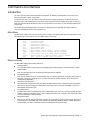
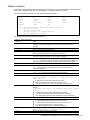
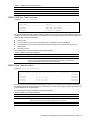
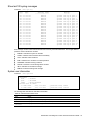
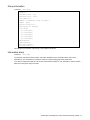
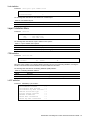
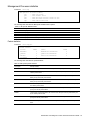
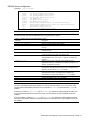
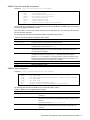
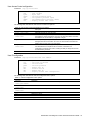
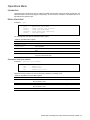
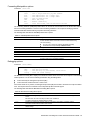
Show last 100 syslog messages
Command: /info/sys/log
Date
---Jul 8
Jul 8
Jul 8
Jul 8
Jul 8
Jul 8
Jul 8
Jul 8
Jul 8
Jul 8
Jul 8
Jul 8
Jul 8
Jul 8
Jul 8
Jul 8
Jul 8
Jul 8
Jul 8
Jul 8
Time
---17:25:41
17:25:41
17:25:41
17:25:41
17:25:41
17:25:41
17:25:41
17:25:41
17:25:41
17:25:41
17:25:41
17:25:41
17:25:41
17:25:41
17:25:42
17:25:42
17:25:42
17:25:42
17:25:42
17:25:42
Severity level
----------------NOTICE
NOTICE
NOTICE
NOTICE
NOTICE
NOTICE
NOTICE
NOTICE
NOTICE
NOTICE
NOTICE
NOTICE
NOTICE
NOTICE
NOTICE
NOTICE
NOTICE
NOTICE
NOTICE
NOTICE
system:
system:
system:
system:
system:
system:
system:
system:
system:
system:
system:
system:
system:
system:
system:
system:
system:
system:
system:
system:
Message
------link up on
link up on
link up on
link up on
link up on
link up on
link up on
link up on
link up on
link up on
link up on
link up on
link up on
link up on
link up on
link up on
link up on
link up on
link up on
link up on
port
port
port
port
port
port
port
port
port
port
port
port
port
port
port
port
port
port
port
port
1
8
7
12
11
14
13
16
15
17
20
22
23
21
4
3
6
5
10
9
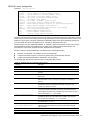
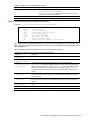
Each message contains a date and time field and has a severity level associated with it. One of eight different
prefixes is used to indicate the condition:
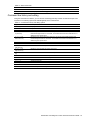
EMERG—indicates the system is unusable
ALERT—indicates action should be taken immediately
CRIT—indicates critical conditions
ERR—indicates error conditions or eroded operations
WARNING—indicates warning conditions
NOTICE—indicates a normal but significant condition
INFO—indicates an information message
DEBUG—indicates a debug-level message
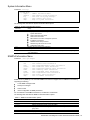
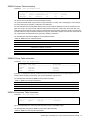
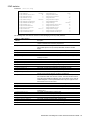
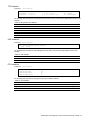
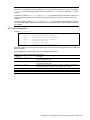
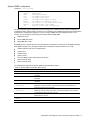
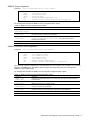
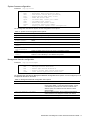
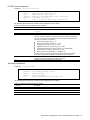
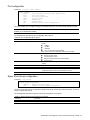
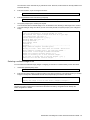
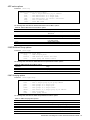
System user information
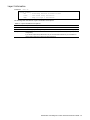
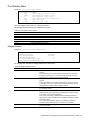
Command: /info/sys/user
Usernames:
user
- enabled
oper
- disabled
admin
- Always Enabled
Current User ID table:
1: name tech1
, ena, cos user
2: name tech2
, ena, cos user
, password valid, online
, password valid, offline
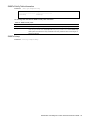
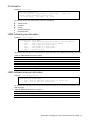
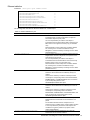
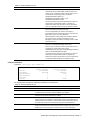
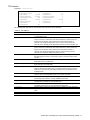
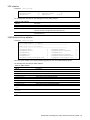
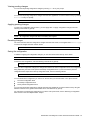
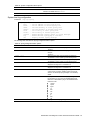
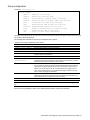
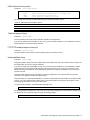
The following table describes the User Name information.
Table 26 User Name Information menu
Field
Usage
user
oper
admin
Current User
ID Table
Displays the status of the user access level.
Displays the status of the oper (operator) access level.
Displays the status of the admin (administrator) access level.
Displays the status of configured User ID
N8406-022A 1Gb Intelligent L2 Switch Smart Panel Reference Guide
39