1
51| NEC MULTIPROFILER - USER’S GUIDE
Problem: I receive a communications error message when making some adjustments.
Solution:
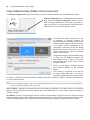
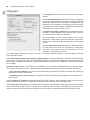
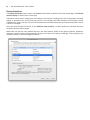
•Try connecting a USB cable between one of the upstream ports on the monitor and the host PC. In the
Display Configuration dialog, select the USB connection to the monitor.
•Communications with the display is not completely reliable on some video graphics adapter cards.
If you are using a DisplayPort connection to the monitor, try using a DVI video connection instead if
possible.
ICC/ColorSync Profiles
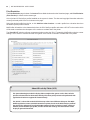
Problem (Windows): I receive the following error message when changing the Picture Mode:
“Error: Unable to save the ICC profile. The file appears to be in use by another application.”
Solution:
•This issue may occur if there are multiple users assigned to the machine. An ICC profile created by a
user can normally only be updated and replaced by that user, or an administrator. Starting with Windows
Vista, even if you are currently an Administrator, applications do not normally allow full administrative
privileges by default.
You can either delete the current ICC profile manually (in which case Windows will ask for administrative
level credentials or permissions), or you can re-run MultiProfiler “as Administrator” by right-clicking the
application icon and selecting “Run as administrator”. This process needs to be done once each time the
user who created the last ICC profile for the display is changed.
•This issue may also occur if another application is currently using the ICC profile. For example if the
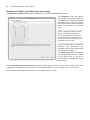
Windows Advanced Display Settings control panel is open, the ICC profile may be locked. Be sure to
close any applications that may be using the profile.
•If you are not an administrator on the machine, try changing the folder permissions on the following
folder to allow write and read access: “C:\Windows\System32\spool\drivers\color”
•Make sure that no applications that may be using the display color profile are currently open. This may
include such applications as Firefox.
Problem (Windows): The ICC profile generated by MultiProfiler does not appear to be correctly installed and
recognized in Windows.
Solution:
•This problem may occur especially when using a multi-monitor configuration. In some cases updating
the video driver may fix this issue.
•The profile can be manually assigned if necessary as follows:
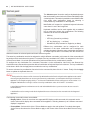
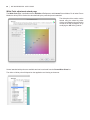
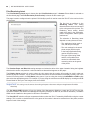
1. In the Windows Display Properties control panel, select the Settings tab and click Advanced.
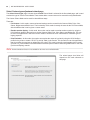
2. Select the Color Management tab on the Display Properties dialog.
3. Find the color profile generated by SpectraView and use Set As Default.
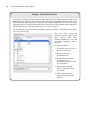
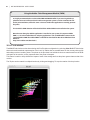
•A more advanced control panel is available from Microsoft for Windows XP which is much more reliable
for checking the assigned monitor profile. On the www.microsoft.com website, search for “Color Control
Panel Applet”.