1
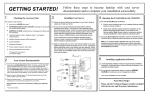
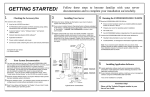
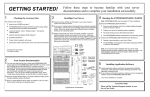
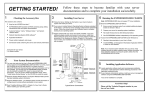
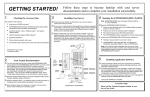
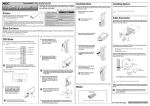
GETTING STARTED! 1 Checking the Accessory Box The accessory box contains: ! ! ! ! ! ! ! ! EXPRESSBUILDER bootable CD-ROM containing the setup utility and system documentation ESMPRO® CD-ROM containing server management software and documentation Customer Notices,* Alerts,* Software Notes,** and System Release Notes Network Operating System (NOS) software** System Diskettes* Application Software** Power cord(s) Service and Warranty information. *If required for your server. **On certain models. 2 ❏ ❏ ❏ 3 Follow these steps to become familiar with your server documentation and to complete your installation successfully. Installing Your Server ❏ Follow the Server Setting Up information in your User’s Guide to Ensure correct hardware setup if you installed additional adapter boards or devices in Step 3. Create driver diskettes needed during the installation of your Network Operating System (NOS), if your NOS was not factory-installed. Note: Always create a maintenance partition using EXPRESSBUILDER, before loading the operating system. ❏ To run the EXPRESSBUILDER CD-ROM, insert the CD-ROM into the CD-ROM device, reboot the system and follow the screen prompts. Note: If you received system diskettes with your server, these diskettes provide the latest available system utilities information. Use these diskettes instead of running the system utilities from the EXPRESSBUILDER CD-ROM. ❏ Most options ordered with your server are already installed. If you have additional adapter boards and devices for your server, install them before putting the server in the location you have selected. Follow the procedures in the Upgrades and Options chapter of the system User’s Guide, plus installation inserts and vendor documents that came with the option. 5 Installing Application Software ❏ Locate application software media and accompanying installation You may view and print the System User’s Guide and EXPRESSBUILDER User’s Guide from the EXPRESSBUILDER CD-ROM. To do this, insert the CD-ROM into the CD-ROM device on a system running a Microsoft® Windows® Operating System with Internet Explorer 4.01 or later installed. Do not boot from the EXPRESSBUILDER CD-ROM. Use Adobe® Acrobat® PDF viewer to view and print the documents. If you do not have Adobe Acrobat PDF viewer, select “Install Adobe Acrobat Reader” on the CD-ROM to install the reader. *On certain models. ! If your system does not include Network Operating System software, create a maintenance partition using EXPRESSBUILDER, before loading the operating system. Your System Documentation Read the Software Notes*. The Software Notes provide information on configuring and running software preloaded on your system. ! ❏ If your server includes Network Operating System software preloaded at the factory, it will boot-up to the operating system license agreement screen. Follow the screen prompts and Software Notes to complete loading of your operating system. Servers that include Network Operating System software preloaded at the factory, include a 10MB (minimum size) maintenance partition. Running the EXPRESSBUILDER CD-ROM ❏ Run the EXPRESSBUILDER CD-ROM to: unpack and install your server. The keys for the server are located behind the front door. IC M B Read the System Release Notes. The System Release Notes provide the latest available system information. 4 procedures. Install application software following procedures in the applicable installation guide. ❏ If your Network Administrator advises, locate the ESMPRO CD-ROM and install your server management software. Your server installation is now complete. ❑ If your server includes a RAID controller and a preloaded Network Operating System (NOS), the RAID level configured at the factory is described in your User’s Guide. If your system does not include a preloaded Network Operating System, the RAID array is configured as RAID 7. Changing the RAID level on servers that include a NOS, will require reloading the NOS. Refer to information in the RAID controller documentation. Need More Help? Please call the Technical Support number included with the Service and Warranty information. FCC DECLARATION OF CONFORMITY TRADE NAME: TYPE: 140Rc-4 EXP820 FCC STATEMENT (Class A Equipment): The equipment listed in the above table has been tested and found to comply with the limits for a Class A digital device, pursuant to part 15 of the FCC Rules. These limits are designed to provide reasonable protection against harmful interference when the equipment is operated in a commercial environment. This equipment generates, uses, and can radiate radio frequency energy, and if not installed and used in accordance with the instruction manual, may cause harmful interference to radio communications. Operation of this equipment in a residential area is likely to cause harmful interference, in which case the user will be required to correct the interference at his own expense. Changes or modifications not expressly approved by NEC Solutions (America) Inc. could void the user’s authority to operate the equipment. Copyright 2003 NEC Solutions (America), Inc. Trademarks Adobe and Acrobat are trademarks of Adobe Systems, Inc. ESMPRO is a registered trademark of NEC Corporation. Microsoft and Windows are registered trademarks of Microsoft Corporation. Other product and company names are registered trademarks and trademarks of their respective holders. PN: 455-01684-000 April 2003