1
Quick Tips
Mazda
Mazda Truck
page 4
page 5
Revised January 14, 2002
Instrument
Cluster
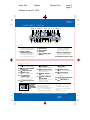
INSTRUMENT CLUSTER
22 11
2
23 17 3
14 4 5 6
7
8
16 24
DOOR
AJAR
CHECK
GAGE
4
3
H
CHECK
ENGINE
CHECK
FUEL
CAP
5
2
C
1
FUEL DOOR
0
F
6
RPMx1000
50 60 70
80
40
100
90
120
30 60 80
140
100
20 40 0 0 0 0 0 160
110
20
10
180
120
0
MPH
km/h
THEFT
BRAKE
E
H
L
SPEED
CONT
4X4
4X4
LOW
H
L
O/D
OFF
21
1 20 13 19 18 12
10
12 25
9 15
GAUGES
1. Fuel gauge
Fuel tank capacity varies by
model; see Owner’s Manual
2. Engine coolant
temperature gauge
If above normal range, stop
truck and turn off engine;
check coolant level when safe
3.
4.
5.
6.
7.
Tachometer
Speedometer
Trip odometer
Odometer
Trip odometer reset
button Push to reset
8. Oil-pressure gauge
If outside normal range,
stop truck and turn off
engine, check oil level
9. Battery voltage gauge
If outside normal range,
dealer inspection required
10. Gearshift indicator* (A/T)
WARNING LIGHTS
11.
12.
13.
14.
15.
16.
Check engine
Dealer inspection required
Turn signals/hazard
warning on
High beams on
Door ajar*
Door not completely shut
Overdrive off
indicator* (A/T)
When lit, transmission does
not shift into overdrive
Cruise control on*
Turn signals/
headlight
high beams/
wiper/washer
lever
High beams on/off: Push
17.
Charging system
warning light
Dealer inspection required
18.
Air bag readiness
Air bag malfunction; dealer
inspection required
19.
Brake system Parking
brake on/low brake fluid
20.
Anti-lock Brake
System (ABS)
ABS malfunction, normal
brakes only, dealer
inspection required
forward to detent/pull back
To flash high beams: Pull
rearward and release
To turn on wipers: Rotate knob
forward; first 7 detents are
progressively faster intervals,
21.
22.
23.
24.
25.
Always fasten
safety belts
Light and chimes
Check fuel cap
Fuel cap not securely tightened
Check gauge
Check temperature/oil/
fuel gauges
4wd high/4wd low*,
see Transmission
Anti-theft on*
8th detent is low speed,
9th is high
To activate washers: Push in
end of knob; will also operate
wipers
*Denotes optional equipment
Always check the Owner’s Manual for more operating information and safety features
Driver
Controls