1
camera will not operate )
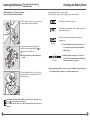
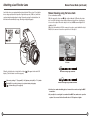
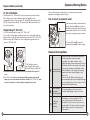
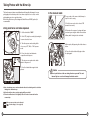
Inserting the Batteries ( The
without batteries
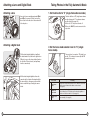
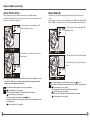
Set the drive dial to “L” to turn off the power.
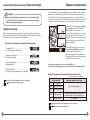
Use six “AA” alkaline or lithium batteries.
Set the drive dial to “S” to turn on the power.
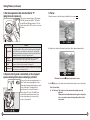
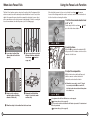
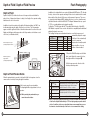
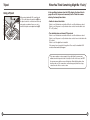
Check the battery condition in the lower right corner of the main LCD.
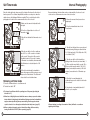
The batteries are sufficiently charged.
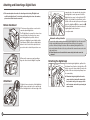
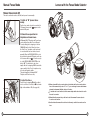
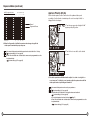
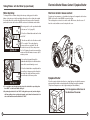
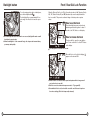
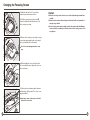
1. Lift the battery case lock lever, turn it counter
clockwise and pull out the battery holder.
P
M.U
C
S
Checking the Battery Power
There is little power remaining. Have new batteries on hand.
Camera will still operate.
L
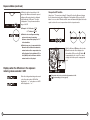
There is very little power remaining. Camera will stop
operating soon.
Flashing
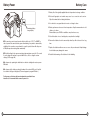
2. Install the batteries while ensuring their
polarities are properly aligned with the
and
markings on the battery case.
with new ones.
■ Be sure the batteries are placed with proper
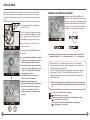
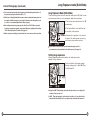
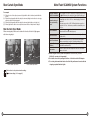
★ When the batteries are spent, “batt” flashes on
the main LCD and the viewfinder's LCD when the
polarity
Flashing
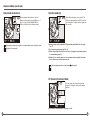
3. Return the battery holder to its case and lock
it by turning the lever clockwise. Make sure it is
fixed firmly in place.
★ Set the shutter release mode selector lever to “L”
(to turn the power off) and replace the batteries
shutter release button is pressed.
★ When replacing the batteries, be sure to use six new batteries of the same type. Do
not mix different types of batteries or old batteries with new ones.
Rechargeable nickel-metal hydride (Ni-MH) or nickel-cadmium (-Cd) batteries can be
used.
Custom settings (C-04 on page 84)
If the battery type and setting do not match, remaining battery power will not be
displayed.
13
14