1
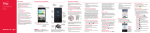
Pantalla principal
La pantalla principal es el punto de inicio para acceder a todas las
characterísticas en su teléfono. Muestra atajos a aplicaciones, iconos,
widgets y otras characterísticas.
Barra de estado
Muestra información
de estado del teléfono,
incluyendo la hora,
potencia de la señal,
estado de batería e
iconos de notificación.
Agregar
Toque para agregar
iconos y widgets a la
pantalla principal.
Icono de aplicación
Toque un icono
(aplicación, carpeta,
etc.) para abrir la
aplicación y usarla.
Teclas Rápidas
Proporciona acceso
fácil y de un toque a las
funciones que usa más.
Tecla Aplicaciones
Toque para
abrir el menu de
aplicaciones para
ver las aplicaciones
instaladas.
NOTA: La imagen de pantalla y los iconos son simulados. La pantalla real puede ser diferente. Las
instrucciones de esta guía pueden cambiar dependiendo de la versión de software de su teléfono.
Todos los procedimientos comienzan con el teléfono desbloqueado y desde la Pantalla principal, a
menos que se especifique lo contrario.
29