1
Installing & Removing the microSD Card
Your tablet supports a removable memory card (sold separately).
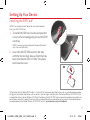
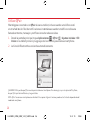
1. To install a microSD card, locate and
open the cover to the slot.
NOTE: There are two slots underneath the cover (the
other slot is for a SIM card; note the tray).
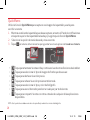
2. Position the microSD card with the
gold strips facing towards the back of
the tablet. Slide the microSD card into
the slot until it “clicks” into place and
replace the cover.
Removing your microSD Card
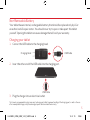
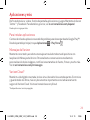
1. Remove the slot cover.
2. Push the microSD card inward until the card “clicks” and pops partially out of the slot.
Carefully slide the card out of the slot and replace the cover.
4
LG-VK810_VZW_QRG_V1.0_140212.indd 4
14. 2. 12.
10:54