1
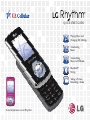
Playing Music and Changing EQ Settings
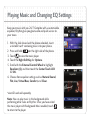
Keep your music with you 24/7. Complete with a customizable
equalizer, Rhythm gives you great audio and quick access to
your tunes.
1. With the slide closed and the phone unlocked, insert
a microSD card* containing music into your phone.
2. Press and hold
on the right side of the phone.
3. Touch
to view the music player.
4. Touch the Right Soft Key for Options.
5. Scroll with the External Control Wheel to highlight
Equalizer (6), and then touch the Center Touch LCD
for OK.
6. Choose from equalizer settings such as Natural Sound,
Flat, Live, Virtual Bass, Comfort, and Clear.
*microSD card sold separately.
Note: You can play music in the background while
performing other tasks on Rhythm. Once you have exited
the music player with Background Music enabled, touch
to return to the player.