1
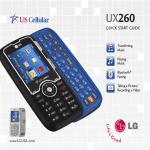
Getting to Know Your Phone
1
15
8
9
2
11
12
13
14
3
7
4
6
5
10
BACK
FRONT
Customize Your Phone
1.Earpiece
2. Touch Screen
3. Home Key
4. Menu Key
5.Microphone
6. Search Key
7. Back Key
8. Camera Lens
9. Flash
10. Speaker
Add shortcuts, favorites, apps, and widgets to your
choice of five or seven home screens, and add live
wallpaper for a moving, interactive background.
Organize your Genesis to fit your lifestyle!
Add Home Screens
1. From the Home screen, press
2. Touch 7 > OK.
> Home settings.
Add Widgets
1. Swipe to a screen with space and then press
and hold an empty part of the screen.
2. Touch Widgets, and then select an item from
the list.
Add Applications
1. Swipe to a screen with space and then touch
.
2. Press and hold an application and then drop it on
the screen.
Remove Widgets/Applications
1. To remove an item, press and hold it and then drag
and drop it in .
SIDES
11.
12.
13.
14.
15.
Camera Key
Volume Up/Down Keys
Power/Lock Key
Micro USB Charging Port
3.5 mm Headset Jack