1
AT&T Navigator
AT&T Navigator, with GPS-enabled directions,
is the fastest way to get where you are going—
whether across town or across the country.
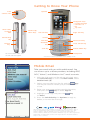
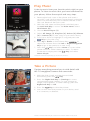
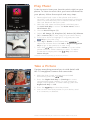
1. With the slide open and the phone unlocked, press
the Left Soft Key to access the Main menu. Select
AT&T GPS (1).
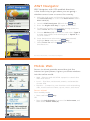
2. Launch AT&T Navigator (1) with the
Key.
3. Press the Right Soft Key to agree to the terms.
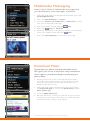
4. To get turn-by-turn, voice-guided driving directions,
select Drive To with the
Key.
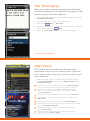
5. Choose Address (3) from the list and select Type It
to enter the address with the keypad or Speak It to
say the address.
6. Once destination information has been entered,
highlight Done and press the
Key.
7. Select Drive To with the
the directions.
Key to load
For more information, visit att.com/navigator.
Mobile Web
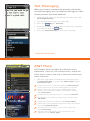
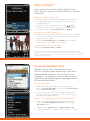
Access to att.net provides more than just the
Internet on your phone; it gives you three windows
into the online world:
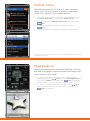
• Web – Browse with full HTML support or search the
web with Yahoo!
• Local – Find bars, restaurants, events, and even the
closest ATM.
• Popular – Connect to your favorite social networking
sites, world and local news, sports, music, and more.
Access att.net
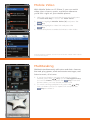
From standby mode,
• Press and hold
Key.
OR
• Press the Left Soft Key to access the Main menu, and
then select Mobile Web (4).