1
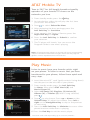
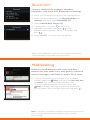
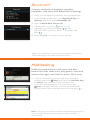
AT&T Mobile TV
Tune in 24/7 for full-length, broadcast-quality
episodes of your favorite TV shows on the
networks you love.
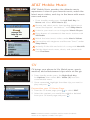
1. From standby mode, press the
Key.
2. An introductory video clip will play the first time
you access this feature.
3. Press
to select Subscribe Now.
4. After reviewing the base package, press the
Left Soft Key for Continue.
5. If you agree to the Terms of Service, press the
Right Soft Key for Agree.
6. Press the Left Soft Key for Submit to confirm
your selection.
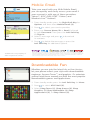
7. The TV player will launch. You can access the
Program Guide to see what’s playing.
Note: All programming subject to change. All sports programming
subject to blackout restrictions. Images shown on this page are
generic and not representative of the service.
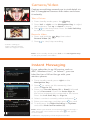
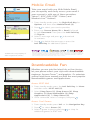
Play Music
Listen to music from your favorite artists right
on your phone. To listen to music that you have
transferred to your phone, follow these quick and
easy steps.
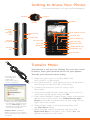
1. Insert the microSD™ card* (gold contacts facing down)
into the port on the left side of your phone.
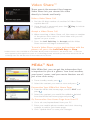
2. From standby mode, press the Left Soft Key
for Menu, then select AT&T Music (6) and
Music Player (1).
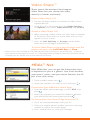
3. Select All Songs (1), Playlists (2), Artists (3),
Albums (4), or Genres (5). With a song selected,
press .
4. Press
to play/pause. Press up or down on the
Volume Keys to adjust the volume. Press left or
right on the Navigation Key to skip to the previous
or next song.
5. Press the Left Soft Key for Minimize to access other
phone functions while music is playing.
6. Press the End Key to exit the music player.
**microSD card sold separately; go to att.com/wireless.