1
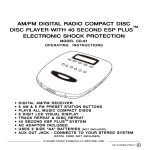
PORTABLE CD/MP3 PLAYER WITH AM/FM STEREO RECEIVER MODEL CD-208 OPERATING INSTRUCTIONS PLAYS REGULAR MUSIC CD DISCS & MP3 ENCODED DISCS FULLY PROGRAMMABLE PLAYBACK 45 SECOND (CD) & 120 SECOND (MP3) ANTI-SKIP PROTECTION RECEIVES AM/FM STEREO BROADCASTS REPEAT ONE AND REPEAT ALL PLAY FM STEREO AND POWER LED INDICATORS 2 WAY POWER - AC/DC USES 6 SIZE D BATTERIES (not included) PLEASE READ CAREFULLY BEFORE USE IB-CD208(LC)-WM-E-060403 WARNING TO PREVENT FIRE OR SHOCK HAZARD, DO NOT USE THE PLUG WITH AN EXTENSION CORD, RECEPTACLE OR OTHER OUTLET UNLESS THE BLADES CAN BE FULLY INSERTED TO PREVENT BLADE EXPOSURE. TO PREVENT FIRE OR SHOCK HAZARD, DO NOT EXPOSE THIS APPLIANCE TO RAIN OR MOISTURE. WARNING RISK OF ELECTRIC SHOCK DO NOT OPEN The lightning flash with arrowhead symbol, within an equilateral triangle, is intended to alert the user to the presence of uninsulated dangerous voltage within the products enclosure that may be of sufficient magnitude to constitute a risk of electric shock to persons. WARNING: TO REDUCE THE RISK OF ELECTRIC SHOCK, DO NOT REMOVE COVER (OR BACK). NO USER SERVICEABLE PA RTS INSIDE. REFER SERVICING TO QUALIFIED SERVICE PERSONNEL. The exclamation point within an equilateral triangle is intended to alert the user to the presence of important operating and maintenance (servicing) instructions in the literature accompanying the appliance. SEE BOTTOM OF THE SET. IMPORTANT SAFETY INSTRUCTIONS 1. 2. 3. 4. 5. 6. 7. Read these instructions. Keep these instructions. Heed all warnings. Follow all instructions. Do not use this apparatus near water. Clean only with dry cloth. Do not block any ventilation openings, install in accordance with the manufacturers instructions. 8. Do not install near any heat sources such as radiators, heat registers, stoves, or other apparatus (including amplifiers) that produce heat. 9. Do not defeat the safety purpose of the polarized or grounding-type plug. A polarized plug has two blades with one wider than the other. A grounding-type plug has two blades and a third grounding prong. The wide blade or the third prong is provided for your safety. If the provided plug does not fit into your outlet, consult an electrician for replacement of the obsolete outlet. 1 0 .Protect the power cord from being walked on or pinched particularly at plugs, convenience receptacles, and the point where they exit from the apparatus. 11. Only use attachments/accessories specified by the manufacturer. 1 2 .Unplug this apparatus during lightning storms or when unused for long periods of time. 1 3 . Refer all servicing to qualified service personnel. Servicing is required when the apparatus has been damaged in any way, such as power-supply cord or plug is damaged, liquid has been spilled or objects have fallen into the apparatus, the apparatus has been exposed to rain or moisture, does not operate normally or has been dropped. 1 4 .This appliance shall not be exposed to dripping or splashing water and that no object filled with liquid such as vases shall be placed on the apparatus. 1 IB-CD208(LC)-WM-E-060403 ADDITIONAL SAFETY INSTRUCTIONS 1. Power Sources - The appliance should be connected to a power supply only of the type described in the operating instructions or as marked on the appliance. 2. Wall or Ceiling Mounting - The appliance should not be mounted to a wall or ceiling. 3. Object and Liquid Entry - Care should be taken so that objects do not fall and liquids are not spilled into the enclosure through openings. 4. Servicing - The user should not attempt to service the appliance beyond that described in the operating instructions. All other servicing should be referred to qualified service personnel. Do not apply oil or petroleum products or solvents to any part of this set. CAUTION Use of controls or adjustments or performance of procedures other than those specified herein may result in hazardous radiation exposure. This compact disc player is classified as CLASS 1 LASER PRODUCT as stated on the bottom of the set. 2 IB-CD208(LC)-WM-E-060403 BATTERY SAFETY INSTRUCTIONS CAUTION: TO REDUCE THE RISK OF FIRE OR PERSONAL INJURY OR DAMAGE TO YOUR SET, READ AND FOLLOW THESE INSTRUCTIONS. 1. Use only the type and size of batteries mentioned in the operating instructions booklet (batteries are not included with this set, please buy the proper batteries). 2. Do not dispose the batteries into a fire. The cells may explode. Check with local codes for possible special disposal instructions. 3. Do not open or mutilate the batteries. Released electrolyte is corrosive and may cause damage to the eyes or skin. It may be toxic if swallowed. 4. Be careful when handling batteries in order not to short the battery with conducting materials such as rings, bracelets and keys. The battery or conductor may over heat and cause burns. 5. Do not attempt to recharge non-rechargeable batteries. The batteries may leak corrosive electrolyte or explode. 6. Do not attempt to rejuvenate the batteries identified for use with this product by heating them. Sudden release of the battery electrolyte may cause burns or irritation to eyes or skin. 7. All batteries should be replaced at the same time. Mixing fresh and discharged batteries could increase internal cell pressure and rupture the batteries. 8. When inserting batteries into this product, the proper polarity ( and ) or direction must be observed. Reverse insertion of some or all of the batteries may result in battery electrolyte leakage or explosion. 9. Remove the batteries from this product if the product will not be used for a long period of time (several months or more) since during the period the batteries could leak, damaging the product. 10. Discard weak or dead batteries as soon as possible since they are more likely to leak in the product. Batteries should be replaced (depending on the product) when the display gets dim or if the Low Battery Indicator shows or if the sound gets distorted. 11. Do not store this product in high temperature areas. Batteries that are stored in a freezer or refrigerator for the purpose of extending shelf life should be protected from condensation during storage and defrosting. Batteries should be stabilized at room temperature prior to use after cold storage. 12. If this product does not operate normally, see TROUBLE SHOOTING in this instruction manual. If you cant resolve the problem, or if the product is damaged, refer to the LENOXX WARRANTY INFORMATION. Opening or removing covers may expose you to dangerous voltages or other risks. Incorrect reassembly can cause electric shock when the appliance is subsequently used. 13. If liquid leaks from the batteries, carefully wipe this liquid. Do not allow it to touch your skin, and discard the leaking batteries. 14. Do not mix batteries (OLD and NEW or CARBON and ALKALINE, etc.). 15. The use of rechargeable batteries is not recommended for this set because their voltage and life is lower than standard batteries. 16. Installation of batteries should be done by an adult only. SAVE THESE INSTRUCTIONS 3 IB-CD208(LC)-WM-E-060403 CHOOSING THE POWER SOURCES You can use the AC power or batteries as a power source. To a wall outlet NOTE: The polarized plug has two blades with one wider than the other. BATTERY DOOR (on the bottom of the set) TIP: Replace all the batteries with new ones when the POWER lamp dims or the player stops operating. Before you replace all the batteries, be sure to take out the disc from the player and remember to check the Battery Safety Instructions on Page 3. 1. Connecting the AC power Insert one end of the supplied AC power cord into the socket located at the rear of the set, and the other end into the 120V standard household outlet. 2. Using the player on batteries Remove the AC plug from the back of the set and wall outlet, then insert 6 size D batteries (not supplied) into the battery compartment as shown. Observe (+) and (-) polarities. discs do not play Ifonthe batteries, this means the batteries are almost used up. But the radio may continue to play on these weak batteries because it uses less power than the disc player. Install Batteries as illustrated 4 IB-CD208(LC)-WM-E-060403 PLAYING A CD CD DOOR FUNCTION switch Connect the supplied AC power cord or batteries (refer to page 4). 1 2 3 Slide the FUNCTION switch to the MP3/CD position (power on), the POWER lamp will be on, and the symbol starts a new cycle in the display. POWER lamp Lift the CD DOOR to open it and push a CD down onto the center spindle. The label side of the CD disc should face upward. Close the CD DOOR. The display will show the symbol , total tracks and total playing time of that CD, then the player will begin to play automatically. Track number currently playing TIP: 1. will show in the display if there is no CD disc in the CD compartment or if the CD disc is upside down. 2. will show in the display when the CD DOOR is opened. 5 IB-CD208(LC)-WM-E-060403 USE THESE BUTTONS FOR ADDITIONAL OPERATIONS Open the CD DOOR by lifting here PHONES jack FUNCTION switch VOLUME control PLAY/ PAUSE STOP Track number SKIP/SEARCH BACKWARD 10+/ALBUM SKIP/SEARCH FORWARD TIP To Press or Adjust Adjust the volume VOLUME control Stop playback STOP button Pause playback Press PLAY/PAUSE, the track number currently playing will flash during pause. Press again to resume play after pause. Go to the next track SKIP/SEARCH FORWARD Go back to the previous track SKIP/SEARCH BACKWARD Go to the next 10th track Press the 10+/ALBUM button. Locate a point in a song or Press and hold down while playing till you find the point. Remove the CD Press the STOP button first, then lift the CD DOOR. Turn off the power Slide the FUNCTION switch to the OFF position, the POWER lamp turns off. To enjoy the music without disturbing others Insert your headphones (not included) plug them into the PHONES jack. When the CD play is paused, the track number currently playing will flash and no music will play. To resume play, press the PLAY/ PAUSE button again, the track number will stop flashing and music will play. If you just started to play a disk, the music may stop or skip for a few seconds. If the music is playing for a few minutes and had time to load, the music will not skip. 6 IB-CD208(LC)-WM-E-060403 CD REPEAT, INTRO AND RANDOM PLAY You may have repeat, intro and random play functions by pressing the REPEAT button. Press the REPEAT button several times, the display will show the followings in turn: REPEAT ONE REPEAT ALL INTRO RANDOM NORMAL PLAY Single Track Repeat Plays one song over and over till you press STOP . Press the REPEAT button once, REPEAT ONE will show in the display. Select the song you want to repeat with either of the SKIP/SEARCH buttons ( or ), or 10+/ALBUM button. The song currently playing will repeat over and over until you press the STOP button. All Tracks Repeat (Disc Repeat) Repeats all songs in order till you press STOP. Press the REPEAT button twice, REPEAT ALL will show in the display. All the songs will keep playing in sequence 1, 2, 3, etc. and when finished, the player will start all over again until you press the STOP button. Intro Play This plays the first 10 seconds of each song in sequential order. Press the REPEAT button three times, INTRO will flash in the display. Press the PLAY button once, the first 10 seconds of each song on the CD will play in sequential order. When you find a song you like, press the PLAY button again, INTRO will not show in the display, normal play will be resumed, that song (and the following songs) will play normally. Random Play This plays the songs on the disc in random order. Press the REPEAT button four times, RANDOM will flash in the display. Press the PLAY button once, the player begins random play. Press the SKIP/SEARCH buttons ( to the next random song. or ) to skip To quit random play, press the REPEAT button once again, the player will play normally. 7 IB-CD208(LC)-WM-E-060403 CD PROGRAMMED PLAY You can make a program up to 20 tracks in the specified order you want them to be played. Programming Example Program Number 1 2 3 4 5 6 7 8 etc. Track Number (song number) 2 5 8 1 2 4 1 1 etc. 1. Slide the FUNCTION switch to the MP3/CD position. Make sure the set is in the STOP mode. 2. Press the PROGRAM button once. The letters will flash in the display . 3. Press the SKIP/SEARCH buttons ( or ) or 10+/ALBUM button to select the tracks to be programmed in the order that you want. 4. Press the PROGRAM button to confirm. The programmed number 2 (example) will now show in the display, then ready for your next selecting of track. 5. Repeat above steps 3 and 4. You can program up to 20 tracks. track number programmed number 6. After programming is finished, press the PLAY button to start programmed play. NOTE: 1. Programming can only be done in STOP mode. 2. The programmed memory will be lost if the STOP button is pressed twice, or the alkaline batteries are exhausted or removed, or AC power is shut off, or the CD DOOR is opened. 3. The player will stop automatically after all the programmed tracks have been played. To change the current program Just create a new program following the above programming procedure. To cancel Programmed Play Press the STOP button twice, the word PROGRAM will disappear from the display. 8 IB-CD208(LC)-WM-E-060403 MP3 PLAYBACK CD DOOR FUNCTION switch Connect the supplied AC power cord or batteries (refer to page 4). 1 2 3 Slide the FUNCTION switch to the MP3/ CD position. The symbol starts a different cycle in the display, and the POWER lamp lights up. POWER lamp Lift the CD DOOR to open it and push an MP3 disc down onto the center spindle. The label side of the MP3 disc should face upward. Close the CD DOOR, the display will show all the symbols as illustrated. The player will automatically play all the songs of the MP3 disc. A l b u m Track number number playing time General Information 1. Usually, you must write your own MP3 disc on your computers CD writer. Or, you may buy pre-recorded MP3 discs from some on line sources. 2. When saving songs (audio files) onto your CD-R (or CD-RW), you must save them as .MP3 (DOT MP3) files. Do not save them as .DOC or .TEXT, .PDF etc. when downloading, converting or saving files as MP3 files. 3. Do not save TEXT files as .MP3 files because they will not play and they may interfere with the set. 4. Do not attempt to combine normal CD audio tracks and MP3 tracks onto one CD because the set will only recognize the audio tracks and play those. 9 IB-CD208(LC)-WM-E-060403 OTHER MP3 OPERATIONS Operation Press To pause play PLAY/PAUSE button Display window shows Track number currently playing To release pause and resume play PLAY/PAUSE button To stop STOP button Total Total track a l b u m number To turn off the power STOP button once and slide the FUNCTION to OFF position. To skip to the next track(s) SKIP/SEARCH FORWARD button (or repeatedly) To skip to the next 10th track(s) quickly Press the 10+/ALBUM button once, every time you press it, the player will skip to the next 10th track or the end track of the disc. To skip to the previous track(s) SKIP/SEARCH BACKWARD button once (or repeatedly) To go ahead at high speed (search) Keep SKIP/SEARCH FORWARD button depressed and release it when the desired music section of the disc is found. To go back at high speed (search) Keep SKIP/SEARCH BACKWARD button depressed and release it when the desired music section of the disc is found. To change the ALBUM Press and hold down the 10+/ALBUM button during play or in STOP mode, until the album number flashes. Press the SKIP/SEARCH or ) to choose the album. buttons ( Press the PLAY button to start the selected album play. once TIP: 1. will show in the display if there is no MP3 disc in the CD compartment or the MP3 disc is upside down. 2. will show in the display if the CD DOOR is opened. 3. It may take about 10 to 30 seconds to read the disc depending on how many albums and songs are recorded on your MP3 disc. 10 IB-CD208(LC)-WM-E-060403 MP3 REPEAT, INTRO AND RANDOM PLAY You may have repeat, intro or random play functions by pressing the REPEAT button. Press the REPEAT button several times, the display will show the followings in turn: REPEAT ONE REPEAT DIR REPEAT ALL INTRO RANDOM NORMAL PLAY Single Track Repeat Plays one song over and over till you press the STOP button. Press the REPEAT button once, the words REPEAT ONE will appear in the display. Select the song you want to repeat with either of the SKIP/SEARCH buttons ( or ) or 10+/ALBUM button. The song currently playing will repeat over and over till you press the STOP button. All Tracks Repeat (Directory Repeat) Repeats all songs in order till you press the STOP button. Press the REPEAT button twice, the words REPEAT DIR will show in the display. Select the directory that you want to repeat with either of the SKIP/SEARCH buttons ( or ) or 10+/ALBUM button. All the songs of that directory will keep playing in sequence 1, 2, 3, etc. and when finished, the player will start all over again until you press the STOP button. REPEAT All Tracks Repeat (Disc Repeat) REPEAT X2 X3 Repeats all songs in order till you press the STOP button. Press the REPEAT button three times, the words REPEAT ALL will show in the display. All the songs of the MP3 disc will keep playing in sequence 1, 2, 3, etc. and when finished, the player will start all over again until you press the STOP button. Intro Play This plays the first 10 seconds of songs in sequential order. Press the REPEAT button four times, the word INTRO flashes in the display. Press the PLAY button, the first 10 seconds of each song on the MP3 disc will play in sequential order. When you find a song you like, press the PLAY button again, normal play will be resumed, that song (and the following songs) will play NORMALLY. REPEAT X4 Random Play This plays the songs on the disc in random order. Press the REPEAT button five times, the word RANDOM will flash in the display. Press the PLAY button, this will play all of the songs in random order selected by the player. or ), to skip Press the SKIP/SEARCH buttons ( to the next random song. To quit random play, press the REPEAT button again, the player will resume play normally. 11 REPEAT X5 IB-CD208(LC)-WM-E-060403 MP3 PROGRAMMED PLAY The tracks (songs) on the disc can be programmed (arranged in advance) to play in any order you prefer (up to 20 tracks can be programmed). Programming Example Program Number 1 2 3 4 5 6 7 8 etc. Album Number (title number) 3 6 10 4 1 7 2 5 etc. Track Number (song number) 3 5 8 1 2 4 1 1 etc. During programming, the word PROGRAM shows in the display. To program play in your preferred order, follow steps below: 1. Slide the FUNCTION switch to the MP3/CD position. Make sure the set is in STOP mode. album number 2. Press the PROGRAM button once, the album number will flash in the display. 3. Press the SKIP/SEARCH buttons ( or ) to select album number, then press the PROGRAM button, the letters will flash. Press the SKIP/SEARCH buttons to select the track number to be programmed. 4. Press the PROGRAM button to confirm, the programmed number will show in the display, and ready for the next selection of track. 5. Repeat above steps 3 and 4 to program other tracks till you finish. track number programmed number 6. After programming is finished, press the PLAY button to begin programmed play. NOTE: 1. Programming can only be done in STOP mode. 2. The programmed memory will be lost if the STOP button is pressed twice, or the alkaline batteries are exhausted or removed, or AC power is shut off, or the CD DOOR is opened. 3. The player will stop automatically after all programmed tracks have been played. To change the current program Just create a new program following the programming procedure. To cancel programmed play Press the STOP button twice, the word PROGRAM will vanish from the display. 12 IB-CD208(LC)-WM-E-060403 BASIC INTRODUCTION TO MP3 MP3 files are music files which have been compressed into the MP3 format. The player plays MP3 files which have been written onto a CD disc. The first thing you will need is an IBM compatible PC computer (at least Pentium class) or an apple computer (at least G3 class) with lots of RAM and a CD-R or CD-RW writer. Then you will need some software. (Either it is in your new computer already or you may have to buy this from MusicMatch or a similar company. You may go to the Website www.musicmatch.com or www.nero.com.) To play MP3 files on this player, you will need to make (record) a disc with these MP3 files on them. We recommend you get some books or information from the internet to help you learn this exciting new way to store & play hundreds of songs in MP3 format. Also you may search the web for MP3 and you will immediately find a world of information and songs. NOTE: Most audio CD players cannot play MP3 files. This player can play both MP3 and normal music files. (It WILL NOT play CDs that have BOTH MP3 and normal audio files on the same CD.) To download an MP3 file (song) from a website (like www.mp3.com), go to http://www.mp3.com and you can find a search link at the top of the homepage that allows you to search for MP3 files. Input a key word and click on that link and you will find many songs by many new artists. To download an MP3 file, click on software, then get MP3 link or newer software, register and click on download. We recommend you make a new folder for MP3 files. 13 You will also need blank CDs that are recordable, these are called CD-R or CD-RW (CD-R discs can be recorded on only once, CD-RW can be erased and rewritten but are much more expensive). Successful recording of a CD needs an uninterrupted stream of high speed data. For best results, limit or close your other programs on the computer while recording to prevent buffer underruns or empty spots on the disc. (NOTE: You can also learn all about MP3 at the mp3.com site) You can play MP3 songs on most computers of today or you can highlight them for downloading & burning (recording) them onto a CD later. Note this player will play MP3 songs which end in the extension .MP3 (dot MP3). You can select how to save a file, select .MP3 as the correct extension on your computer. If you want to convert your existing records or tapes to MP3 discs, you will need to record them using a sound card with appropriate jacks. You will also need software such as MusicMatch or RealJukebox and a set of audio cables to connect your tape player to your sound card. If you want to record your favorite music CDs as an MP3, you need to convert them into MP3 format. Ripping is the term used for converting audio files into MP3 format. MP3 opens a whole new world of music to you. Learn about this exciting new format and enjoy. IB-CD208(LC)-WM-E-060403 ABOUT MP3 WHAT IS THE MP3? SETTINGS FOR COMPRESSION SOFTWARE AND WRITING SOFTWARE To compress a source for an MP3 MP3 (MPEG 1 Audio Layer-3) is a standard technology and format for compressing a sound sequence. The file is compressed to about 1/10 of its original size. Sounds outside the range of human hearing are compressed while the sounds we can hear are not compressed. PLAYABLE MP3 FILES ON THIS PLAYER You can only play MP3 files recorded by following requirements. NOTE: While this player can play most MP3 files it cannot play all files and may not play all MP3 formats. NOTES FOR SAVING FILES ON THE MEDIA Usable media CD-Rs and CD-RWs When the disc is inserted, the player reads all the files on that disc. If there are many folders or non-MP3 files on the disc, it may take a long time for play to begin or for the next MP3 file to start play. Usable disc format You can use ISO 9660 Level 1/2 and Joliet extension format discs. This unit can display only 1-byte characters. (2byte characters like those of Japanese are displayed as -.) Do not save unnecessary folders or files other than MP3 ones in the disc to be used for MP3 listening. DO NOT record any other files other than MP3 files on the CD. If you record nonmp3 files onto the CD, the player may not operate properly. Please record ONLY MP3 files onto the CD. The major specification of the usable disc format is: Maximum directory steps: 8 Usable characters for a file/folder name: A - Z, 0 - 9, _ (underscore) Maximum number of characters for a file name: 64 and a 3-character extension code NOTE: CD-Rs or CD-RWs playback capability at this CD/MP3 player may vary depending on quality of media, CD-Burner, speed of burning and application software. NOTE: For best results and for the best reading ability, try to make your MP3 recordings at lower speeds. The most accurate speed that we tested for playability is 4X. NOTES When naming. be sure to add the file extension mp3 to the file name. If you put the extension mp3 to a file other than an MP3 file, the player cannot recognize the file properly. The file name does not correspond to the ID tag. THE USABLE NUMBER OF FOLDERS/FILES Maximum number of folders: 511 Maximum number of files: 511 file, we recommend setting the transfer bit rate of the compression software to 44.1 kHz, 128kbps, and Constant Bit Rate. Please check the maximum capacity of your CD-R / CD-RW as they come in a different capacity ranges. To record at one time up to the maximum capacity on media that has nothing recorded it, set to Disc at Once. 14 IB-CD208(LC)-WM-E-060403 LISTENING TO THE RADIO FM antenna FUNCTION switch FM stereo lamp POWER lamp BAND switch TUNING knob Connect the supplied AC power cord or batteries (refer to page 4). 1 Slide the FUNCTION switch to the RADIO position, the POWER lamp will turn on. 2 3 4 Slide the BAND switch to the proper band position (AM, FM, or FM STEREO) that you want. TUNING FM ST ER EO Tune into the station you prefer using the TUNING knob. Adjust for the clearest sound. This indicator will light up when receiving an FM Stereo broadcast. 15 IB-CD208(LC)-WM-E-060403 USE THESE BUTTONS FOR ADDITIONAL OPERATIONS PHONES jack FUNCTION switch TIP • If the FM broadcast is noisy, slide the BAND switch from FM Stereo to FM. • Next time you want to listen to the radio, just slide the FUNCTION switch to the RADIO position. The player will automatically start playing the previously tuned station. VOLUME control To Slide or Adjust Adjust the volume VOLUME control Turn off the Radio Slide the FUNCTION switch to OFF position To enjoy the music without disturbing others Insert your headphones plug into the PHONES jack (HEADPHONES ARE NOT INCLUDED) To improve broadcast reception Change the position of the antenna for FM or FM Stereo. Move the set itself for AM. NOTE: Extend the FM antenna fully before bending or rotating. First extend the FM antenna fully. Then you may bend it or rotate it. Rotate the set itself for better AM reception. 16 IB-CD208(LC)-WM-E-060403 PRECAUTIONS On Power Sources On Safety Do not open the cabinet. As the laser For battery operation, use 6 size D batteries. We recommend alkaline batteries for longer life. beam used in the DISC player section may be harmful to the eyes, do not attempt to disassemble the cabinet. Refer servicing to qualified personnel only. When the batteries will not be used for a few weeks or more, remove them to avoid damage that can be caused by battery leakage or corrosion. Should any solid object or liquid fall into the player, unplug the player, and have it checked by qualified personnel before operating it any further. On Operation If the player is brought directly from On Placement a cold to a warm location, or is placed in a very damp room, moisture may condense on the lens inside the DISC player section. Should this occur, the player will not operate properly. In this case, remove the DISC and wait about an hour for the moisture to evaporate. Do not leave the player in a location near a heat source, or in a place subject to direct sunlight, excessive dust or mechanical shock. Do not place the player on an inclined or unstable place. Do not place anything within 1 inch of This player has an anti-skip feature, the back of the cabinet. The ventilation holes must not be covered for the player to operate properly and prolong the life of its components. small bumps will not stop the music. However this set must play a few minutes for the anti-skip feature to become active. If the player is left in a car parked in the sun, be sure to choose a location in the car where the player will not be subjected to the direct rays of the sun. Since a strong magnet is used for the speakers, keep personal credit cards using magnetic coding or springwound watches away from the player to prevent possible damage from the magnets. 17 IB-CD208(LC)-WM-E-060403 MAINTENANCE Cleaning the lens Handling Discs A dirty lens will cause sound skipping. If the lens is very dirty, the player may not work. We suggest using a special cleaning disk (not included) available in most music and Hi-Fi stores. However, if you do not have one, you may use a cotton swab very slightly dampened with alcohol to clean the lens. Dirty, scratched or warped discs may cause skipping or noise. Handle the disc only by the edges. To keep clean, do not touch its surface. Discs should be stored in their cases after use to avoid scratches. Do not expose discs to direct sunlight, high humidity, high temperatures, or dust, etc. Prolonged exposure to extreme temperatures can warp the disc (such as leaving the discs in your car during summer time). Do not stick or write anything on the music side of disc. Sharp writing instruments, or the inks used in some felt-tip pens, may damage its surface. Cleaning the cabinet Wipe with a soft cloth. If the cabinet is very dirty, dampen (not dripping wet) the cloth with a weak solution of soapy water, and then wipe clean. Cleaning the Discs Fingerprints should be carefully wiped from the surface of disc with a soft cloth. Unlike conventional records, compact discs have no grooves to collect dust and microscopic dirt, so gently wiping them with a soft cloth should remove most particles. Wipe in a straight motion from the center to the edge. To remove the Disc Open the CD DOOR by lifting the CD DOOR, hold the disc by the edge while slightly pressing on the center spindle as illustrated, then lift it from the edge to release and remove. Never use thinner, benzine, record cleaner or antistatic spray on a compact disc. Such chemicals can damage its plastic surface. 18 NOTE Always press the STOP button and wait for the disc to stop rotating before opening the CD DOOR to remove the disc. IB-CD208(LC)-WM-E-060403 TROUBLE SHOOTING Radio CD/MP3 player General Problem The power is not on. Remedy I nsert the AC plug into a wall outlet securely. Make sure the FUNCTION switch is at the right position as you want. Adjust the volume. Unplug the headphones when listening through speakers. Make sure the batteries are installed correctly and they are fresh. There is no sound. appears in the display even when a disc is in place. Insert a CD or an MP3 disc with the label side up. Make sure that the CD compartment is closed. Clean the disc. Take out the disc and leave the CD DOOR open for about an hour to dry moisture condensation. Make sure the FUNCTION switch is at the MP3/CD position. Discs do not play. Clean the discs, or replace them if the discs are badly damaged. Place the player in a location with less vibration. Check if the batteries are fresh. Your MP3 disc may not be supported on this player. This player will play most standard MP3 discs. The sound drops out. CD/MP3 does not play while the radio may continue to play. It is normal since the radio uses less power than the CD/MP3 player. MP3 playback does not work or stops. Re-burn a new MP3 disc. Replace all the batteries with new ones if they are weak. Bring the set near a window, or rotate the set for better AM reception; or draw out the FM antenna for better FM reception. The sound is weak or has poor quality. 19 IB-CD208(LC)-WM-E-060403 SPECIFICATION General Description Power source: AC 120V, 60Hz 12 Watts DC 9V (6 size D batteries, not included) (Alkaline batteries are recommended) Speakers: 2 - 3 1/2 8 ohm Output power: 1.8W/channel Dimensions: Width: 12 7/8 Depth: 9 5/8 Height: 5 7/8 Weight: 2 KGs (without batteries) CD/MP3 Section Frequency response: 50Hz - 15kHz +1/-2dB Laser wavelength: 760 - 800 NM Error correction method: CIRC Pickup: Optical 3-beam semiconductor laser (780 nm wavelength) NOTE: CD-Rs or CD-RWs playback capability at this CD/MP3 player may vary depending on quality of media, CD-Burner, speed of burning and application software. Radio Section Frequency range: FM: 88 - 108 MHz AM: 530 - 1700 kHz LENOXX reserves the right to make design and specification changes for product improvement. PROTECT YOUR FINE FURNITURE! WE RECOMMEND A CLOTH OR OTHER PROTECTIVE MATERIAL BE PLACED UNDER THE SET WHEN PLACING IT ON SURFACE WITH A NATURAL OR LACQUER FINISH. For Customer Service Dial 1-800-315-5885 (MONDAY - THURSDAY 9:00 AM - 5:00 PM, FRIDAY 9:00 AM - 1:00 PM EST) or Visit Our Website: http://www.lenoxx.com © 2003 LENOXX ELECTRONICS CORP. 2 GERMAK DRIVE CARTERET, N.J. 07008 MADE & PRINTED IN CHINA 20 IB-CD208(LC)-WM-E-060403