1
Appendix
Troubleshooting
This section contains advice on what to do if you have problems scanning an
original or if the network delivery scanner function does not work. Various messages that may appear on the control panel or computer are listed, along with
causes and suitable countermeasures.
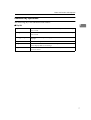
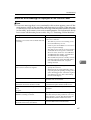
When Scanning Is Not Performed as Expected
Status
Possible Cause and Action
The image cannot be scanned.
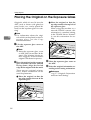
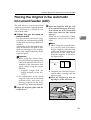
The original was placed with the front and
back reversed. Make sure that the original orientation is correct. When placed directly on
the exposure glass, the side to be scanned
must face down. When fed via the ADF, the
side to be scanned must face up. ⇒ p.33 “Setting Originals”
The image is distorted or out of position.
• The original was moved during scanning.
Do not move the original during scanning.
• The original was not pressed flat against
the exposure glass. Make sure that the
original is pressed flat against the exposure
glass.
7
The image is scanned upside down.
The original was placed upside down. Place
the original in the correct direction.
The scanned image is dirty.
The exposure glass or the exposure glass cover
is dirty. Clean these parts. ⇒Copy Reference
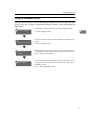
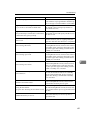
Delivery Function Does Not Work
Status
Possible Cause and Action
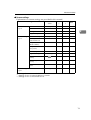
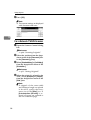
The Delivery Scanner Function screen is not
displayed.
• If the network TWAIN scanner screen appears when the machine is switched to
scanner operation, press [Cancel] to switch
to the Network Scanner screen.
• If the display does not switch from network TWAIN scanner to network delivery
scanner, the network delivery Scanner Settings are not correct. See p.12 “Default Settings” and make the appropriate settings.
66