1
I
GETTING STARTED
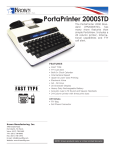
TO SETUP YOUR PORTA PRINTER 2000D
Place your Porta Printer near your telephone. The power unit is connected to a regular power outlet and
the Porta Printer is used with your telephone.
• Be sure that the ON/OFF switch on the TDD is OFF.
• Plug small end of adapter cord into small hole at back of TDD.
• Plug AC Adapter/Charger into an electrical wall-outlet.
• Keep both ends plugged in even when machine is not being used for a telephone call.
If your PortaPrinter 2000D has the Direct Connect option, plug one end of your modular cord into the
telephone wall jack. Plug the other end into either jack on the back of your TDD. The second jack can
be used to connect your telephone set or signaling device to the PortaPrinter 2000D.
THE LIGHTS AND SWITCHES
KRown - PP2000_
KRown - PP2000D LD_
Phone Light
Shows sounds heard on the telephone line.
Power Light
Show status of power. When the light shows:
STEADY = Power is ON
FLASHING = Low battery power
NO LIGHT = Power is OFF
Power Switch This switch turns the power ON and OFF
Print Switch
This switch turns the printer ON and OFF.
7