1
Contents
1. Introduction ............................................................................. 6
Main features ................................................................................................................ 6
The data you create on the ES-1 ............................................................................................................... 6
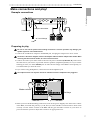
Make connections and play! ........................................................................................ 7
Example connections ................................................................................................................................ 7
Preparing to play ........................................................................................................................................ 7
2. Front and rear panel ............................................................... 8
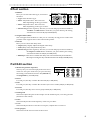
Common section ...........................................................................................................8
Effect section ................................................................................................................ 9
Part Edit section ........................................................................................................... 9
Part Select section ......................................................................................................10
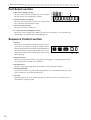
Sequence Control section ..........................................................................................10
Step Key section ......................................................................................................... 11
Connector section ...................................................................................................... 12
3. Basic operation (Quick Start) .............................................. 13
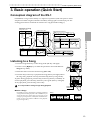
Conceptual diagram of the ES-1 ............................................................................... 13
Listening to a Song .................................................................................................... 13
Listening to a Pattern ..................................................................................................14
Listening to a Sample .................................................................................................14
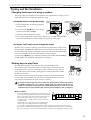
Trying out the functions ............................................................................................. 15
Changing the tempo of a song or pattern .............................................................................................. 15
• Using the dial to change the tempo ................................................................................................... 15
• Using the Tap Tempo key to change the tempo ................................................................................ 15
Striking keys to play Parts .......................................................................................................................15
Modifying (editing) the sound ................................................................................................................. 16
Editing the effect and delay settings ...................................................................................................... 16
Striking the part keys along with a song or pattern ............................................................................. 16
Editing the sound of a part, effect, or delay while hearing a song or pattern .................................... 17
Modifying (editing) a rhythm pattern ...................................................................................................... 18
• Using the step keys to edit the rhythm (Step Recording) .................................................................. 18
• Using the part keys to edit the rhythm (Realtime Recording) ........................................................... 19
Saving a pattern you create (Write) ........................................................................................................ 20
Using a Motion Sequence ....................................................................................................................... 21
Connecting various sources to the audio inputs .................................................................................. 22
Let’s record a sample ............................................................................................................................... 23
About the Slice function .......................................................................................................................24
About the Resample function ............................................................................................................. 24
Assigning a sample sound to a sample part ......................................................................................... 24
Playing with Pattern Set .......................................................................................................................... 25
Using the ES-1 as a tone generator module .......................................................................................... 25
Synchronizing with an EA-1 or ER-1 ...................................................................................................... 26
4. Sample mode .........................................................................27
Recording a sample ....................................................................................................27
Selecting a sample ......................................................................................................27
Playing a sample .........................................................................................................27
Modifying a sample .................................................................................................... 27
Specifying the start location ......................................................................................28
Specifying the end location ........................................................................................28
Specifying the fade-out length .................................................................................. 28
3