1
JX-CD915
PORTABLE CD/MP3 DISC PLAYER
WITH FM STEREO RADIO
INSTRUCTION MANUAL
PREPARATIONS BEFORE USING
ENGLISH
1. Open Battery Compartment cover.
2. Insert 2 batteries (LR6, “AA” size, or equivalent)
in the correct polarity as indicated.
(Heavy duty batteries are recommended.)
3. Close the cover properly.
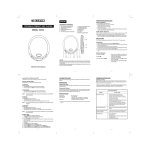
LOCATION OF CONTROLS
1.
2.
3.
4.
5.
6.
7.
8.
9.
10.
11.
12.
13.
14.
15.
16.
17.
SKIP / SEARCH DOWN
PLAY / PAUSE (POWER ON)
LCD DISPLAY
ASP / DIR. UP
SKIP / SEARCH UP
MODE / PROG
STOP / (POWER OFF)
OPEN KNOB
EQ
1
2
DC JACK
HOLD SWITCH
BATTERY DOOR
TUNING KNOB
FUNCTION SWITCH
HEADPHONE JACK
VOLUME
BASS BOOST SWITCH
3
4
1. Plug the DC output of the adaptor to the DC Jack.
2. Connect the adaptor (4.5V/600mA) to a power outlet.
Make sure the voltage is compatible.
A. Repeat Play
During PLAY mode
• Press the MODE/PROG button once to play single track repeatedly.
will appear in the display.
• The repeat indicator
During PLAY mode
• Press the MODE/PROG button twice (Three times in MP3 disc) to play the entire disc
repeatedly.
• The repeat indicator
will appear in the display.
• Press the MODE button twice in MP3 disc to play the directory repeatedly.
• The repeat indicator DIR will appear in the display.
DISC PLAYING
NOTE -
AC Power Adaptor
5
Various Playing Modes
MODE Button — There are 3 kind of function :
Battery Installation
This CD player is designed to play the 8cm and 12cm compact disc without using adaptor.
Hold Switch
13
Set the HOLD button to “ON” position, all the buttons will be locked. Before operation, be
sure to set the switch to “OFF” position, for normal operation.
Getting Start
14
15
10
11
16
17
12
1. Insert the headphone/earphone plug to PHONE JACK.
2. Set the FUNCTION SWITCH to CD position, Push the OPEN button to right side, and
then the door open, put a disc into the CD compartment with label side upward.
3. Push the disc gently around the centre area until it clicks so that the disc fits into the pivot.
(To remove the disc : Pick up the disc, holding the edge, while pressing the pivot gently.)
4. Close the door and press the PLAY/PAUSE button once.
5. The Display will show the total number of tracks of the disc and total playing time, then
begin to play the first track.
General Operation
6
7
8
9
CAUTION
USE OF CONTROLS OR ADJUSTMENTS OR PERFORMANCE OF PROCEDURES
OTHER THAN THOSE SPECIFIED HEREIN MAY RESULT IN HAZARDOUS RADIATION
EXPOSURE.
THIS SHOULD NOT BE ADJUSTED OR REPAIRED BY ANYONE EXCEPT QUALIFIED
SERVICE PERSONNEL.
IMPORTANT :
Play/Pause Button
— Press once to start playback in the original order.
Press again to stop the disc play temporarily.
Stop Button
— Press once to stop playback.
Press again to turn off power
Skip / Search Buttons
— Press once to skip to next track
or
back to previous track
.
— Press continuiously to search forward
or backward
.
ASP / Directory UP Button
— ASP ON / OFF (For CD Disc).
— Directory UP (For MP3 Disc).
Since movement of the CD mechanism and the sensitive circuitry may
cause interference to the radio tuner nearby, switch this unit off while operating
other radio devices.
— 2 —
— 3 —
To cancel REPEAT simply press the MODE/PROG button until the repeat indicator
disappears.
B. Random Play
DURING PLAY mode
• Press the MODE/PROG button 3 times. (4 times in MP3 disc)
• The SHUF indicator will appear in the display.
• Press the PLAY button, all the tracks on a disc to be played in a random sequence.
NOTE -
To cancel RANDOM PLAY simply press the MODE/PROG button until the SHUF
indicator disappears.
C. Intro Scan
DURING PLAY mode
• Press the MODE/PROG button 4 times. (5 times in MP3 disc)
• The INTRO indicator will appear in the display.
• Press the PLAY button to play the first 10 seconds of each track on the disc.
NOTE - To cancel INTRO SCAN simply press the MODE/PROG button until the INTRO
indicator disappears.
PROGRAM PLAY (FOR CD DISC)
1. In stop mode, press the MODE/PROG button to make program memory.
2. “ PGM 0P -01” will be displayed, “0” means track number to memory and “P-01”
means program number.
* “0” flashing appears on the display.
3. Press
or
button to select the desired track.
4. Press the MODE/PROG button to enter the track into memory, the program numbers
which will be increment one step.
* The program no. “P-01” has become “P-02” on the display.
5. Repeat step 3 and 4 until memory is full.
6. Press
button to start the program play.
7. To stop the program play, press the STOP button.
8. For program play in step “ 7 ” , press the MODE/PROG button &
button.
9. To erase the program memory, TURN off the power or open the door.
— 4 —
PROGRAM PLAY (FOR MP3 DISC)
1. In stop mode, press the MODE/PROG button to make program memory.
2. “ PGM 0P-01 0 ” will be displayed. “ 0 ” means DIRECTORY number, “ 0 ” means file
number, “P-01” means program number.
* “ 0 ” flashing appears on the display.
3. Press the ASP/DIR button to select the desired directory.
or
button to select the desired file.
4. Press
5. Press the MODE/PROG button to enter the DIRECTORY and file into memory.
The program number which will be increment one step.
* The program no.“P-01” has become “P-02” on display.
6. Repeat step 3 to 5 until memory is full (UP TO 60 FILES).
7. Press
button to start the program play.
8. To stop the program play, press the STOP button.
9. For program play in step “ 8 “, press the MODE/PROG button &
button.
10. To erase the program memory, turn off the power or open the door.
* If you do not neet to select directory, only select files, the above step 3 can pass.
DIGITAL ANTI-SHOCK OPERATION
• If FM signal is too weak, may cause big noise for stereo stations, please set the function
switch to FM MO. position.
BBS (BASS BOOST SYSTEM) FUNCTION
Cleaning the Disc
When a disc becomes dirty, clean it with a cleaning cloth. Wipe the disc from the center out.
Set the BBS button to ON position to enhance the bass effect.
Note -
PRESET EQUALIZER FUNCTION
Press the EQ button activates 4 Kinds of sound effect as follows:
CLASSIC
ROCK
JAZZ
POP
* The EQ indicator will appear on the display.
If the lens becomes dusty, clean it with camera lens blower. Be careful not to scratch the
surface of the lens.
SPECIFICATIONS
To turn this function off, press ASP/DIR button once, the ASP indicator will disappear.
(FOR CD DISC ONLY)
In MP3 disc always has the ASP function and the ASP time is 120 seconds at 128 Kbps
bit rate.
Perform the following in sequence:
1. Insert the headphone/earphone plug to PHONE JACK.
2. Set the FUNCTION SWITCH to the FM ST. position.
3. Turn the TUNING KNOB in the desired radio station.
4. Adjust the VOLUME CONTROL.
5. To turn the radio off, set the FUNCTION SWITCH to CD position.
Player fails to function
Output Power
Freq. Response
:
20MW (32
)
: 100 ~ 20000 Hz
RADIO:
Frequency range
Output Power
: FM 88 - 108MHz
:
20MW (32
)
Power Source
Points to check
-
CD:
Dimensions
RADIO OPERATION
Problem
Cleaning the Cabinet
When the PLAY/PAUSE button is pressed and the power turns on, the “ASP” appear and the
digital Anti-Shock Protection function turns on automatically.
•
** Should you experience difficulties in the use of this player please refer to the
following chart before contacting your dealer or the place of purchase.
Troubleshooting Guide
Cleaning the Lens
From time to time, clean the cabinet with a soft dry cloth. For more stubborn stains, slightly
moisten the cloth with water or a mild detergent solution. Never use benzene, alcohol or
other solvents as they may damage the finish of the cabinet.
•
Do not use solvents such as benzine, thinner, commercially available cleaners
or anti-static spray intended for analogue discs.
MAINTENANCE
The DIGITAL ANTI-SHOCK PROTECTION function uses semiconductor memory to prevent the second from skipping when the unit is subjected to shocks and vibration during play.
It will give approximately 40 seconds(MP3 120 seconds) of protection against interruption
of sound output, if the player is subjected to shocks of more than 40 seconds duration, some
interruption of sound output will occur, this is normal and to be expected, the sound will
resume once the player has stabilized from the shock.
TROUBLE SHOOTING GUIDE
: 2 x UM-3 or AA size batteries
4.5V (600mA) AC - DC adaptor
: 142mm(W) x 142mm(D) x 32mm(H)
** For improvement purposes, specification and design are subject to change without
notice. **
-
The disc may be inserted upside down.
The disc not mounted correctly on the chuck.
Dirty or a defective disc.
Dirty pick up lens.
Player lid not closed.
Moisture condensation, allow the player to warm up to
room temperature for 60 minutes.
AC Power to an adaptor switched off.
Auto power off has occurred, press PLAY button to
restore power.
Weak batteries.
Hold switches at ON position, switch to OFF position.
No sound from Earphones
-
Earphones' plug is not firmly inserted into the Phones
socket.
VOLUME set on min. position.
Intermittent Sound
-
Dirty or defective disc.
Dirty pick up lens.
The player is subject to excessive vibration or shock.
Low battery power.
Poor Earphone connection.
Notes :
• When listening to FM program, the phone cord works as an antenna. To insure maximum
tuner sensitivity, keep the phone cord (antenna) always straight. Do not fold it.
• Reception sensitivity depends on the placement of the phone cord. Try to determine the
cord position which provides the best sensitivity.
— 5 —
— 6 —
— 7 —